
Sabitlenmiş Tweet
Code Monkey
3.1K posts

Code Monkey
@UnityCodeMonkey
Teaching Game Development and Programming using Unity and C# https://t.co/YvPfuTJmIz
Katılım Nisan 2018
161 Takip Edilen26.9K Takipçiler
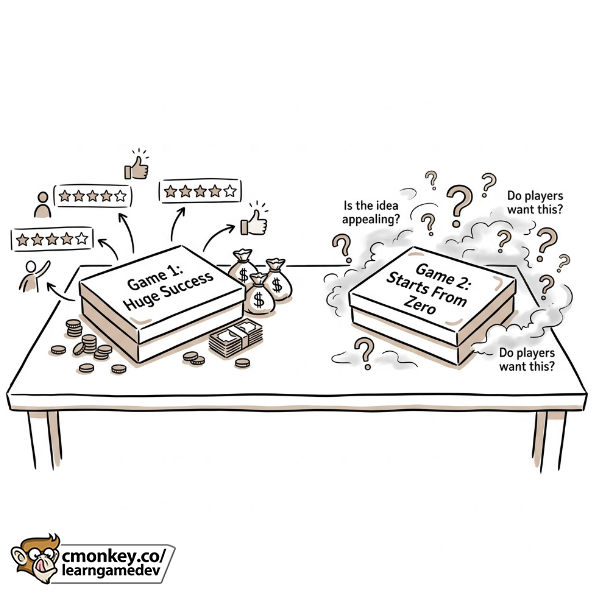
One of the most dangerous assumptions in game development is thinking that success automatically carries over to the next project. Sadly it doesn't.
I've seen developers make a game that earns hundreds of thousands or even millions of dollars, and then their next game completely flops.
At first that sounds strange, if they're clearly capable of making successful games, then what happened?
Usually it's because they assume the success came from them and anything they do will find as much success, when in reality some or most of it came from the game idea itself.
Marketing starts with the concept, the game idea. Some ideas are simply much easier to sell than others. Two developers with the exact same skillset will find wildly different results one two different game ideas.
That's why I always encourage developers to study the market, if your goal is to find success.
Don't just ask: "Can I build this?"
Also ask: "Do people actually want this?"
Those are two very different questions and answering the second one correctly can save you years of work. If you're an experienced dev you might have the skills to make many possible games, but if your goal is financial success then only some of those ideas are viable. Always keep that in mind, success in game dev is NOT just about technical execution.
Best of luck with your games!
English
What is the BEST method for game marketing?
The answer is how there is no one single answer, every game is different, there are tons of valid marketing approaches.
Some games find lots of success on TikTok (Tiny Glade), others on Instagram (Tiny Book Shop), others with wacky YouTube devlogs (Dani), others with serious devlogs (ThinMatrix), others with just gifs on Reddit / Twitter (MEATSHOT), or simply having content creators play your game (Get To Work), or by just organic algorithm (Thronefall) or by doing paid advertising.
So my best advice try out everything and see what works for you game.
If a certain format/platform gets 10k+ views, do it again! Find what works and keep doing that over and over again.
English
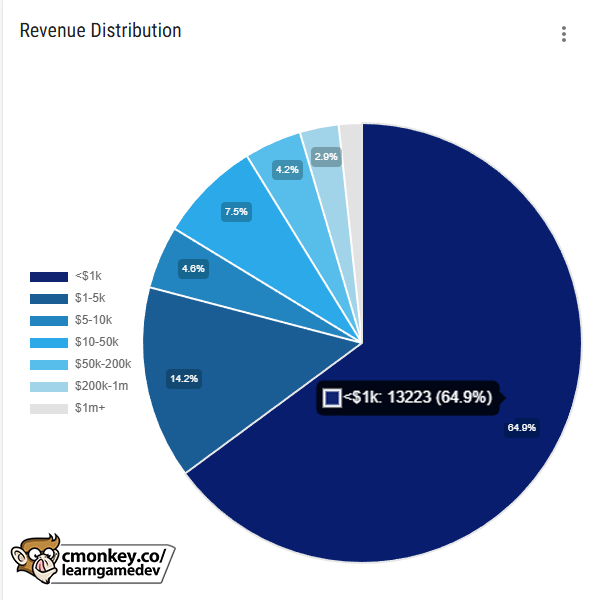
Looking at Steam stats can be terrifying. Nearly 20,000 new games in 2025, most make < $1,000, median revenue is a measly $318. But don't panic, those numbers include EVERYONE: hobbyists, student projects, asset flips, even AI slop.
If you're a skilled dev making marketable games with professional intent then you're NOT competing with thousands of first-game uploads. The slice of genuinely professional, high-quality games is far smaller, and the # of successful indie devs is actually GROWING (see the rise in 100+ review games).
Focus on execution and learning the market. Don't be scared by the big headline number, there's always space for quality new games!
English
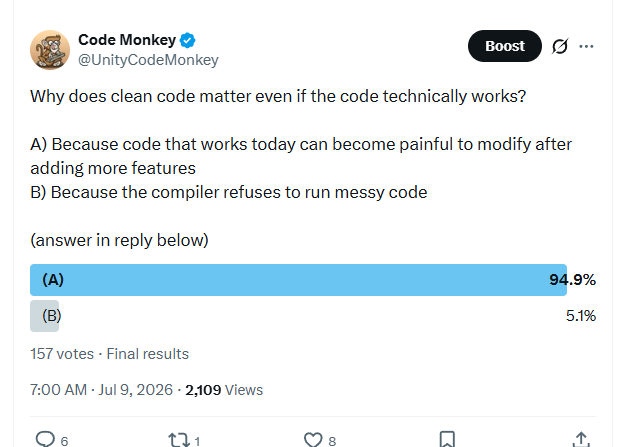
@Nick_LoGalbo Is B on top of A? I see them in the same order
I'm on Desktop, does it look different on Mobile or something?
English

@UnityCodeMonkey Sneaky of you to put B on top of A, I almost clicked the wrong option by mistake, even though I knew the answer.
English
Why does clean code matter even if the code technically works?
A) Because code that works today can become painful to modify after adding more features
B) Because the compiler refuses to run messy code
(answer in reply below)
English
You definitely DONT need to be a part time streamer to be a successful dev. Most devs don't do any YouTube or Twitch or anything and plenty of them find success. It is one path to success but not the only one.
For example the devs behind Meccha Chameleon have no social presence and they still made a hit game becasue they came up with a really awesome idea and coupled it with excellent execution. Then people whose job it is to stream games, like Ludwig or Splattercat, played the game and shared it to players.
Or one example in the middle is Jonas Tyroller, he has a channel that is pretty successful, but nowhere near the $10 million he made from Thronefall. 99% of that success came from the Steam algorithm from making a genuinely awesome game that blew up as soon as people got their hands on the demo.
The dev doesn't have to be the one doing the sharing, they just have to make awesome games that people genuinely want to play.
So if you don't want to become a streamer/YouTuber, that's fine! Make awesome games that people want to play.
Grigsby’s World Productions - Wishlist TQA Today!@grigsbysworld
@UnityCodeMonkey Im torn. You give good advice and seem like a successful dev. And it doesnt strike me as performative in the way that other 'nice guy' devs do. On the other hand if becoming a successful indie dev means essentially part timing as a streamer id genuinely rather gouge out my eye.
English
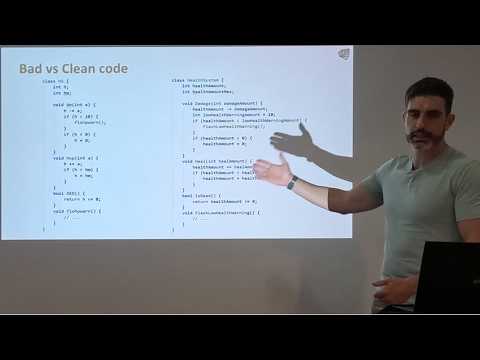
@Guld4rd Check out my talk on this topic youtube.com/watch?v=m0s3IU…
I mention some very practical advice on how I write clean code and what that even means to me
YouTube
English

@UnityCodeMonkey I'll definitely check this one out.
I'm already convinced I should write cleaner code but my question is often : how ?
English
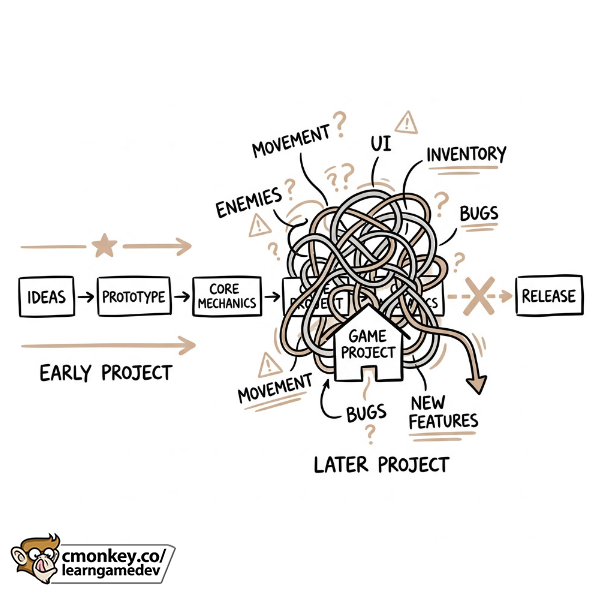
I don't think most projects fail because the idea was bad. I think many projects fail because the code becomes too difficult to work with.
At the start everything is easy.
- You add movement
- You add enemies
- You add UI
- You add inventory
Everything works.
But then suddenly every new feature takes twice as long as it should. You fix one bug and create three more. Changing one thing breaks something completely unrelated.
The project just becomes heavier and heavier until eventually you stop wanting to work on it and give up.
That's the point where many projects die and end up in your giant pile of unfinished projects.
Clean code isn't about making code look pretty, it's about keeping complexity under control!
It's about making sure the project remains enjoyable to work on even after months of development.
Because if your project becomes painful to work on, finishing it becomes much harder, and finished games are worth a lot more than abandoned prototypes.
So if you want to take your games to the finish line then I encourage you to think about the quality of the code that you're writing.
I have an entire 1hr talk on YouTube all about this topic titled: "How to Write High Quality Code that doesn't fall apart."
If you're trying to be a professional game dev as opposed to just a hobbyist building throwaway prototypes, then I highly recommend you learn how to write proper high quality clean code. Best of luck!
English
@MrAwesomeBruce Consistent progress! If you just keep doing that you'll get there! Keep at it!
English



@UnityCodeMonkey Though I’m working on my very first game now (which won’t come out for a year), I’m already excited to work on the next one after it!
Narratively, it’s a continuation but with different gameplay, but I’m still super excited 😊
English
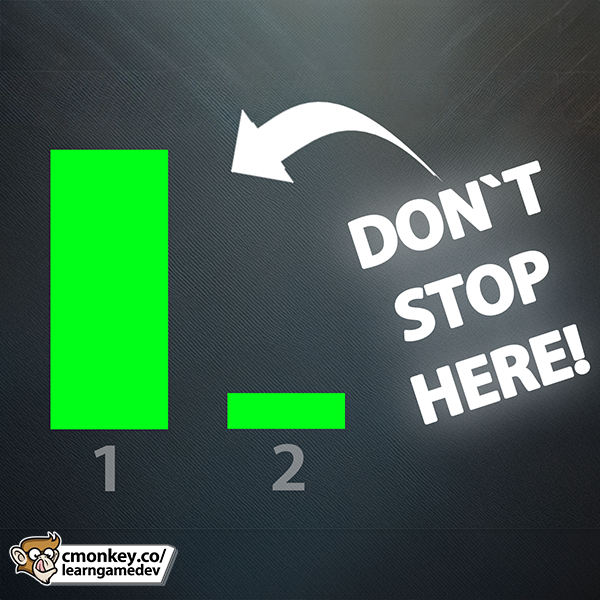
One HUGE MISTAKE that devs make: They launch ONE game and quit. The real magic happens in game two and beyond!
Experience is truly the closest thing there is to a secret in this industry, the more games you make the better you become, so don't stop after game one! Making game number two will be easier because you will have more knoweldge and more skills which in turn increases your odds of making something that finds success.
It's another reason why I love the advice of "make small games" because if you make them small you can make them fast which means in a relatively short amount of time you gain a ton of experience by launching multiple games.
So do NOT make this mistake! Make your first game, then make your second, third, etc. Best of luck!
English
@RodriGameDev Nope! Just look at the recent mega hit Meccha Chameleon. You can see they made lots of games before it, and obviously none had this level of mega success, and no players care! They just enjoy their latest game.
English

@UnityCodeMonkey Do you think that people will judge your previous commercial games after they play the one that succeded?
English
Don't just say "It's not Working!", ask for help BETTER!
English
@paulpoint_ You ever heard of MySpace? Friendster? Hi5? tons of social media websites started from "Lets connect people together" and yet htey are all compeltely different from one another
English



@UnityCodeMonkey Great job! But can you please share the link to the free course?
The one with the kitchen? I can't find it on your site or YouTube. Thanks!
English
Xbox's painful reset, and Unity 6.7 Alpha with CoreCLR!
Buy games without spending money, and GeForce trading cards
gamedevreport.beehiiv.com/p/xbox-s-painf…
Get the latest Game Dev Insights! #gamedev
English
#### ANSWER ####
#### ANSWER ####
#### ANSWER ####
#### ANSWER ####
#### ANSWER ####
#### ANSWER ####
#### ANSWER ####
#### ANSWER ####
#### ANSWER ####
#### ANSWER ####
#### ANSWER ####
#### ANSWER ####
(B)
A lot of game dev advice sounds contradictory because people remove all the nuance. Advice that works for one genre, one platform, one budget, or one point in time might not work in a different situation. The important thing is not just asking "Is this advice true?" but asking "What is the context for this advice? And does it apply in my case?"
English
Why can two pieces of game dev advice seem contradictory but both still be correct?
A) Because most game dev advice is completely useless
B) Because the correct answer often depends on context, timing, platform, and the specific game
C) Because only advice from successful developers matters
D) Because every game should follow the exact same marketing strategy
(answer in reply below)
English