Novelvirus

1.3K posts

Novelvirus banner
Novelvirus

Novelvirus

@VirusStalker

Are you a novel virus? a new celltype? Then, I'm the polygamous computational virologist just for you. Interests in meditation and reducing suffering.

Present Katılım Nisan 2012
86 Takip Edilen70 Takipçiler
Matthew Berman
Matthew Berman@MatthewBerman·
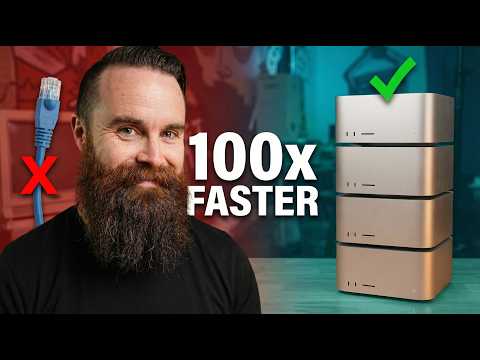
Dylan Patel says we aren't ready for what's coming... Round 2 with @dylan522p 1:13 - Dylan's predictions 7:47 - Anthropic vs DoW 15:08 - War Claude 22:00 - How happiness in society works 31:31 - Knowledge work is cooked 38:22 - Is SaaS dead? 45:18 - New Media landscape 48:16 - White collar bloodbath 52:38 - Open Source is Losing 1:04:45 - Chinese AI Distillation Attacks 1:09:52 - Closed Source VS Open Source 1:19:43 - Microsoft CEO is coping 1:26:55 - Who wins the ASI race?
English
89
221
2K
639.3K
Alex Finn
Alex Finn@AlexFinn·
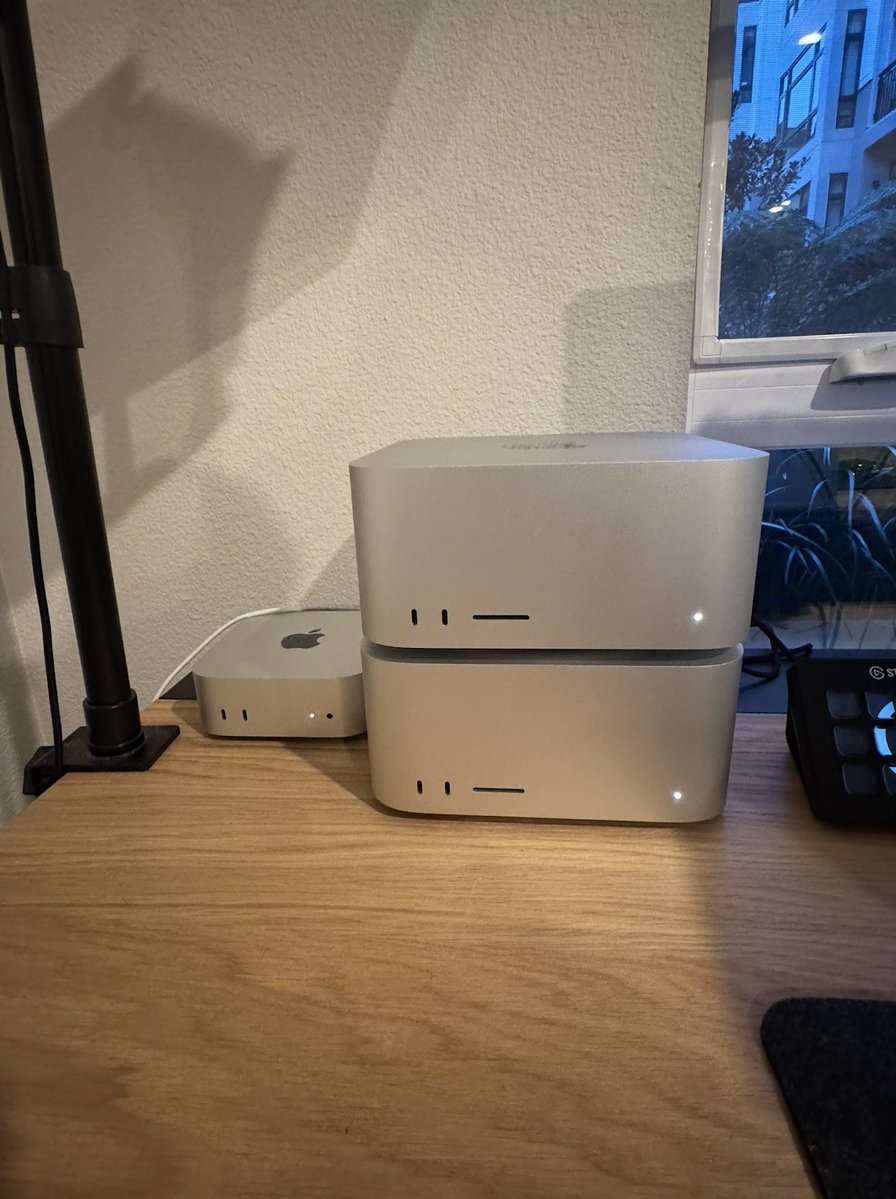
Its so obvious the path this world is going down. So I spent another $10,000 My vision has never been clearer. Open source AI models are now equally if not more powerful than closed source ones We will soon all have private personalized super intelligent AI agents running locally on our desks 24/7 The people who don't do this in the future won't have as much economic power The people who do will have all the economic power in the world I'm going all in on this vision My 2nd Mac Studio has arrived. I have 2 more coming. I will have 4 Mac studios and a Mac mini running 5 concurrent OpenClaws with 7 different super powerful local models performing tasks 24/7/365 for me I will interface with them, and they will coordinate with each other. Talking, planning, building all hours of the day. No need for sleeping or eating. I will build a digital society humanity has never seen before I will push the limits of what is possible with AI agents and local intelligence. I will redefine what is possible for one person to achieve in a life time I will share everything I build and learn with you. It will be glorious. If you're reading this, the future is going to be incredible. But the thing is, it will only be incredible if you do something about it. Don't let society control you. Take control yourself. Break free from your shackles.
Alex Finn tweet media
English
779
189
3K
2.2M
Novelvirus
Novelvirus@VirusStalker·
@JoachimSchork Just be careful of the heuristics readr uses to guess column types. It can change your data in ways you don't expect. Read the documentation carefully.
English
0
0
0
22
Joachim Schork
Joachim Schork@JoachimSchork·
When it comes to importing data in R, there are several packages to choose from. In my opinion, readr stands out as the best option. Here's why: ✅ Simplicity: readr offers straightforward functions for reading various types of data files, such as CSVs and TSVs. Its intuitive interface makes it easy to use, especially for beginners. ✅ Speed: readr is known for its efficient performance, allowing you to import large data sets quickly. This can save you valuable time, especially when working with extensive data files. ✅ Consistency: readr provides consistent behavior across different data formats, ensuring reliability in your data import processes. You can trust that your data will be imported accurately every time. ✅ Integration: readr seamlessly integrates with other popular R packages, such as dplyr and ggplot2, enhancing your data analysis workflow. This interoperability makes it a valuable tool in the R ecosystem. However, there are many alternatives: 1️⃣ data.table: Known for its speed and memory efficiency, data.table is a powerful package for handling large data sets. It offers fast data manipulation capabilities, making it a preferred choice for many data professionals. 2️⃣ readxl: If your primary focus is on importing Excel files, readxl is a reliable option. It provides simple functions for reading Excel spreadsheets into R, maintaining the formatting and structure of your data. 3️⃣ read.csv(): While not a package per se, the base R function read.csv() is still widely used for importing CSV files. It's straightforward and requires no additional installations, making it accessible to all R users. 4️⃣ haven: For working with SPSS, SAS, and Stata files, haven is the go-to package. It ensures seamless import of data from these proprietary formats into R, preserving variable labels and other metadata. Each of these alternatives has its strengths and may better suit your specific needs depending on the nature of your data and your workflow preferences. What is your favorite way to import data into R? I recently hosted a webinar titled "Data Analysis & Visualization in R." During the session, I demonstrated how to import a data set from a CSV file using readr, followed by a comprehensive analysis and visualization of the data. I’ve developed a mini-course based on this live webinar, where I offer the live session recording, exercises with solutions, and additional resources. Further details: statisticsglobe.com/webinar-data-a… #DataAnalytics #Python #datasciencetraining #Rpackage #tidyverse #pythonprogramming #DataAnalytics #Data
Joachim Schork tweet media
English
3
9
66
2.5K
Adam Schefter
Adam Schefter@AdamSchefter·
Steelers now have won 23 consecutive home games on Monday Night Football. The last time the Steelers lost a home game on Monday Night Football was to the New York Giants on October 14, 1991.
Adam Schefter tweet media
English
314
1.4K
16.2K
1.3M
Novelvirus
Novelvirus@VirusStalker·
Beware of Occam's Razor. The Datasaurus Dozen dataset has the same summary stats but very different structures when plotted. A dinosaur, stars, etc... are all the same if you trust Occam (the stats). The simplest explanation isn't always the best. research.autodesk.com/publications/s…
English
0
0
0
17
Ming "Tommy" Tang
Ming "Tommy" Tang@tangming2005·
1/8 Your groundbreaking research might be built on a lie. That cell line you've been studying for months? There's a real chance it's not what the label says. And you're far from alone in this nightmare.
Ming "Tommy" Tang tweet media
English
5
6
61
10.4K
Wonder of Science
Wonder of Science@wonderofscience·
An otter juggling a stone. Researchers believe this behavior may be related to hunger, as otters anticipate food and become excited. 📽: rosierockets
English
17
121
910
101.6K
Novelvirus
Novelvirus@VirusStalker·
@tangming2005 to be pedantic, it returns : ensembl_gene_id entrezgene_id external_gene_name 1 ENSG00000141510 7157 TP53 thank you for the tweet thread. I enjoy these.
English
0
0
1
64
Ming "Tommy" Tang
Ming "Tommy" Tang@tangming2005·
Returns TP53, 7157, and ENSEMBL ID.
English
2
0
3
351
Ming "Tommy" Tang
Ming "Tommy" Tang@tangming2005·
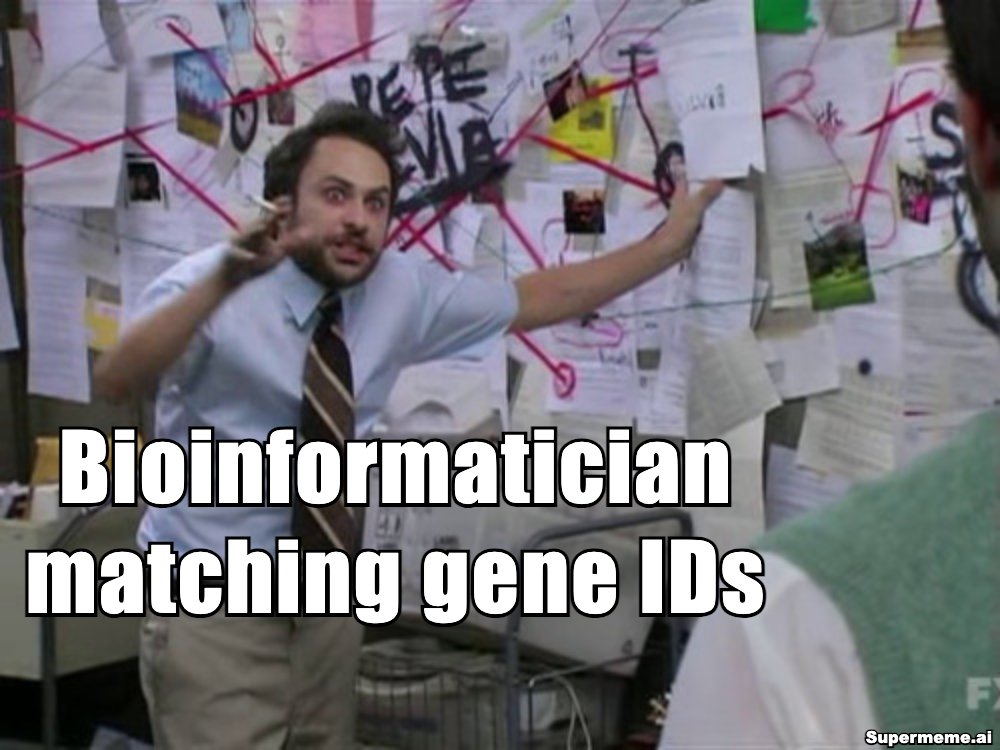
1/ You’re merging gene data across tools. Suddenly nothing matches. ENSEMBL, ENTREZ, TP53, P53… Why so many gene IDs?
Ming "Tommy" Tang tweet media
English
4
21
158
9.7K
Novelvirus
Novelvirus@VirusStalker·
@strnr I get this error on my Mac Sonoma when installing with brew: $ tgv -bash: /usr/local/bin/tgv: Bad CPU type in executable anybody else seen this?
English
1
0
0
142
Novelvirus
Novelvirus@VirusStalker·
@tangming2005 Thank you for the informative tweet thread about reference genomes. I just checked the sequences in the link you posted (no_alt_analysis_set.fna.gz). It contains the EBV genome so if anybody is doing viral subtraction pipelines, this is not the genome to use.
English
0
0
1
80
Ming "Tommy" Tang
Ming "Tommy" Tang@tangming2005·
6/ Using GRCh38? Use this clean one: no_alt_analysis_set (no alt contigs, no unplaced junk): ftp://ftp.ncbi.nlm.nih.gov/genomes/all/GCA/000/001/405/GCA_000001405.15_GRCh38/seqs_for_alignment_pipelines.ucsc_ids/GCA_000001405.15_GRCh38_no_alt_analysis_set.fna.gz
English
3
0
2
655
Ming "Tommy" Tang
Ming "Tommy" Tang@tangming2005·
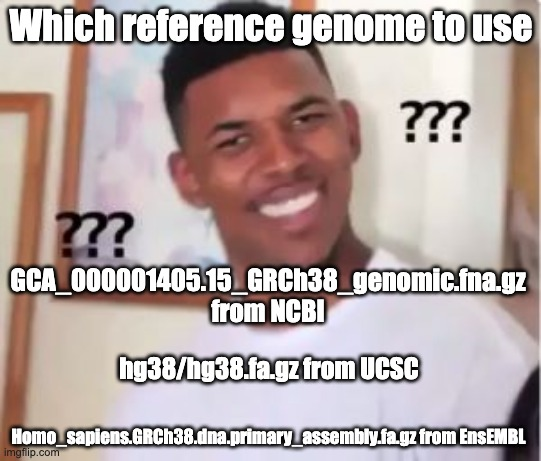
Bioinformatics is hard before you even write a single line of code. Here's why. 1/ You haven’t started your DNA-seq analysis. You haven’t aligned a read. And yet you’ve already hit a wall. Which human genome to use?
Ming "Tommy" Tang tweet media
English
8
20
175
16.7K
Nextflow
Nextflow@nextflowio·
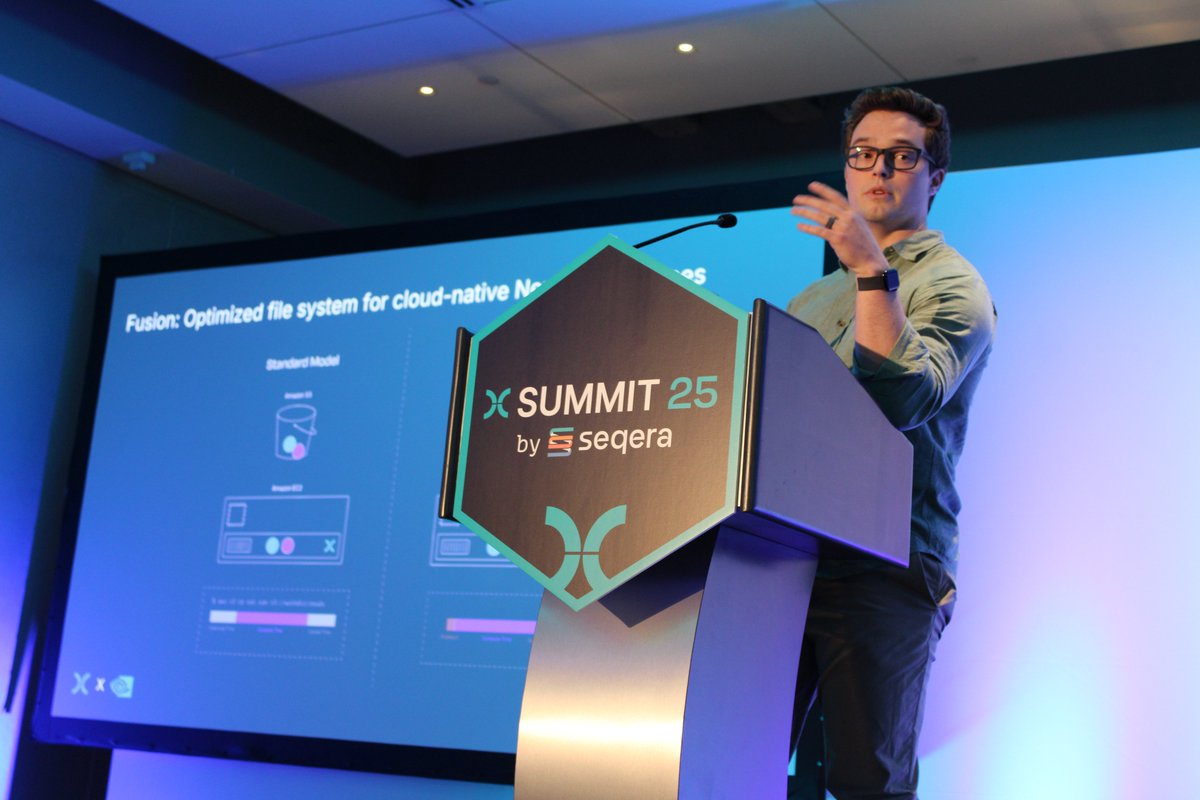
@Azure Interesting talk by Gary Burnett (@nvidia) & Edmund Miller (@SeqeraLabs) on using Nvidia’s Parabricks (a set of GPU-accelerated analysis tools) with Seqera’s Fusion file system for accelerated bioinformatics analysis.
Nextflow tweet mediaNextflow tweet media
English
1
0
1
120
Nextflow
Nextflow@nextflowio·
And we’re back from the coffee break—recharged and ready to go! Continuing the #BigNextflow kicking off with a talk from Wolfgang De Salvador from @Azure
Nextflow tweet media
English
1
0
2
222
Novelvirus
Novelvirus@VirusStalker·
@abdelmoghit_id @svpino or making their hardware so damn slippery that it feels like it was designed to be dropped and broken
English
1
0
1
7
MoghIT
MoghIT@moghit_maker·
@svpino apple’s been sleeping at the wheel for a decade lol 13 yrs and siri still can’t set a timer without messing it up feels like they shipped it, gave up, and went back to polishing icons time to vibe-code siri 2.0 in a weekend fr
English
1
0
4
542
Santiago
Santiago@svpino·
Seriously, how has Apple been unable to release something better than Siri? Have they tried to vibe-code a new AI assistant? Siri is 13 years old. It sucked back in 2011. Today, it's beyond a joke.
English
72
12
397
39K
Novelvirus retweetledi
Andrej Karpathy
Andrej Karpathy@karpathy·
I wrote a quick new post on "Digital Hygiene". Basically there are some no-brainer decisions you can make in your life to dramatically improve the privacy and security of your computing and this post goes over some of them. Blog post link in the reply, but copy pasting below too. Every now and then I get reminded about the vast fraud apparatus of the internet, re-invigorating my pursuit of basic digital hygiene around privacy/security of day to day computing. The sketchiness starts with major tech companies who are incentivized to build comprehensive profiles of you, to monetize it directly for advertising, or sell it off to professional data broker companies who further enrich, de-anonymize, cross-reference and resell it further. Inevitable and regular data breaches eventually runoff and collect your information into dark web archives, feeding into a whole underground spammer / scammer industry of hacks, phishing, ransomware, credit card fraud, identity theft, etc. This guide is a collection of the most basic digital hygiene tips, starting with the most basic to a bit more niche. Password manager. Your passwords are your "first factor", i.e. "something you know". Do not be a noob and mint new, unique, hard passwords for every website or service that you sign up with. Combine this with a browser extension to create and Autofill them super fast. For example, I use and like 1Password. This prevents your passwords from 1) being easy to guess or crack, and 2) leaking one single time, and opening doors to many other services. In return, we now have a central location for all your 1st factors (passwords), so we must make sure to secure it thoroughly, which brings us to... Hardware security key. The most critical services in your life (e.g. Google, or 1Password) must be additionally secured with a "2nd factor", i.e. "something you have". An attacker would have to be in possession of both factors to gain access to these services. The most common 2nd factor implemented by many services is a phone number, the idea being that you get a text message with a pin code to enter in addition to your password. Clearly, this is much better than having no 2nd factor at all, but the use of a phone number is known to be extremely insecure due to the SIM swap attack. Basically, it turns out to be surprisingly easy for an attacker to call your phone company, pretend they are you, and get them to switch your phone number over to a new phone that they control. I know this sounds totally crazy but it is true, and I have many friends who are victims of this attack. Therefore, purchase and set up hardware security keys - the industrial strength protection standard. In particular, I like and use YubiKey. These devices generate and store a private key on the device secure element itself, so the private key is never materialized on a suspiciously general purpose computing device like your laptop. Once you set these up, an attacker will not only need to know your password, but have physical possession of your security key to log in to a service. Your risk of getting pwned has just decreased by about 1000X. Purchase and set up 2-3 keys and store them in different physical locations to prevent lockout should you physically lose one of the keys. The security keys support a few authentication methods. Look for "U2F" in the 2nd factor settings of your service as the strongest protection. E.g. Google and 1Password support it. Fallback on "TOTP" if you have to, and note that your YubiKeys can store TOTP private keys, so you can use the YubiKey Authenticator app to access them easily through NFC by touching your key to the phone to get your pin when logging in. This is significantly better than storing TOTP private keys on other (software) authenticator apps, because again you should not trust general purpose computing devices. It is beyond the scope of this post to go into full detail, but basically I strongly recommend the use of 2-3 YubiKeys to dramatically strengthen your digital security. Biometrics. Biometrics are the third common authentication factor ("something you are"). E.g. if you're on iOS I recommend setting up FaceID basically everywhere, e.g. to access the 1Password app and such. Security questions. Dinosaur businesses are obsessed with the idea of security questions like "what is your mother's maidan name?", and force you to set them up from time to time. Clearly, these are in the category of "something you know" so they are basically passwords, but conveniently for scammers, they are easy to research out on the open internet and you should refuse any prompts to participate in this ridiculous "security" exercise. Instead, treat security questions like passwords, generate random answers to random questions, and store them in your 1Password along with your passwords. Disk encryption. Always ensure that your computers use disk encryption. For example, on Macs this total no-brainer feature is called "File Vault". This feature ensures that if your computer gets stolen, an attacker won't be able to get the hard disk and go to town on all your data. Internet of Things. More like @internetofshit. Whenever possible, avoid "smart" devices, which are essentially incredibly insecure, internet-connected computers that gather tons of data, get hacked all the time, and that people willingly place into their homes. These things have microphones, and they routinely send data back to the mothership for analytics and to "improve customer experience" lol ok. As an example, in my younger and naive years I once purchased a CO2 monitor from China that demanded to know everything about me and my precise physical location before it would tell me the amount of CO2 in my room. These devices are a huge and very common attack surface on your privacy and security and should be avoided. Messaging. I recommend Signal instead of text messages because it end-to-end encrypts all your communications. In addition, it does not store metadata like many other apps do (e.g. iMessage, WhatsApp). Turn on disappearing messages (e.g. 90 days default is good). In my experience they are an information vulnerability with no significant upside. Browser. I recommend Brave browser, which is a privacy-first browser based on Chromium. That means that basically all Chrome extensions work out of the box and the browser feels like Chrome, but without Google having front row seats to your entire digital life. Search engine. I recommend Brave search, which you can set up as your default in the browser settings. Brave Search is a privacy-first search engine with its own index, unlike e.g. Duck Duck Go which basically a nice skin for Bing, and is forced into weird partnerships with Microsoft that compromise user privacy. As with all services on this list, I pay $3/mo for Brave Premium because I prefer to be the customer, not the product in my digital life. I find that empirically, about 95% of my search engine queries are super simple website lookups, with the search engine basically acting as a tiny DNS. And if you're not finding what you're looking for, fallback to Google by just prepending "!g" to your search query, which will redirect it to Google. Credit cards. Mint new, unique credit cards per merchant. There is no need to use one credit card on many services. This allows them to "link up" your purchasing across different services, and additionally it opens you up to credit card fraud because the services might leak your credit card number. I like and use privacy dot com to mint new credit cards for every single transaction or merchant. You get a nice interface for all your spending and notifications for each swipe. You can also set limits on each credit card (e.g. $50/month etc.), which dramatically decreases the risk of being charged more than you expect. Additionally, with a privacy dot com card you get to enter totally random information for your name and address when filling out billing information. This is huge, because there is simply no need and totally crazy that random internet merchants should be given your physical address. Which brings me to... Address. There is no need to give out your physical address to the majority of random services and merchants on the internet. Use a virtual mail service. I currently use Earth Class Mail but tbh I'm a bit embarrassed by that and I'm looking to switch to Virtual Post Mail due to its much strong commitments to privacy, security, and its ownership structure and reputation. In any case, you get an address you can give out, they receive your mail, they scan it and digitize it, they have an app for you to quickly see it, and you can decide what to do with it (e.g. shred, forward, etc.). Not only do you gain security and privacy but also quite a bit of convenience. Email. I still use gmail just due to sheer convenience, but I've started to partially use Proton Mail as well. And while we're on email, a few more thoughts. Never click on any link inside any email you receive. Email addresses are extremely easy to spoof and you can never be guaranteed that the email you got is a phishing email from a scammer. Instead, I manually navigate to any service of interest and log in from there. In addition, disable image loading by default in your email's settings. If you get an email that requires you to see images, you can click on "show images" to see them and it's not a big deal at all. This is important because many services use embedded images to track you - they hide information inside the image URL you get, so when your email client loads the image, they can see that you opened the email. There's just no need for that. Additionally, confusing images are one way scammers hide information to avoid being filtered by email servers as scam / spam. VPN. If you wish to hide your IP/location to services, you can do so via VPN indirection. I recommend Mullvad VPN. I keep VPN off by default, but enable it selectively when I'm dealing with services I trust less and want more protection from. DNS-based blocker. You can block ads by blocking entire domains at the DNS level. I like and use NextDNS, which blocks all kinds of ads and trackers. For more advanced users who like to tinker, pi-hole is the physical alternative. Network monitor. I like and use The Little Snitch, which I have installed and running on my MacBook. This lets you see which apps are communicating, how much data and when, so you can keep track of what apps on your computer "call home" and how often. Any app that communicates too much is sus, and should potentially be uninstalled if you don't expect the traffic. I just want to live a secure digital life and establish harmonious relationships with products and services that leak only the necessary information. And I wish to pay for the software I use so that incentives are aligned and so that I am the customer. This is not trivial, but it is possible to approach with some determination and discipline. Finally, what's not on the list. I mostly still use Gmail + Gsuite because it's just too convenient and pervasive. I also use 𝕏 instead of something exotic (e.g. Mastodon), trading off sovereignty for convenience. I don't use a VoIP burner phone service (e.g. MySudo) but I am interested in it. I don't really mint new/unique email addresses but I want to. The journey continues. Let me know if there are other digital hygiene tips and tricks that should be on this list. Link to blog post version in the reply, on my brand new Bear ʕ•ᴥ•ʔ blog cute 👇
Andrej Karpathy tweet media
English
699
3.5K
26.5K
4M
Novelvirus retweetledi
The All-In Podcast
The All-In Podcast@theallinpod·
David Friedberg: How to Save Social Security Using Compound Interest @friedberg with an incredible breakdown on E219: "The US Social Security Program is meant to be kind of the retirement program for folks that don't have access to private retirement accounts." "This program was set up in the 1930s after the Great Depression. There's a trust fund, the OASDI, which is the fund that they invest the capital (from)." "So every year we all put money in with our social security taxes out of our paychecks, (which) goes in there." "It gets invested in one thing: US Treasuries." "Which have averaged about 4.8% return per year since the beginning of the program." "Meanwhile, the S&P 500 has been averaging 11%." "So here's the math: if in 1971, which was the year that we went off the gold standard in the US, if we invested the Social Security Trust Fund in the S&P, the balance of the social security trust fund today would be $15T." "That would be roughly one-third of the value of the total S&P 500, which would be jointly owned by all Americans." "Now here's what's f*cked up: the middle class people who had access to private retirement accounts benefited by buying the S&P 500 and the wealthy were able to access it." "So all of the equity value that accrued from American enterprise and the prosperity of the American system accrued to the people that had access to the private accounts." "Meanwhile, the people that only had access to the public accounts got stuck owning treasuries." "Today, the Social Security Trust Fund has a $2.7T balance, and based on the outflows and inflows, it's going to go bankrupt in 2032." "So I did the math: If you assume that the S&P 500 continues to grow at 10.5% per year on average, we could put about $500B in the trust fund today, and it will not go bankrupt again." "And it will continue to grow every year. And then all Americans have participation in American enterprise." "And importantly, this becomes the world's largest sovereign wealth fund ever. You don't need a separate sovereign wealth fund. We already have one." "We've totally mismanaged it. And I went back to try and understand why this is the case. Why have we only ever bought treasuries? " "Early on, the US needed someone to loan money. So they basically forced the citizens to loan the government money in the form of treasuries." "But today, the social security trust fund owns less than 10%, about 8% of the total treasury bonds outstanding." "So why are we forcing all the American citizens to participate?" "Through the social security system, we've created the deep inequity we see in this country." "If instead we had allowed the social security system to invest in the S&P 500 to buy American enterprises to fund American businesses, then every American would be wealthy and that middle class that uniquely participated by basically arbitraging the market where they forced the treasury bond yields on the poor and they got to take access to the equity yields would have not happened."
English
154
485
2.6K
166.4K
Novelvirus
Novelvirus@VirusStalker·
@DanSchneierNFL Interesting. Where do you get this wide view perspective? do you have to pay for this somewhere?
English
0
0
0
12
Dan Schneier
Dan Schneier@DanSchneierNFL·
Love the ball placement/location on this throw by Drake Maye, too.. Look at his base/feet and how much he's able to generate on this throw ++ how he throws it into SPACE rather than at the WR. No panic in muddy pockets. He's so used to playing through them with UNC and NE.
English
1
1
4
2.5K
Dan Schneier
Dan Schneier@DanSchneierNFL·
Watching Drake Maye for tomorrow's BTB & came across this 3rd down solution. No one in this class & many before it see/use the middle of the field better. Second window RIP here.. ball placement, timing, pocket manipulation - EVERYTHING you want from a QB in a play. #Patriots
English
3
1
10
5.1K