Melissa Lim

45.6K posts

Melissa Lim banner
Melissa Lim

Melissa Lim

@actionhero

she+her / learning, teaching, technology, equity @PPSConnect / ❤️PDX, knitting, sewing, travel, fashion, movies, music, books, food, wellness❤️

Portland, OR Katılım Ocak 2007
731 Takip Edilen3.4K Takipçiler
Alex Prompter
Alex Prompter@alex_prompter·
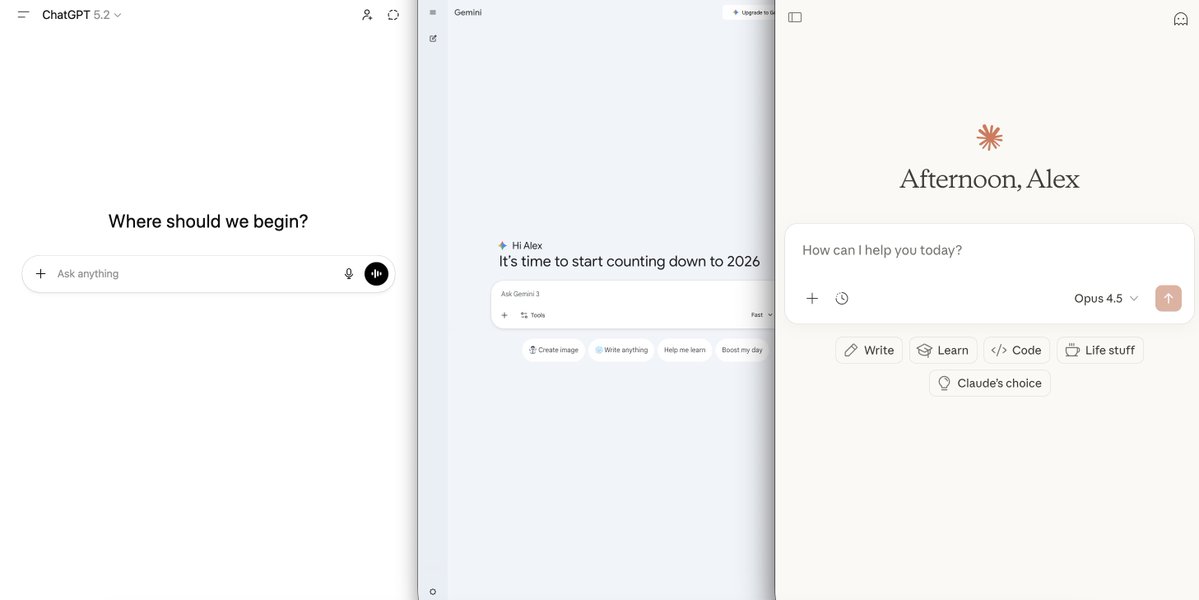
R.I.P generic prompting. Context engineering is the new king. Anthropic, OpenAI, and Google engineers don't write prompts like everyone else. They engineer context. Here are 8 ways to use context in your prompts to get pro-level output from every LLM out there:
Alex Prompter tweet media
English
85
268
2.2K
562.5K
Stitch by Google
Stitch by Google@stitchbygoogle·
That’s a wrap on Week 1 of Shipmas! 🚢🎁 As promised, we dropped a new (sometimes multiple) ships every day this week, and we love what we’re seeing! In case you missed anything though, here is everything we shipped this week 🧵:
English
20
24
238
46K
Melissa Lim
Melissa Lim@actionhero·
November's meetup of Teachers in Bars Getting Coffee is this Saturday, Nov. 1 at 10am. Please RSVP at the link--> #TBGC · Luma luma.com/pdinuhsu
English
1
0
1
45
Melissa Lim
Melissa Lim@actionhero·
October Meetup of Teachers in Bars Getting Coffee is this Saturday, Oct. 4 at 10am hashtag#TBGC · RSVP at the link luma.com/97mm78qb
English
1
0
1
67
Melissa Lim
Melissa Lim@actionhero·
Our Google Educator Group (GEG) Oregon is restarting in 25-26 and our first meeting is in-person next Thursday, Oct. 2, 4-5pm. The Past Lives Makerspace donated their space for us to get together. Fill out the RSVP at forms.gle/T3U827EosDUgtw…. More info bit.ly/gegoregon.

English
0
0
1
167
Poonam Soni
Poonam Soni@CodeByPoonam·
Google just changed the Education forever. ‘Learn Your Way’ just launched, and you can use it to learn anything. 6 Powerful features you can't afford to miss + how to access it:
Poonam Soni tweet media
English
26
102
624
71.6K
Google AI
Google AI@GoogleAI·
Image editing is one of the most popular use cases for @NanoBanana. Try using these image editing prompt templates so you can quickly get the details in your photos just right 🧵 (tip: bookmark this thread for future reference!)
English
58
288
2.5K
392.5K
Google AI
Google AI@GoogleAI·
Want to try Nano Banana but don’t know where to start? Try using these prompting templates to generate images from text 🧵 (note: you may want to bookmark this thread)!
English
50
182
1.7K
238K
Steven Johnson
Steven Johnson@stevenbjohnson·
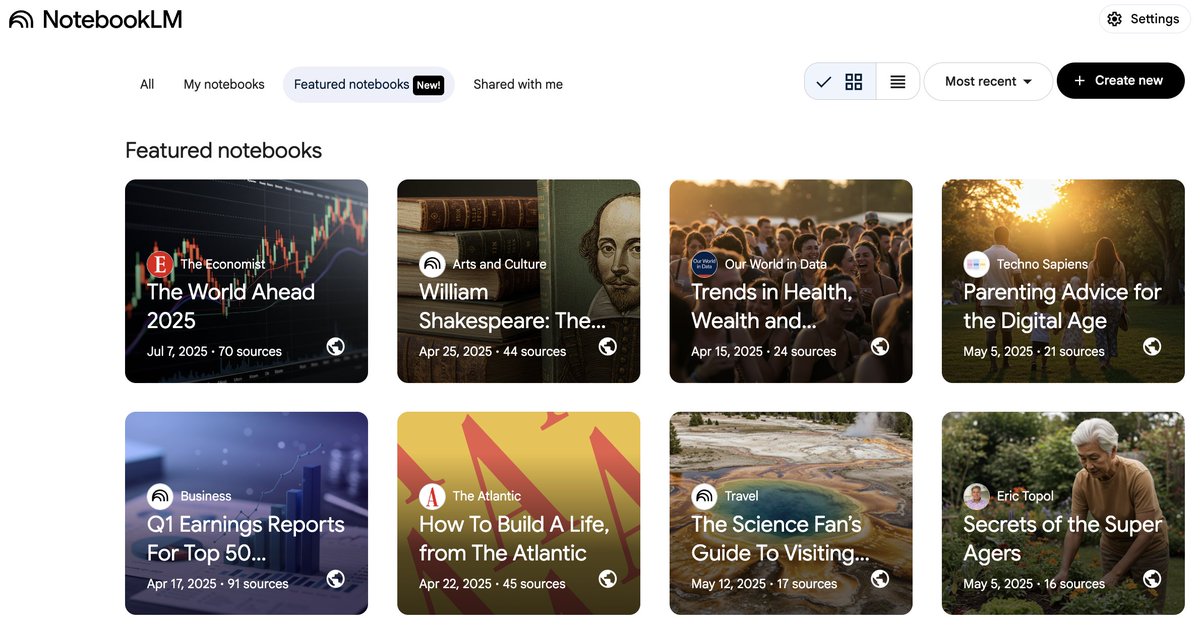
We're rolling out @NotebookLM Featured Notebooks to the welcome screen of all users with a personal Google account over the next few days. But in the meantime, you can start exploring the notebooks by following direct links to them. Links to each in this 🧵below...
Steven Johnson tweet media
English
17
58
579
83.6K
Steven Johnson
Steven Johnson@stevenbjohnson·
For most users, @NotebookLM is a tool for understanding and exploring project-based information. But we also think it could be a distribution platform, amplifying expert knowledge. Today we're offering a preview of that vision: Featured Notebooks. Here's the backstory... In a way, all of this dates back to a conversation I had with @joshwoodward in late July of 2022, one of the very first I had in Mountain View after joining Google Labs. We were talking about an idea that had come to us through the work of @kevin2kelly: the concept of "intelligence as a service" that he'd written about many years before—AI that you could tap into on demand like electricity or water. I told Josh that I'd always thought that sounded like a fascinating prospect, though I’d struggled to imagine what it would look like in practice. But what we'd seen with language models, and particularly the source-grounded language models that we were starting to experiment with, had suddenly made it clear to us both how Kelly's intelligence-as-service might actually work, how it might actually give authors and publishers a new platform to share their wisdom with the world. "We're going to be able to bottle up the knowledge of experts," I said at some point. "And then people will just have that expertise on tap." Somehow the metaphor stuck: Knowledge bottles. At some point that fall, our then-designer @gabeclapper created a mock for a future page where you could purchase and download expert collections of knowledge; we called it, irreverently, "the Bottleshop." (It looked quite a bit like the design we are launching today for Featured Notebooks, as it turns out.) I kept encountering the phrase in meetings over the next year, as it spread around Labs and other parts of Google. And every time I would say: love the concept but please don't lock in on "knowledge bottles" as the official name. It was just a passing metaphor! Naming aside, the underlying premise only grew more compelling over time. General purpose models trained on aggregations of human information were incredibly useful, but imagine how much more useful they would be if they were guided by (or were guides to) knowledge that had been peer-reviewed, edited, researched by experts—knowledge that had a particular point of view. If you're looking for parenting advice, say, you don't just want the average of all parenting advice across the internet, you want parenting advice from a specialist who you trust. There was another reason why we were interested in this approach. The experience of using NotebookLM is heavily influenced by the quality of the sources you've curated in each notebook. There's literally nothing to do in the product until you load a source, and it can take time to assemble a truly rich notebook on a particular topic. Source curation (or context engineering, as we would now call it) is not something that the average user is familiar with. So being able to showcase notebooks with high-quality sources on a range of topics was important for us just to explain how the product works. So you can think of the Featured Notebooks we are launching today as a preview on two levels. For newcomers to NotebookLM, the notebooks are a preview of how useful the product can be when you've assembled a collection of sources for whatever project you're working on. But it's also a preview of a potential future where there are thousands of expert-curated notebooks on all sorts of topics that you can add to your own collection, to have the knowledge you need on tap. Our launch lineup is: Longevity advice from legendary scientist @EricTopol, bestselling author of “Super Agers” Expert analysis and predictions for the year 2025 as shared in The World Ahead annual report by @TheEconomist An advice notebook based on bestselling author Arthur C. Brooks' "How to Build A Life" columns in @TheAtlantic A science fan’s guide to visiting Yellowstone National Park, complete with geological explanations and biodiversity insights An overview of long-term trends in human wellbeing published by the University of Oxford-affiliated project, @OurWorldInData Science-backed parenting advice based on psychology professor Jacqueline Nesi’s popular Substack newsletter, Techno Sapiens The Complete Works of William Shakespeare, for students and scholars to explore A notebook tracking the Q1 earnings reports from the top 50 public companies worldwide, for financial analysts and market watchers alike In the blog post announcing the notebooks, there's a wonderful quote from @nxthompson, CEO of the Atlantic, that really captures the spirit of what we're trying to do here: "The books of the future won’t just be static: some will talk to you, some will evolve with you, and some will exist in forms we can’t imagine now," Nick said. "We’re delighted to partner with Google in its pioneering work on this front.” It's the adaptability of the notebook format that I think makes this such a compelling platform for sharing knowledge. You can read the original texts in their entirety; you can ask questions or brainstorm ideas through a conversational interface, with citations pointing you back to the relevant passages from the original sources. Students or novices can ask for simpler explanations of complex topics, or listen to Audio Overviews or review Study Guides to help them master the material. But experts can ask more challenging questions, or quickly assemble the information they need. And all of the conversational interactions can unfold in over 80 languages, no matter what language the original sources were written in. We are making these notebooks freely available to all users, either because they involve public domain information or because we have secured world rights for the material from the original authors or publishers. This is still very much an experiment, and there are many elements that we would like to improve over time. You can't generate your own studio artifacts, like Audio Overviews or Study Guides, in featured notebooks; all the artifacts have been pre-generated. Chat can be in any language, but the artifacts themselves are English-only for now. While we have tried to focus on topics that will have global relevance, the initial lineup is more U.S.-focused; if these turn out to be useful to people, we plan to diversify in terms of both language, region, and topics. The best way to get a sense of what "bottled knowledge" actually feels like in practice is to open one of these notebooks and ask for advice: ask for a sample itinerary for a 3-day trip to Yellowstone focused on wildlife, or ask for advice on a making a mid-life career change in the "How To Build A Life" notebook from The Atlantic; or ask the experts at The Economist about how global economic trends might impact your industry. I think you'll find that the results are genuinely helpful, and maybe offer a hint of a new way of interacting with an author or publisher's work. And if you have ideas for future versions of featured notebooks, please let us know!
Steven Johnson tweet media
English
24
68
458
102.9K
Steven Johnson
Steven Johnson@stevenbjohnson·
How to Prompt NotebookLM's Interests One thing we hear constantly from users first experiencing Audio Overviews is how good the hosts are at uncovering the interesting bits from their sources. You can elicit that same interest-driven summarization in text chat too. Here's how: The Gemini models are amazingly deft at exploring large bodies of text and imagery to find specific sections that are high in surprise, high in unexpected information. You can call that just another incremental improvement on search and summarization if you want—to me it seems like a bigger deal than that—but either way, it lets you get answers to questions that no computer in the world could have produced just a year ago. When I'm trying to get my bearings with a few new documents that I think I need to understand, I'll load them into Notebook and ask a variation on: What are the most surprising or interesting pieces of information or narratives in these sources? And I'll maybe give it a gentle steer: Please focus on the NASA astronauts of the 1960s, not the later ones. And I'll tell it to include key quotes. In 30 seconds or less I'll have an enormously useful text document highlighting the most interesting and compelling passages in my sources. You can get most of this in NotebookLM right now, just by choosing to convert your sources into a Briefing Doc in the Notebook Guide panel. (And obviously, if you want to listen to this information in conversation form, Audio Overviews has you covered.) Both Briefing Doc and Audio Overviews are designed explicitly to surface interesting material. But you can get more clever and more personalized with it just by tweaking your prompts slightly. Here's one one example. I uploaded something like 500K words of transcripts from the NASA oral history project, covering the entire span of NASA from Gemini (the other one) to Apollo and all the way to the Space Shuttle. And then I asked NotebookLM: I'm interested in writing something about the Apollo 1 fire. What are the most surprising facts or ideas related to the fire discussed in these transcripts. Include key quotes. Take a look at the answer that NotebookLM generated in 20 seconds or so. How long would it have taken me to assemble this document manually, sifting through effectively five books worth of transcripts? 10 hours? You can't command-F for "interesting things."
Steven Johnson tweet media
English
29
101
773
73.3K
Melissa Lim
Melissa Lim@actionhero·
Last meetup of the school year! Join us for the June Teachers in Bars Getting Coffee #TBGC. Saturday, June 7, 10am at Matta Cafe, 1425 NW Flanders St, PDX. RSVP lu.ma/37eurrnh
English
5
0
2
231
Melissa Lim
Melissa Lim@actionhero·
Saturday, June 7!
English
0
0
0
21
Melissa Lim
Melissa Lim@actionhero·
Last meetup of the school year! Join us for the June Teachers in Bars Getting Coffee #TBGC. 10am at Matta Cafe, 1425 NW Flanders St, PDX. RSVP lu.ma/37eurrnh via @LumaHQ
English
1
0
0
196
Melissa Lim
Melissa Lim@actionhero·
Join us for the March meetup of Teachers in Bars Getting Coffee coming up on Saturday 3/1 at 10am! #TBGC lu.ma/iaajocwv
English
0
1
2
83