Over 5 years of experience in the advertising industry, I have skills in printing, web content and 3D modeling. I can draw, sketch, prepress, model, process and
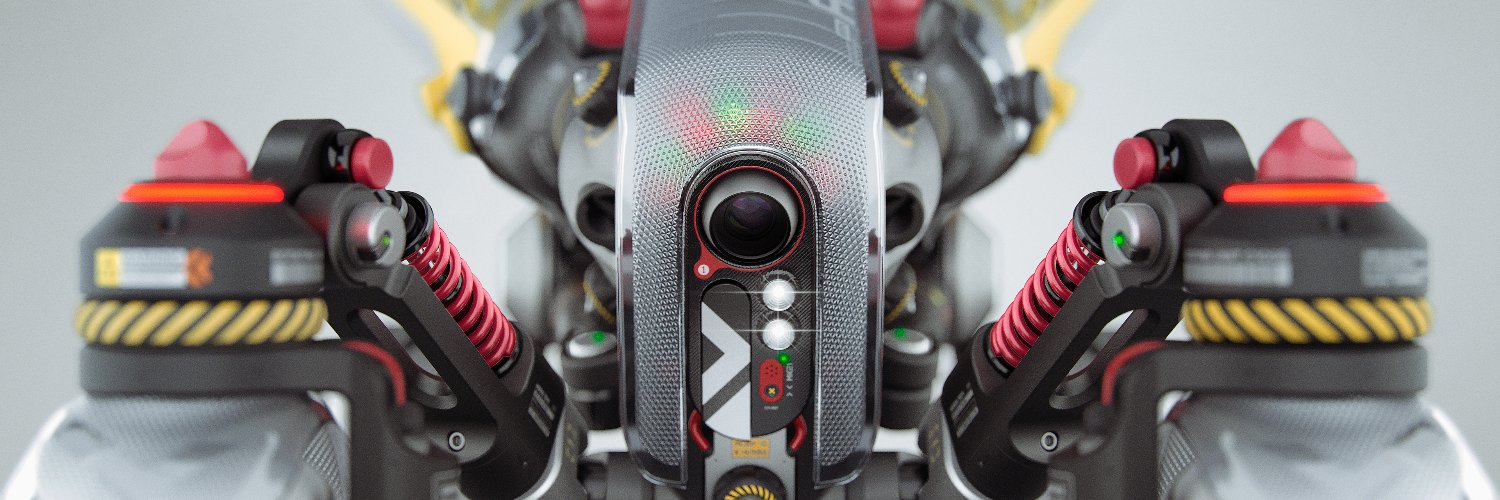
Aaand- done! Pretty simple rig overall, but has all the features I need, and looks as menacing as ever!😁
I will test this rig with an animation before uploading it to Gumroad, just to make sure everything is working as well as it can be!
#blender#rig#rigging#Helldivers2
🎓Learn how to create a powerful Worn Leather smart material in a matter of seconds in my latest video series (AAA) Pro Tips!
This smart material can be used on virtually any 3D asset.
____________________________________________________
In this video, the steps are as follows:
1. Create a fill layer with a black mask applied.
Inside its mask paint a simple pill shape and use a blur slope filter to introduce some random shapes. Apply a marble veins fill layer on top with its blending mode set to color burn. Apply a warp filter as well to introduce some randomness followed by an anchorpoint.
2. Create another fill layer using the same technique to apply some dirt in the crevices of the wear.
3. Next, Inside the main fill layer apply a tiling raw leather texture to its Color and roughness channel
4. Create an additional fill layer up top and apply a black mask to it.Inside this mask retrieve the anchorpoint information followed by a blur filter with a value of 6. Use a levels to increase the spread of the mask. Apply another marble veins matching the values of the marble veins fill layer that we previously added and set its blending mode to multiply. Lastly retrieve the anchorpoint information from the previous fill layer again but this time set its blending mode to subtract. This fill layers properties should have a dark diffuse color and a matte roughness.
5. Add another fill layer with a bright diffuse and height properties with a black mask applied to it. Inside its mask retrieve the anchorpoint information again followed by a blur slope. Apply the anchorpoint information again but this time set its blending mode to subtract.
Now we have a worn leather effect wherever we paint using the paint layer created inside the callout mask!
____________________________________________________
More AAA Game Dev Tips can be found on my YouTube channel here: lnkd.in/gWbnmb2p
Stay tuned for more weekly Tips!
Happy Texturing!💚
#gamedev#gameart#3dmodeling#3dartist#texturing#UE5#unity#artstation
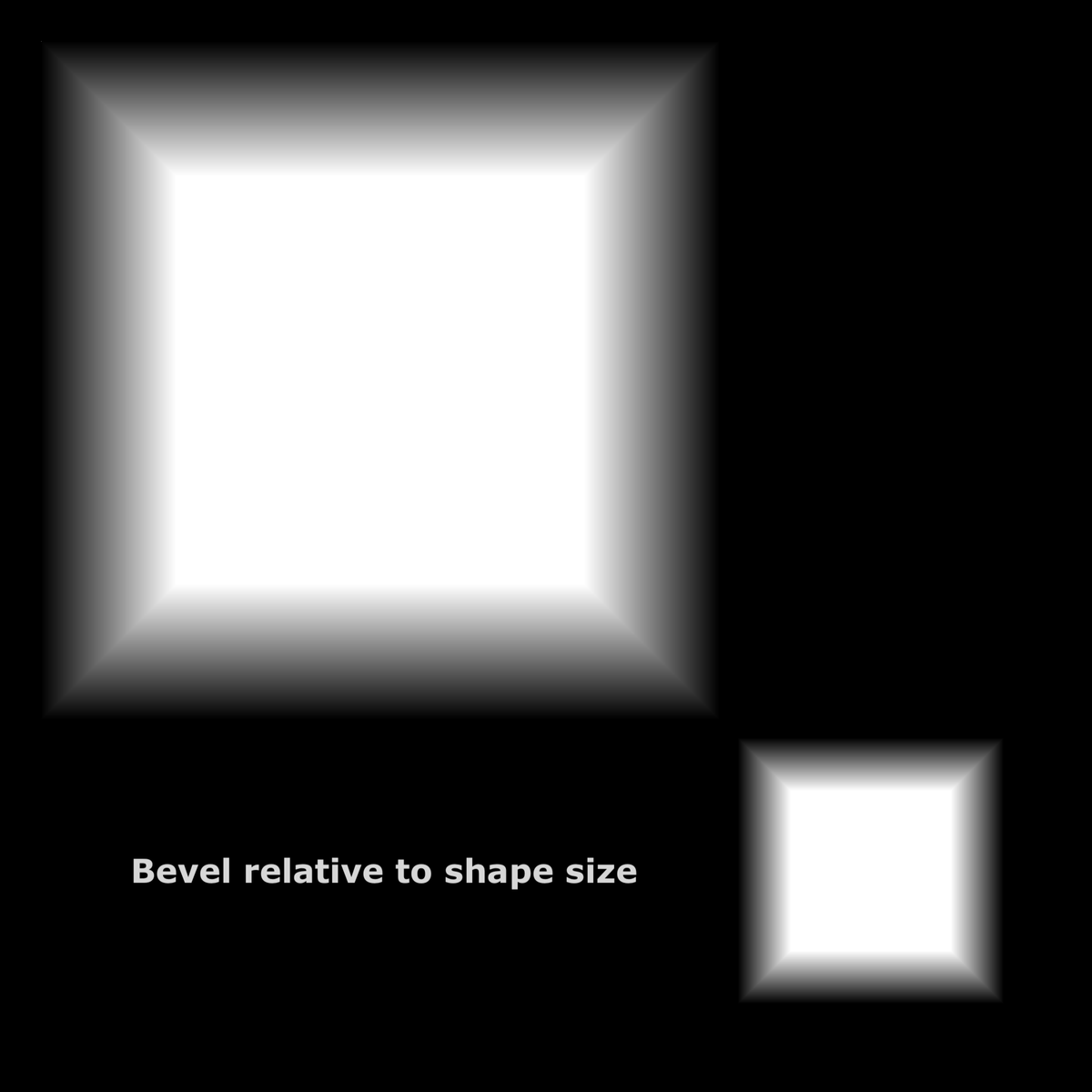
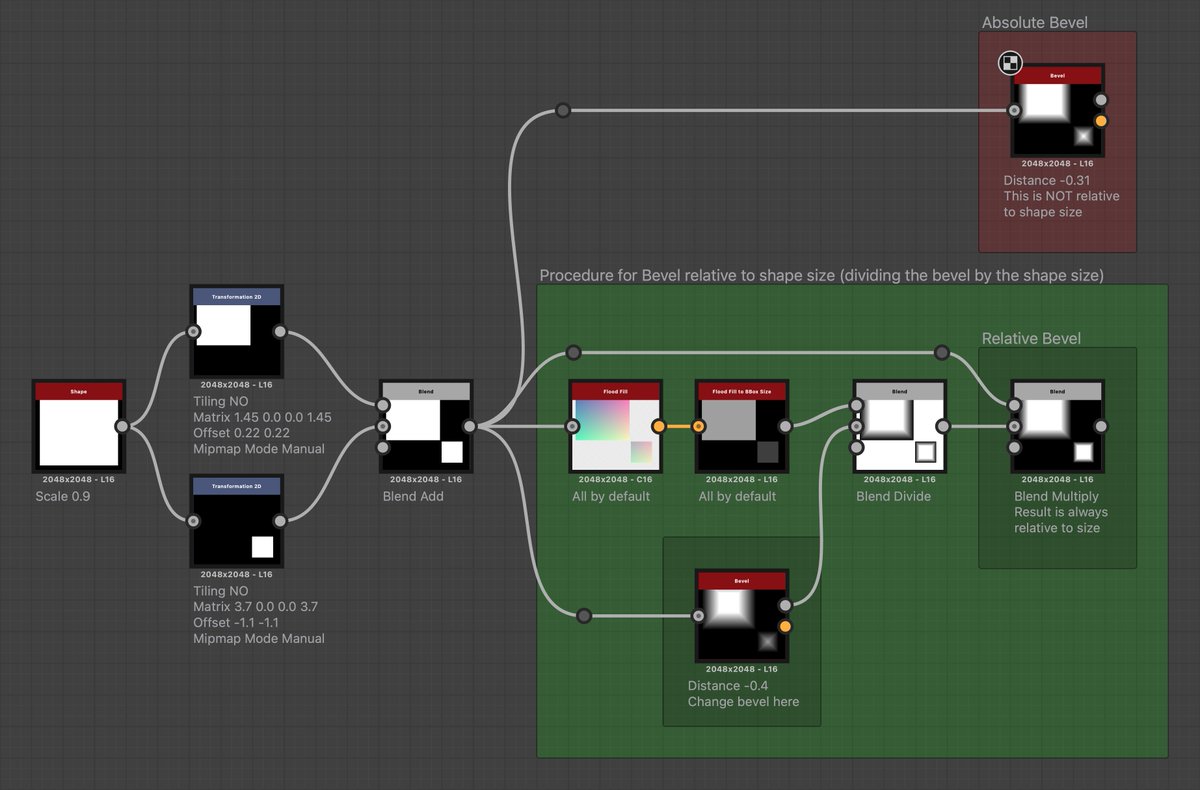
Tip to apply Bevels relative to the shape sizes, with @Substance3D Designer:
The key part is to divide the result of the bevel by the shape size, calculated through a FloodFill to BBox Size.
Big thanks to @NicolasWir for the tip (shared in the Substance Discord)