

Arnab
646 posts
Arnab
@arnabing
3x VC backed founder | Obama appointee at Pentagon | Girldad Addicted to building.
NYC Katılım Mart 2009
428 Takip Edilen218 Takipçiler

✈️ Just open-sourced App Store Preflight — an AI agent skill that scans your iOS/macOS project for common App Store rejection patterns before you submit.
Built on top of @rudrank's asc CLI, it pulls your metadata, checks against 100+ Apple Review Guidelines, and flags issues like:
• Competitor terms in metadata
• Missing privacy manifests
• Unused entitlements
• Banned AI terms in China storefront
• Misleading subscription pricing
Organized by app type (games, AI apps, kids, health, macOS, etc.) with auto-fix suggestions where possible.
I built this from my own painful rejection experiences 😅 What's the most frustrating App Store rejection you've dealt with? Drop your stories below — I'd love to add more rules based on real-world cases 👇
🔗 github.com/truongduy2611/…
#iOS #AppStore #indiedev #buildinpublic
English

Testflight beta if anyone wants to try it!
testflight.apple.com/join/WkCER1WB
English
This inspired me to build something better! Obsidian is too nerdy/ painful setup. So I built an AI voice recorder that directly connects to claude code.
All notes (voice rambles) thoughts -> claude code (skill)
GREG ISENBERG@gregisenberg
how to use obsidian + claude code to build a 24/7 personal operating system and build your startup: 1. write everything in markdown (daily notes, projects, beliefs, people, meetings) 2. link your notes together so they mirror how your brain actually thinks. 3. install obsidian cli so claude code can read your entire vault + the relationships. 4. stop reexplaining projects every session. use reference files instead. 5. build custom slash commands: /context → load your full life + work state /trace → see how an idea evolved over months /connect → bridge two domains you’ve been circling /ideas → generate startup ideas from your vault /graduate → promote daily thoughts into real assets 6. keep a strict rule: human writes the vault. agents read it, suggest, execute. 7. let claude aka clode surface patterns you’ve been unconsciously circling for years. 8. delegate from inside your notes. one sentence in obsidian → agent handles the rest. 9. treat writing as leverage.the more you write, the more context your agents have. 10. understand this:markdown files are the oxygen of llms. i really enjoyed seeing how to use obsidian thanks to @internetvin vin uses ai like a thinking partner wired into his life’s work. 99.99% of people won’t do this because it requires reflection + setup. but once the vault exists, the agent stops being generic. it starts thinking in your voice. episode is live on @startupideaspod (more there) this one is different. send this tweet to a friend. im still processing how game changer obsidian + claude code is, maybe you too watch
English
@gregisenberg This inspired me to build something better! Obsidian is too nerdy/ painful setup. So I built an AI voice recorder that directly connects to claude code.
All notes (voice rambles) thoughts -> claude code (skill)


English

how to use obsidian + claude code to build a 24/7 personal operating system and build your startup:
1. write everything in markdown (daily notes, projects, beliefs, people, meetings)
2. link your notes together so they mirror how your brain actually thinks.
3. install obsidian cli so claude code can read your entire vault + the relationships.
4. stop reexplaining projects every session. use reference files instead.
5. build custom slash commands:
/context → load your full life + work state
/trace → see how an idea evolved over months
/connect → bridge two domains you’ve been circling
/ideas → generate startup ideas from your vault
/graduate → promote daily thoughts into real assets
6. keep a strict rule: human writes the vault. agents read it, suggest, execute.
7. let claude aka clode surface patterns you’ve been unconsciously circling for years.
8. delegate from inside your notes. one sentence in obsidian → agent handles the rest.
9. treat writing as leverage.the more you write, the more context your agents have.
10. understand this:markdown files are the oxygen of llms.
i really enjoyed seeing how to use obsidian thanks to @internetvin
vin uses ai like a thinking partner wired into his life’s work.
99.99% of people won’t do this because it requires reflection + setup.
but once the vault exists, the agent stops being generic.
it starts thinking in your voice.
episode is live on @startupideaspod (more there)
this one is different. send this tweet to a friend.
im still processing how game changer obsidian + claude code is, maybe you too
watch
English
@yannickweste Nice work so far! Like: templates (focus on this). Not great: more work/time than using Claude code skill.
The CC skill is missing the ability to precisely edit. I'd suggest adding the skill to your workflow... then you'd have a magical product!
Prompt -> pick template -> edit

English
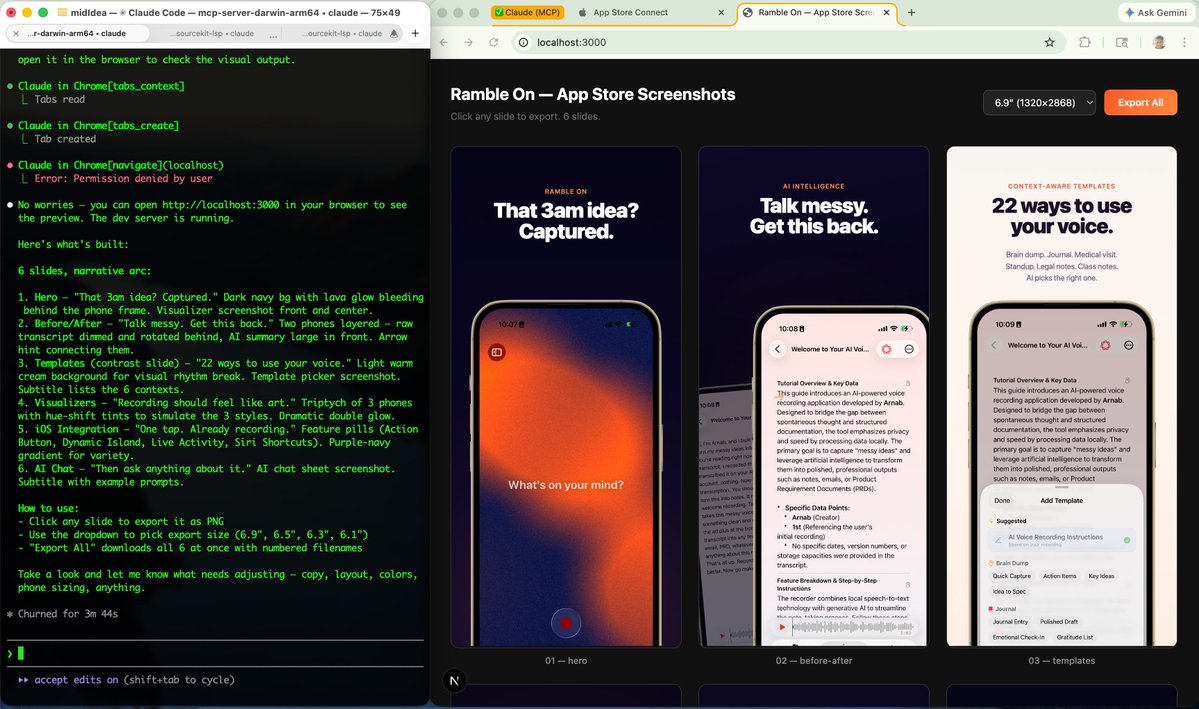
Your app works. Your screenshots look like shit.
Part 2 of "it's probably a shitty idea." 🫠
You validated there's a market. You asked Claude to build it. Now you need App Store screenshots and you're about to pay a designer $500.
Don't.
I used a Claude Code skill that generates publish-ready App Store screenshots ad-style layouts, iPhone mockups, copy included. This is great for people that like creativity like me 😂
3 steps:
1. Open Claude Code
2. npx skills add ParthJadhav/app-store-screenshots (@ParthJadhav8) 👏
3. Follow instructions and upload actual screenshot of your app.
4. Done! Next, struggle on app store connect.
That's it. It asks about your brand, colors, and features — then scaffolds a Next.js project and exports PNGs.
10 minutes. Free. No Figma. No designer.
English
@yannickweste Haha I’m happy to offer feedback. I don’t want to actually spend to much time on screenshots. It’s just necessary lol
English

@arnabing If you prefer a visual figma-style editor, you can give applaunchflow.com a shot
English
@gregisenberg @petergyang Try /remote-control. Not 1 to 1 but pretty damn good!
English

@LexnLin Not everything should be build from scratch. Start from here instead! ui-layouts.com/liquid-glass
English

Hold up, here is the prompt:
works with almost any model. enjoy :)
Role & Objective:
Act as an Elite UI/UX Front-End Engineer specializing in Apple-tier micro-interactions and advanced CSS. Your task is to program a perfectly centered navigation bar in a strictly SINGLE HTML file containing all HTML, vanilla CSS, and vanilla JavaScript. No external libraries or frameworks (No Tailwind, React, etc.).
Design Concept - "True Liquid Glass":
CRITICAL INSTRUCTION: Do NOT generate standard, flat "glassmorphism" or basic frosted glass. I require a physically accurate "Liquid Glass" aesthetic. It must look like wet, poured clear resin, combining the high-gloss specular highlights of classic macOS Aqua with the volumetric spatial depth of modern Apple VisionOS.
1. The Liquid Glass Material & Lighting (CSS):
- Deep Refraction: Use `backdrop-filter` with extreme blur (e.g., 50px) and over-saturation (200%).
- Specular Highlight: Create a curved, semi-transparent white gradient on the top half using a pseudo-element (`::before`) to simulate a hard light reflection on a wet, rounded 3D surface.
- Caustics & Volume: Use multi-layered inner and outer `box-shadow` properties to simulate light refracting at the bottom edge and casting a realistic ambient drop shadow.
- Interactive Glare: Implement a soft radial-gradient spotlight inside the glass that dynamically tracks the user's mouse cursor (X/Y coordinates) using JavaScript and CSS variables (`mix-blend-mode: overlay`).
2. Navigation Layout & Elements:
- Center the pill-shaped navigation bar perfectly in the middle of the viewport.
- Include 3 main navigation items with minimalist, inline SVG stroke icons and text labels: "Home", "Call", and "List".
- Add a subtle vertical divider line after the main buttons.
- Next to the divider, add a Dark/Light Mode toggle button containing inline SVG Sun and Moon icons.
3. Animations & "Apple Magic":
- Sliding Active Pill: Create a solid background "pill" that sits *behind* the active navigation item's text/icon. When a different item is clicked, this pill must dynamically recalculate its width and slide to the new position.
- Spring Physics: The sliding transition MUST use an exact Apple-style bouncy spring easing curve (e.g., `transition: all 0.5s cubic-bezier(0.34, 1.2, 0.64, 1)`).
- Tactile Feedback: Buttons and icons must physically press down slightly (`transform: scale(0.92)`) when clicked (`:active`).
- Theme Switch: The Sun and Moon icons must smoothly rotate, scale, and cross-fade during the transition.
4. Background Environment (Crucial):
- Glass needs light and color to refract! Create a full-viewport, smoothly animated mesh gradient background using 3 large, heavily blurred, floating color blobs.
- Implement full Dark/Light mode logic using CSS variables (`:root` and `[data-theme="dark"]`). Toggling the theme must seamlessly transition the background blob colors, glass opacity, shadow intensity, and text colors.
Output ONLY the pristine, production-ready code. Prioritize maximum visual fidelity and silky-smooth 60fps animations.
Leon Lin@LexnLin
glasssy styled navigation bar code is here: codepen.io/LeonLinBuild/p…
English


What's the most underrated tool that will 10x my productivity in Claude Code?
English

>$10k/mo app idea
personal stylists charge $200/hr. built one that lives in your phone for $15/month and knows every piece you own
aesty.ai
English

i made a tamagotchi that lives in your notch and reacts to your claude code sessions.
it cries when you yell at claude and gets happy when you praise it.
English
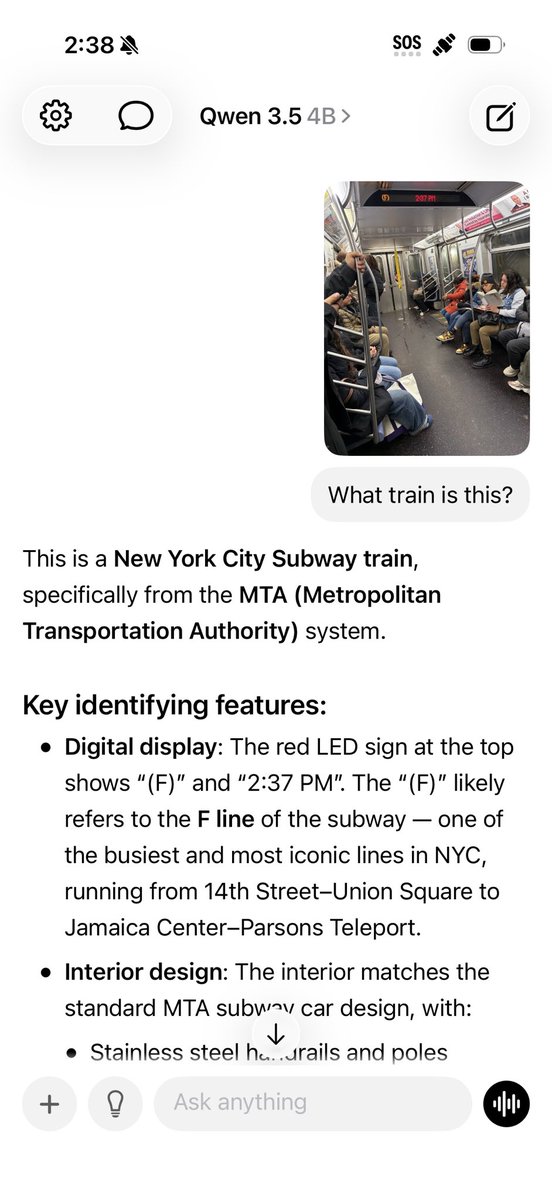
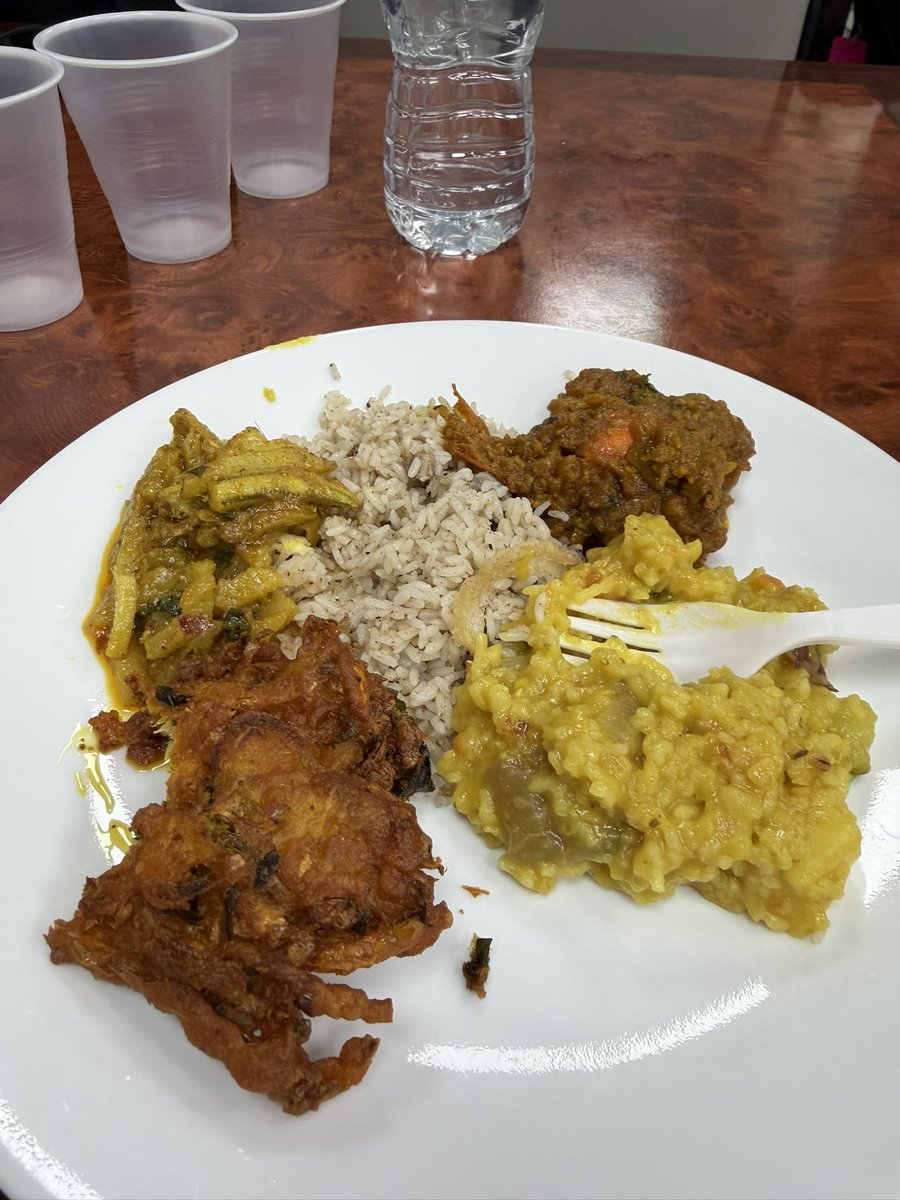
Got wheelchair accessible Bengali fish restaurant recs from a subway photo. Underground. No signal.
Not ChatGPT. A free local model on my iPhone. No cloud. No internet. Nearly as good. Faster.
Try it 👇
↳ Download Locally (free)
↳ Load Qwen 3.5
↳ Lose signal underground
↳ Upload anything absurd
↳ Quietly question your life choices
English


add web haptics to your app within minutes 🤖
$ npx skills add lochie/web-haptics
lochie@lochieaxon
It's time to bring Haptics to the web 🫨 Create custom tactile patterns with strengths + durations for your web interactions. Make your app feel as good as it looks ✨ → haptics.lochie.me
English
@TukiFromKL Congrats! My uninvited feedback: add color with a primary cta, make there a reason to stay long term.
English

I just built my second app in 4 hours with Claude Code.
From Figma design to fully functional. No code written.
This shouldn't be possible. 😭
The first one took me a week. The second one took an afternoon.
By next week I'll be shipping one before breakfast.
>View in full.
Tuki@TukiFromKL
Just finished designing my second app. Next step: >open Claude Code >paste the design >start building. The vibecoding era is real.
English