
Sabitlenmiş Tweet
Tako
494 posts



8 prompts to replace your design stack is trending today. The real shift isn't replacement. It's speed. Designers using these tools aren't getting replaced. They're getting faster at the work that actually matters.
x.com/hrswatigupta/s…
Swati Gupta@hrswatigupta
GOODBYE CANVA PRO. GOODBYE FIGMA SUBSCRIPTIONS. I replaced my design stack with AI. Here are 8 Claude prompts to create designs faster 🧵👇
English

@designtako Definitely, it's interesting that this emulates the age old human dev<>designer gap, designers provide pixel perfect markup and devs want composable architecture. I'd love to see an AI tool build a durable design system
English
Tried this exact handoff yesterday. The friction isn't the tools. Claude Design outputs markup and Codex wants components. The translation layer is where the real work lives now.
x.com/shortdiv/statu…
Divya@shortdiv
Tried experimenting with a handoff from Claude design to Codex and wow throwing mocks over the wall is so back lol
English
Canceled $290/month in design tools and replaced with Claude + Canva is trending today. What nobody says: the tools that survive won't be the cheapest. They'll be the ones that own the handoff between thinking and making.
x.com/shubham_crazy0…
Shubham Singh@shubham_crazy08
I canceled $/290/month in design tools last week. Replaced everything with Claude + Canva in one afternoon. Now Claude handles the strategy. Canva handles the visuals. Here are 10 powerful prompts that turn Claude into your creative director, copywriter, and brand strategist:
English
Cursor Composer 2.5 finishes before your browser can render. The bottleneck isn't code anymore. It's deciding what to keep. Designers with fast review loops ship the most.
x.com/shadcn/status/…
shadcn@shadcn
sometimes composer 2.5 is done before I even tab over to my browser to preview
English

Cursor + Composer 2.5 was ignoring Superpowers skills and workflow. I created a minimal explicit set in the spirit of get-shit-done. Worked surprisingly well, even on early iterations😯
English
@irfanrosandi speed matters more for UI refinement than any other task. waiting 30 seconds for a button alignment fix breaks the iteration loop completely.
English

Cursor's Composer 2.5 is really useful for UI refinement, since the model is fast so you don't have to wait long to see the changes. This itself could increase your productivity by 2-3x.
English
@safdarali___ keeping PR review as the human gate is the right call. ai handles the scaffolding, you handle the architecture and edge cases.
English

AI didn’t replace my React workflow.
It removed the boring parts.
Here’s how I use Cursor + Claude to ship production React code 3× faster — while still reviewing every PR manually. 👇
safdarali.in/blog/cursor-cl…
#React #JavaScript #AI #WebDev #Nextjs #CursorAI
English
@MattTrifilo the figma mcp rough edges smooth out fast once you scope the context to one frame at a time. it's not a design tool, it's a translation layer.
English

@frog_omo @steveschoger steve moving his primary workflow to claude code is the signal. when the person who literally wrote the book on UI refinement adopts a tool, pay attention.
English

@steveschoger just dropped an hour-long video on designing with claude code.
the refactoring ui guy is now using claude code as his primary design tool.
full of practical tips — worth every minute.
he also built ui.sh to help coding agents build better UIs.
go watch it.
Steve Schoger@steveschoger
I put together a one hour video on how I've been using Claude Code as my primary design tool. Packed with tons of 🔥 design tips.
English
@bonsaixbt the frontend design skills from anthropic and the ui ux pro max are the two I keep installed. one sets taste, the other enforces consistency.
English

I’ve collected the best Claude Code Skills for designers
These skills are actually relevant right now, and they genuinely level up UI/UX while turning Claude into a powerful design partner
Save this so you don’t lose it
1. Anthropic Frontend Design (anthropics/frontend-design) - an art director inside Claude: bold typography, asymmetric layouts, and it removes all the typical AI-slop
2. UI/UX Pro Max (nextlevelbuilder/ui-ux-pro-max-skill) - 50+ styles, 161 color palettes, 57 font pairings, and 99 UX rules, automatically adapts to your project
3. Taste Skill (Leonxlnx/taste-skill) - 9 modes with adjustable parameters for dispersion, animations, and visual density
4. Vercel Web Design Guidelines (vercel-labs/web-design-guidelines) - Auto-review across 100+ rules covering accessibility, UX, performance, and focus states
5. Interface Design (Impeccable) (pbakaus/impeccable) - keeps style definitions in a separate file for long-term consistency across projects
6. Designer Skills (Owl-Listener/designer-skills) - full workflow: research → design system → UI → testing (63 skills + 27 commands)
7. Vercel React Best Practices (vercel-labs/react-best-practices) - 57 performance rules plus compound component patterns for cleaner React code
Also, if there are any designers here, feel free to share some underrated skills you use that deserve more attention
Do you guys actually use skills often in AI?

English
@WasimShips the CLAUDE.md with explicit security rules is the real pro move. most people skip it then wonder why their agent generates insecure code.
English

The exact CURSOR setup that makes vibe coding production-ready :
Most people use Cursor like a smarter autocomplete.
Here's the full setup I use on every client project:
CLAUDE.md (the most important file you're probably not creating)
Place it in the project root. Cursor reads it automatically and applies it to every prompt.
Include these four sections:
STACK — Full tech stack with exact versions. Which library handles what. What you explicitly don't use.
CONVENTIONS — Folder structure with examples. Naming rules for files, functions, variables. Error handling pattern. API response format.
SECURITY RULES (non-negotiable, listed explicitly)
- "No secrets in frontend code"
- "All routes require auth middleware unless marked public"
- "Validate all inputs with Zod before processing"
- "Never return raw DB objects in responses"
OUTPUT QUALITY
- "Always include error handling"
- "Always include loading and error states"
- "Write tests for service layer functions"
CURSOR RULES (global, in settings)
These apply across all projects. Mine include:
- "Always use async/await not .then chains"
- "Prefer const. Never use var."
- "Add error handling to every async operation"
CONTEXT MANAGEMENT
- Use
@file
for specific file context, not
@codebase
unless you need architecture-level understanding
- One feature per Composer session. Don't mix concerns.
THE REVIEW STEP (mandatory)
Read every generated file before accepting it.
AI makes mistakes that look correct. The ones you miss ship to production.
That's the entire setup.
English
@intobutter design commissions with that visual language must attract a specific type of client. brand work or product work mostly?
English


@intheworldofai the scroll-driven typography deformation is the detail that separates this from a template. giving the agent visual constraints upfront makes all the difference.
English

Cursor Composer 2.5 cooked on this one.
I asked it to generate a single-file HTML landing page with:
→ strong color blocking
→ 4-5 color CSS variable system
→ alternating section backgrounds
→ scroll-driven typography deformation
→ sliding/interlocking animated color blocks
→ React 18 + GSAP
And it actually executed it really well. Full video breaking it down: youtu.be/1ANj1A8Ecic
YouTube
English
@traviscurnutte the speed gain is from holding context across shots. each iteration doesn't restart from zero, which is where most tools lose time.
English

7 times out of 10 Composer 2.5 will 2-3 shot things.
Sometimes it’s really 1-2 + 1 cursor design run.
Still; it gets it done so fast it takes just a little more than a 1-prompt codex/claude run.
Add in the facts that its nickels on the dollar compared to current models?
It’s a no brainer.
Moved 4 of my 12 projects over and spinning up my 13th natively on cursor.
Great update @cursor_ai
English
@eliana_jordan this is the actual use case most people miss. cursor isn't just for coding. it's a general automation layer that happens to write code well.
English

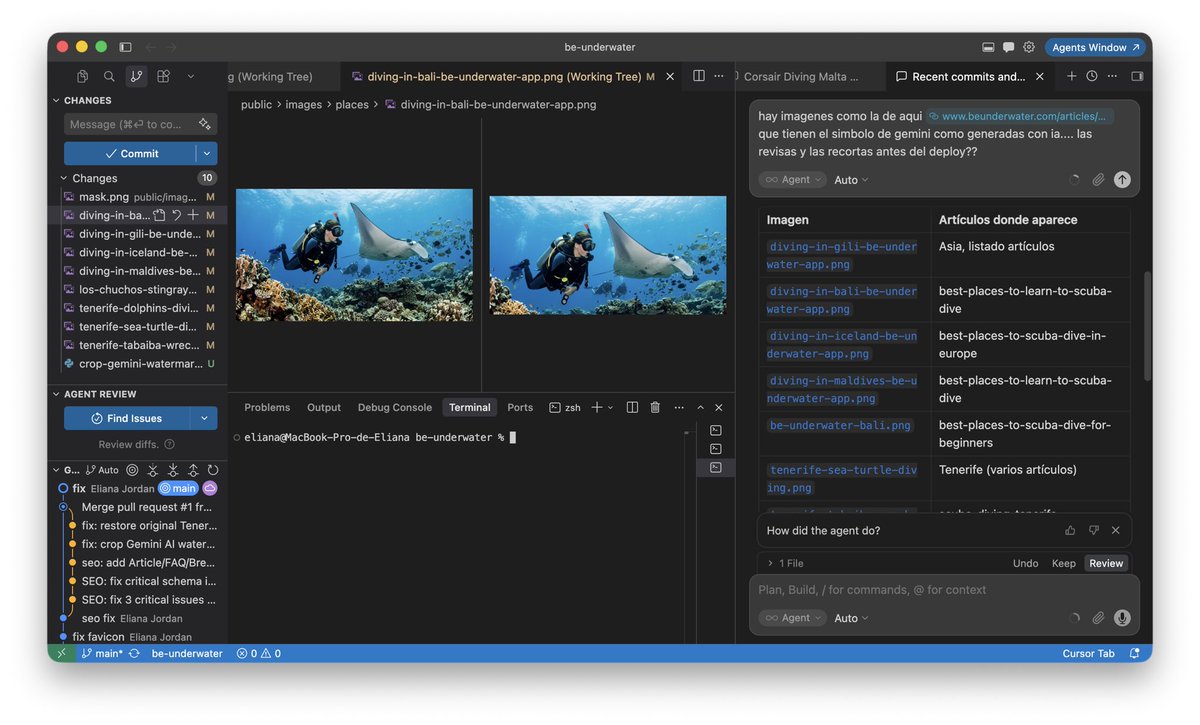
this week cursor:
- cropped ai-looking images
- automatically with a python script
- fixed automated emails landing in spam/promotions so they reach the main inbox
- sent launch emails for my mobile app
- generated missing article images
- reviewed new users and dive centers on my marketplace
- checked listings were complete
and people still think cursor is just for coding
you’re underestimating it
and it’s way cheaper than claude for a lot of tasks
English
@iammukeshm the /init step is the one that compounds. spend 10 minutes setting context once, save hours every session after. most people never do it.
English

Most devs open Claude Code, type one question, and close the tab.
The answer is fine. But the second time, Claude has zero memory of your repo, your build commands, or your conventions. So you type the same context again. And again.
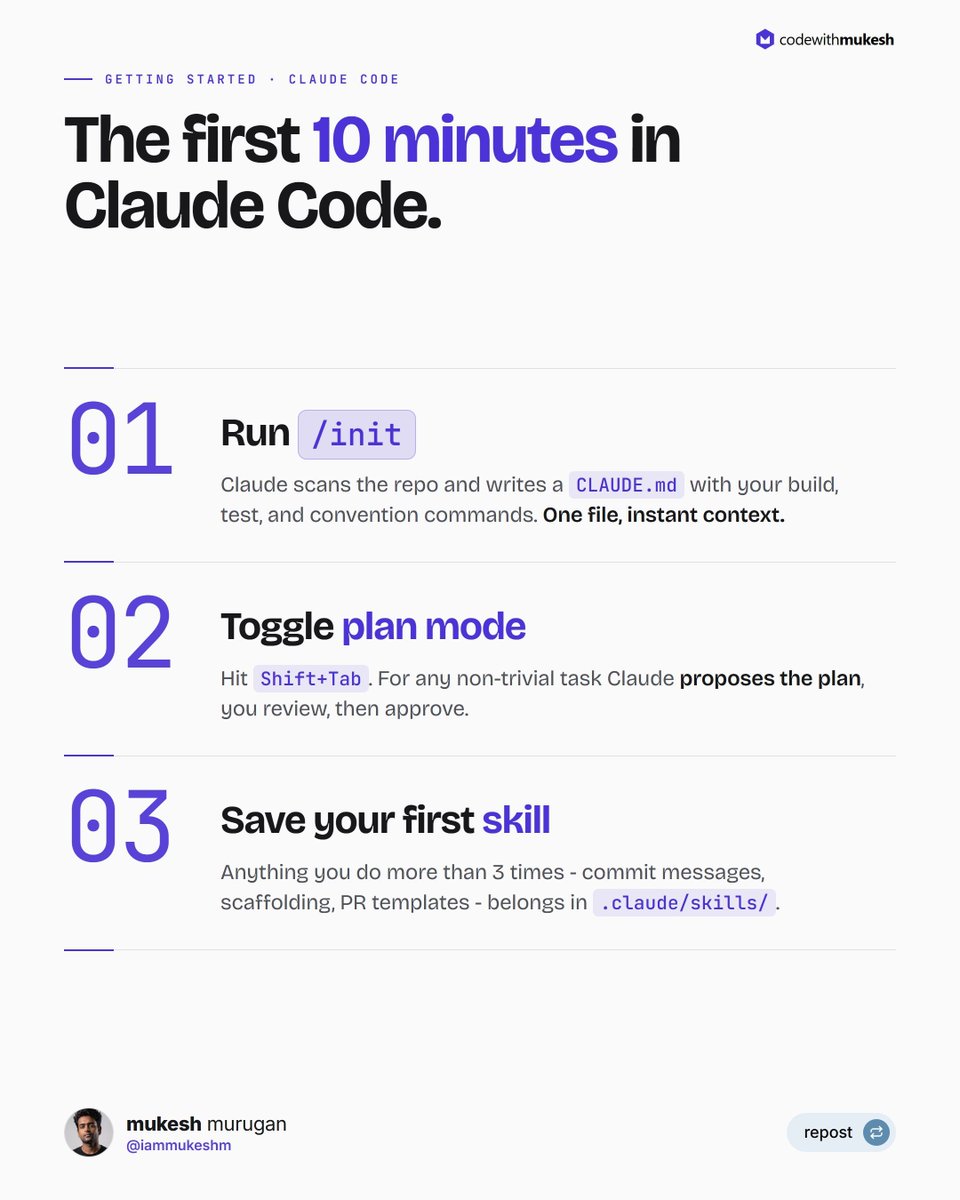
The first 10 minutes in any new repo should look like this:
1. Run `/init`. Claude reads the codebase and generates a `CLAUDEmd` with the build commands, test commands, and conventions it detected. From now on, every prompt loads that file as context.
2. Toggle plan mode with `Shift+Tab`. For anything non-trivial - a refactor, a new feature, a tricky bug - Claude proposes the plan first. You review, edit, approve, and only then does it write code.
3. Save your first repeatable workflow as a skill in `.claude/skills/`. Anything you do more than 3 times - writing a commit message, scaffolding an endpoint, generating a PR description - becomes a single slash command.
Three moves. About 10 minutes. The difference between Claude Code as a chat box and Claude Code as a coding partner.
I wrote a full beginner walkthrough covering setup, the agentic loop, plan mode, skills, hooks, and the keyboard shortcuts I use every day: codewithmukesh.com/blog/claude-co…
English
@Muennighoff composer's agent mode is the real unlock. the difference between tab autocomplete and an agent that plans then executes is night and day.
English

Great resource on how Cursor Composer works (also useful is arxiv.org/abs/2603.24477); much of it still relevant for C2.5!
Sasha Rush@srush_nlp
Talk: Training Composer youtube.com/watch?v=uTgqYe… Overview of the methods that we use at Cursor to build our model.
English