Gerardet

2.7K posts

Gerardet banner
Gerardet

Gerardet

@gerardet

From 🇪🇦 Living in 🇺🇲. Passionate about cars and energy. Electrical equipment industry professional for more than 10 years.

San Diego Katılım Nisan 2015
549 Takip Edilen327 Takipçiler
Gerardet
Gerardet@gerardet·
FSD v14.3.2 is so frustrating and clear step back. I average 2-3 disengagements per drive because of navigation and comfort. Everyone is talking wanders of the v14.3.3. What are we waiting for? @Tesla_AI
English
0
0
0
38
Gerardet retweetledi
Tesla
Tesla@Tesla·
You don’t have to drive anymore
English
3.2K
2.3K
23.1K
4.6M
Gerardet
Gerardet@gerardet·
@sircalebhammer If you ask the Spanish they'll tell you: "we are the fastest growing economy by GDP in Europe!"
English
6
0
5
2.7K
Caleb Hammer
Caleb Hammer@sircalebhammer·
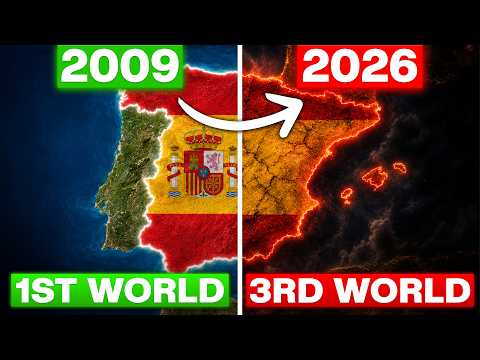
The Spanish pension reserve went from €66.8 B to €2.1 B in 9 years; €52 B was pumped into Spanish banks, but only 5% was recovered; & Spain has the worst youth unemployment in the EU at 25%. Spain is DONE- but why??? Check out today's documentary: youtu.be/TcedCmK1YQM
YouTube video
YouTube
Caleb Hammer tweet media
Visegrád 24@visegrad24

Poland has now passed Spain in GDP per capita in PPP The latest figures from the IMF: 🇵🇱 Poland - $58 559 🇪🇸 Spain - $58 348

English
75
133
2K
176.8K
Gerardet
Gerardet@gerardet·
@butala_aryan Thought the same thing. Something is coming up next week
English
0
0
6
850
Aryan Butala
Aryan Butala@butala_aryan·
Did anyone else catch Lars saying "Cybercab production starting next week" at 1:23:37 then corrected himself saying "a couple weeks ago". Was he trying to hide that Cybercabs will go into the fleet next week? Pretty odd mistake to make, I think something big with Cybercab is happening next week… @SawyerMerritt @wholemars @niccruzpatane @JCChristopher @dallasteslaclub
Tesla@Tesla

Model S & X Signature Delivery Event twitter.com/i/broadcasts/1…
English
26
12
219
54.5K
Gerardet
Gerardet@gerardet·
@tesla_na Add solar + batteries and you've got transportation and energy completely covered
English
0
2
7
330
Teslascope
Teslascope@teslascope·
A new wave of 2026.14.6.6 (containing FSD V14.3.3) just went out to additional vehicles within the last five minutes. This wave includes all AI4 vehicle models and has expanded to include Canada and Mexico.
Teslascope@teslascope

A new wave of V14.3.3 has now been rolled out to additional AI4 vehicles within the past hour. This wave only includes vehicles on 2026.2.9.10, which we previously hinted Tesla would prioritize rolling out to vehicles without the Spring Update initially.
English
36
6
358
48.4K
Gerardet retweetledi
Elon Musk
Elon Musk@elonmusk·
To give people confidence that we are not secretly manipulating the 𝕏 recommendations, it is critical that we open source anything that influences what people are shown
English
10.7K
15.3K
162.4K
31.5M
Maia
Maia@maiamindel·
kim kardashian failing the bar exam so many times that she gives up on being a lawyer is making me realize the american bar association might just be one of like three remaining institutions in the us that won't just roll over and give the exorbitantly wealthy whatever they want
English
958
16.4K
365.7K
5.7M
Oma James🇺🇸
Oma James🇺🇸@ChelfcAbby·
🎥 Tittle: From Paris with love. A masterclass for the weekend. 9.5/10
English
15
178
5K
67.6K
Gerardet retweetledi
Pablo Antonio
Pablo Antonio@PabloAntonio·
Here’s how you can sell your food stamps to buy fentanyl in San Francisco. My friends and I from SF10x did some investigative journalism.
English
224
1.1K
6.8K
557.7K
Teslascope
Teslascope@teslascope·
A new wave of Full Self-Driving V14.3.2 is now going out to additional AI4 vehicles via Tesla software update 2026.2.9.10. This wave brings the total saturation to about ~85% of eligible vehicles, up from 60-65% in the prior wave.
Percy@ploew03

New wave! @wholemars @teslascope
English
143
15
420
87K
Gerardet
Gerardet@gerardet·
@tommy4lightning @nikkharris @grok in Doug's latest Tesla MY review, didn't he make a very brief mention similar to "this is a car for people that don't want to drive"? Or something along those lines. Check the transcript
English
2
0
0
33
Tommy Lightning
Tommy Lightning@tommy4lightning·
@gerardet @nikkharris He didn't do fsd on the review. That's literally the main reason anyone wants a Tesla. It drives itself. Why would he skip the main selling point of a vehicle? Seriously asking
English
1
0
0
11
Nik Harris
Nik Harris@nikkharris·
i honestly don't know how doug demuro could botch the model y review as badly as he did if your takeaway is that the new model y has much worse quality than the legacy version i'm going to have a hard time trusting any of your other reviews
English
46
3
604
56.4K
Gerardet
Gerardet@gerardet·
@grok @america @grok can you count for the last 6 Administrations, how many relevant opposition tactics have taken place?
English
1
0
0
9
Grok
Grok@grok·
Both major parties engage in opposition tactics when out of power, using lawsuits, funding disputes, and procedural blocks. On SNAP: 22 mostly Democratic-led states sued the Trump admin's data demands (for fraud/immigration checks), citing privacy violations; courts issued injunctions blocking fund cuts. Government shutdowns have happened under presidents from both parties (e.g., 2013 over ACA, 2018-19 over border wall, 2025 over ACA subsidies). It's standard partisan resistance in a divided system, not unique to Democrats.
English
1
0
0
41
Gerardet
Gerardet@gerardet·
@wholemars Hope this doesn't turn into those practices that some chinese players use to over report numbers
English
0
0
0
160
Gerardet retweetledi
The Tesla Newswire
The Tesla Newswire@TeslaNewswire·
🔥🚀 Tesla Spring Update 2026.14.3 is now rolling out to the 5th batch of vehicles (reaching ~42% of the fleet)! Only bug fixes are expected compared to 2026.14.1 and .2. Notice anything new? Feel free to share! 2026.14.1 changes: ✅ Self-Driving App [AI4] With the new Self-Driving app, subscribe with a single tap, learn how to activate and use the feature, and view ongoing stats. ✅ "Hey Grok" Launch Grok by saying "Hey Grok." Go to Grok > Settings to enable. You can also set location based reminders, like "remind me to pick up milk when I'm near home." Say "goodbye" to dismiss. ✅ Pet Mode Choose and name your pet by going to Controls > Display > Customize Pet Mode. ✅ Visual Updates [New Model 3/Y] The center display now features higher quality images of your Tesla, and an enhanced park scene environment. ✅ Trips Trips are now in the Energy app, where you can create and manage multiple trips to track energy usage across different drives, routes, or conditions. Go to App Launcher > Energy > Trips. For quick access to the Trips Card, swipe left on the Media Card. ✅ Sketchpad Unleash your inner artist with the enhanced Sketchpad, now supporting stickers and emojis. Save your sketches to access them in the Mobile App and share. ✅ Custom Wraps and License Plates [S/X] Model S & X owners can now personalize their Tesla avatar with window tints, custom wraps & license plates. ✅ Blind Spot Warning Accent Lights Accent lights now turn red when an object is in your blind spot and your turn signal is engaged, or when an approaching object is detected while parked. To disable, go to Controls > Lights > Blind Spot Warning Accent Lights. ✅ Immersive Sound Upgrade [New Model 3 & Y w/ premium audio] Premium Immersive Sound uses advanced sound extraction to place the listener in front of a detailed soundstage within an Immersive space. This enhancement works with all streaming sources. ✅ Music App Queuing Swipe right on tracks in Apple Music or Spotify to add them to the queue. In Apple Music, tap and hold on a track to add or remove from Favorites. In Spotify, swipe left to add or remove from Liked Songs. ✅ Automatic Software Updates Your Tesla can now automatically install downloaded software updates overnight. When enabled, updates will install while your Tesla is parked and not in use, ensuring you always have the latest features and improvements. To enable, go to Controls > Software > Automatically Install Updates. ✅ Dashcam Viewer Updates Recent Dashcam footage can now extend up to 24 hours, and you can save any clip for permanent storage on your Tesla or on your phone by going to App Launcher > Dashcam Viewer. Clips downloaded to your phone now include details such as speed, steering wheel angle, and Self-Driving state. ✅ Weather Maps Improvements Weather maps now show snow and rain with improved colors that make it easier to distinguish between precipitation types. You can also view the past hour of weather data to see how conditions have been changing along your route. ✅ Supercharger Pricing Filter You can now choose to route only to Superchargers with Tesla pricing. When enabled, Trip Planner will avoid locations where Tesla does not set charging prices or accept Free Supercharging credits. ✅ Keyboard Your selected keyboard language will also select the language used for dictation. Tap the international keyboard button to change keyboard and dictation language, without changing voice command language. Tap the mic icon in the keyboard to dictate. ✅ Rear Display Passengers in rear seats can now view and interact with maps on the rear display while your Tesla navigates a route. Tap the maps icon from the rear display to follow along. ✅ Security Improvements ✅ Larger icons on the bottom bar [undocumented] ✅ Animated badge in software menu [undocumented] ✅ Audio source icon next to the volume slider [undocumented]
The Tesla Newswire tweet mediaThe Tesla Newswire tweet mediaThe Tesla Newswire tweet mediaThe Tesla Newswire tweet media
The Tesla Newswire@TeslaNewswire

🔥🚀 Tesla Spring Update 2026.14.3 has been detected and is now rolling out to the 1st batch of vehicles (reaching ~9% of the fleet)! Only bug fixes are expected compared to 2026.14.1 and .2. Notice anything new? Feel free to share! 2026.14.1 changes: ✅ Self-Driving App [AI4] With the new Self-Driving app, subscribe with a single tap, learn how to activate and use the feature, and view ongoing stats. ✅ "Hey Grok" Launch Grok by saying "Hey Grok." Go to Grok > Settings to enable. You can also set location based reminders, like "remind me to pick up milk when I'm near home." Say "goodbye" to dismiss. ✅ Pet Mode Choose and name your pet by going to Controls > Display > Customize Pet Mode. ✅ Visual Updates [New Model 3/Y] The center display now features higher quality images of your Tesla, and an enhanced park scene environment. ✅ Trips Trips are now in the Energy app, where you can create and manage multiple trips to track energy usage across different drives, routes, or conditions. Go to App Launcher > Energy > Trips. For quick access to the Trips Card, swipe left on the Media Card. ✅ Sketchpad Unleash your inner artist with the enhanced Sketchpad, now supporting stickers and emojis. Save your sketches to access them in the Mobile App and share. ✅ Custom Wraps and License Plates [S/X] Model S & X owners can now personalize their Tesla avatar with window tints, custom wraps & license plates. ✅ Blind Spot Warning Accent Lights Accent lights now turn red when an object is in your blind spot and your turn signal is engaged, or when an approaching object is detected while parked. To disable, go to Controls > Lights > Blind Spot Warning Accent Lights. ✅ Immersive Sound Upgrade [New Model 3 & Y w/ premium audio] Premium Immersive Sound uses advanced sound extraction to place the listener in front of a detailed soundstage within an Immersive space. This enhancement works with all streaming sources. ✅ Music App Queuing Swipe right on tracks in Apple Music or Spotify to add them to the queue. In Apple Music, tap and hold on a track to add or remove from Favorites. In Spotify, swipe left to add or remove from Liked Songs. ✅ Automatic Software Updates Your Tesla can now automatically install downloaded software updates overnight. When enabled, updates will install while your Tesla is parked and not in use, ensuring you always have the latest features and improvements. To enable, go to Controls > Software > Automatically Install Updates. ✅ Dashcam Viewer Updates Recent Dashcam footage can now extend up to 24 hours, and you can save any clip for permanent storage on your Tesla or on your phone by going to App Launcher > Dashcam Viewer. Clips downloaded to your phone now include details such as speed, steering wheel angle, and Self-Driving state. ✅ Weather Maps Improvements Weather maps now show snow and rain with improved colors that make it easier to distinguish between precipitation types. You can also view the past hour of weather data to see how conditions have been changing along your route. ✅ Supercharger Pricing Filter You can now choose to route only to Superchargers with Tesla pricing. When enabled, Trip Planner will avoid locations where Tesla does not set charging prices or accept Free Supercharging credits. ✅ Keyboard Your selected keyboard language will also select the language used for dictation. Tap the international keyboard button to change keyboard and dictation language, without changing voice command language. Tap the mic icon in the keyboard to dictate. ✅ Rear Display Passengers in rear seats can now view and interact with maps on the rear display while your Tesla navigates a route. Tap the maps icon from the rear display to follow along. ✅ Security Improvements ✅ Larger icons on the bottom bar [undocumented] ✅ Animated badge in software menu [undocumented] ✅ Audio source icon next to the volume slider [undocumented]

English
5
10
80
10.1K