Fondant

84 posts

Fondant

Fondant

@getfondant

Realtime engine for stylized content https://t.co/It7WYVWLnz

Katılım Ocak 2025
17 Takip Edilen464 Takipçiler
Sabitlenmiş Tweet
Fondant
Fondant@getfondant·
Anime face proxy mesh is out!
aVersionOfReality@AversionReality

The @getfondant Easy Custom Normals Blender addon 2.0.0 is out! We've added the Anime Face Proxy Normals tool I've been developing as a new tier to help fund further development ($10). Get it on Gumroad (link below.) The free tier Laplacian Smooth modifier has also received fixes and optimizations. The Normals Proxy is a set of rigged Curves + Geometry Nodes magic. Place it around your anime face and get clean toon shading fast (compared to other methods.) Easily adjust the shape with the rig for different expressions and poses, add it to your character's rig, and even shapekey it for expression keys!

English

1
9
50
2.3K
Fondant retweetledi
aVersionOfReality
aVersionOfReality@AversionReality·
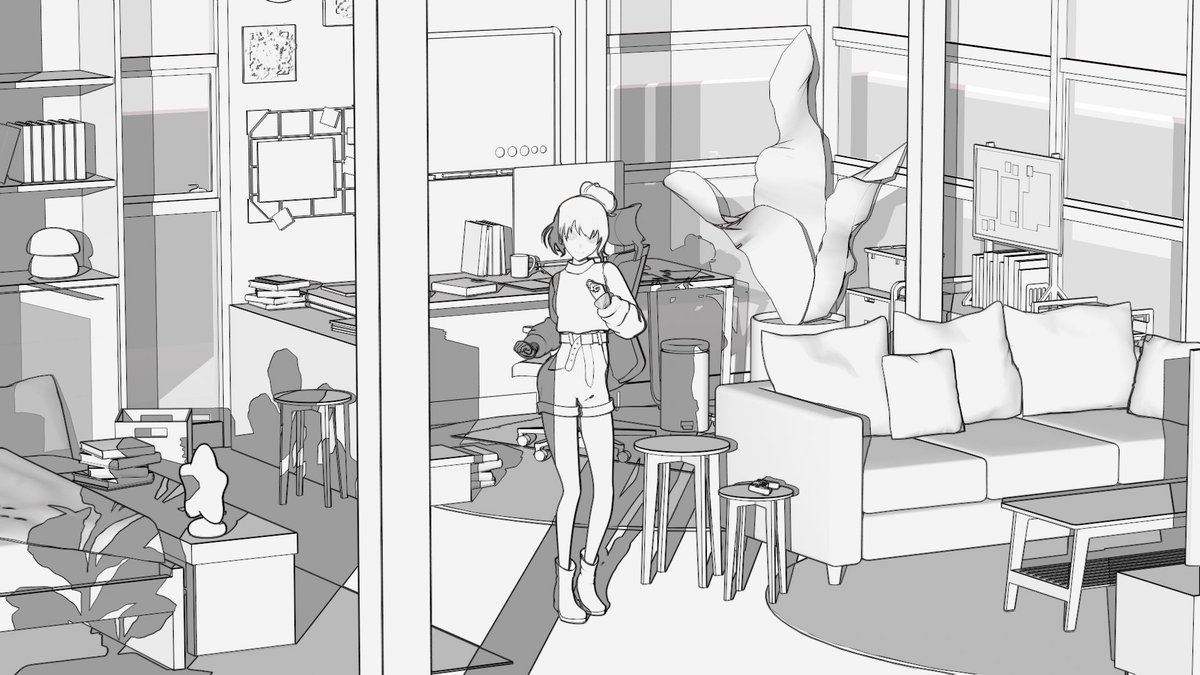
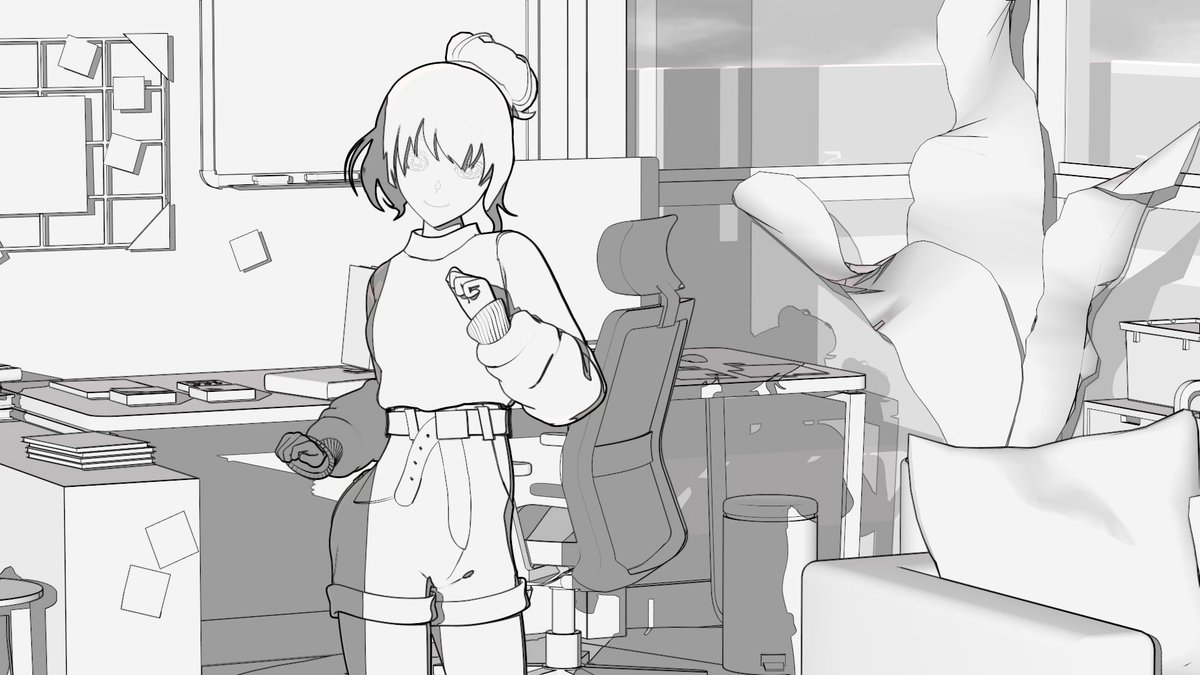
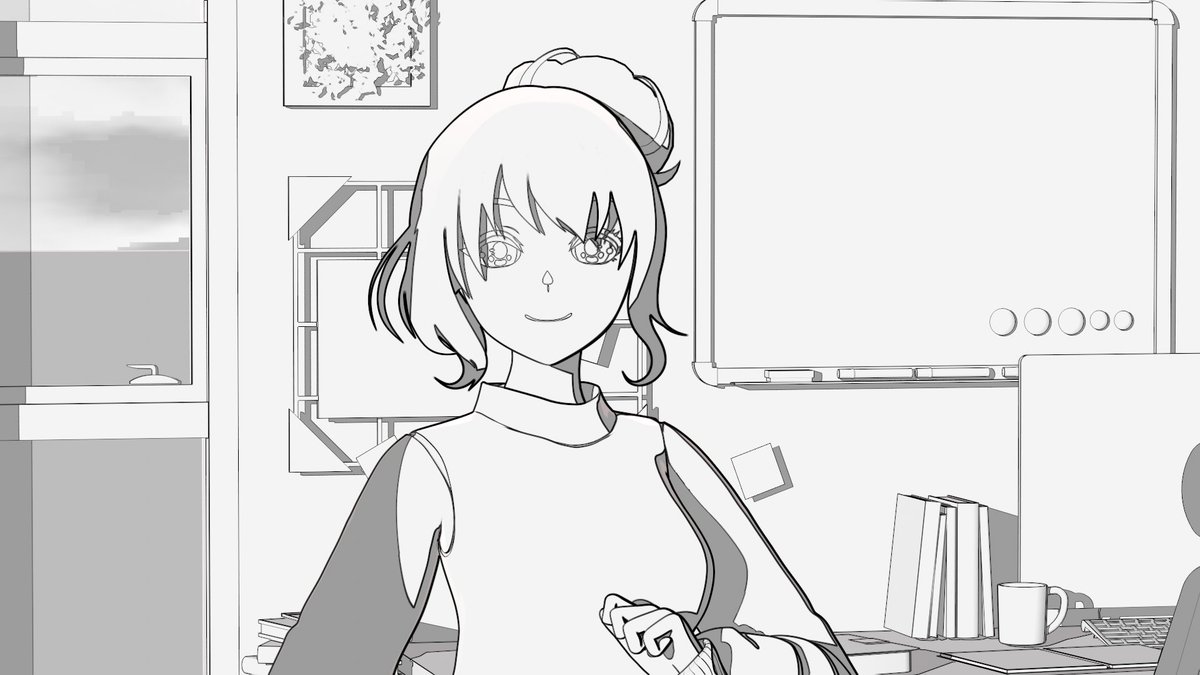
Slowly improving my 3D Line Art settings. This is using the Malt render engine in Blender. These are Screen Space Extraction lines (SSE), which means that the lines are detected on render passes in a screen shader. Then they are given thickness using the Jump Flood method. So they can be used to detect "edges" (differences) in any pass you want. Malt comes with these lines by default, but I've expanded the setup with per-material settings for each line parameters (depth, normals, ID masks, etc), also vertex colors controller per-object or with vertex groups via Geometry Nodes. This means I can control the thresholds for line detection and thickness at a very granular level. I've also configured it to create lines on the edges of hard shading and shadows. And there's some subtle effects, like the lines are thinner in more lit areas and thicker in the shading (but based on smooth shading, not the toon shading.) I'd like to implement a SSE setup with this much detail and control in a game engine at some point, but there's still some things to figure out, like the best way to control thickness scaling based on camera distance (it isn't as simple as linear scaling or a curve, as artistically the rules change at different view distances.)
aVersionOfReality tweet mediaaVersionOfReality tweet mediaaVersionOfReality tweet mediaaVersionOfReality tweet media
English
1
15
125
6.3K
Fondant retweetledi
aVersionOfReality
aVersionOfReality@AversionReality·
And here's another WIP angle of the same scene, but this time showing more of the room. The front end of the room behind the camera is open since that's the angle its viewed from in-app, so it doesn't show that part. I've still got some updated assets to swap in, and need to work on the Bloom settings and some other areas. But its great to have this at the point that its mostly just small tweaks that are needed. Also, @lil_blk_rabbit is the modeler here, and I'm not sure where all the scene assets are from. I worked on the face and some other areas some, but my work here is primarily shader and Normals. I built a version of mtoon in the Malt engine, made some changes, and setup the line art there with a lot of customization (material level and mesh attributes.) And the Normals uses my Laplacian Smooth Addon blended with Bone Normals in some areas to reduce detail.
English
0
2
27
1.3K
Fondant retweetledi
aVersionOfReality
aVersionOfReality@AversionReality·
Continuing tests with my custom shaders made in Blender's Malt render engine. Let's see how this whole stack holds up in a closer shot with some camera movement. Plenty of things could be improved, but its staying clean! And the line work is holding up well.
English
14
248
4.3K
104.1K
Fondant retweetledi
aVersionOfReality
aVersionOfReality@AversionReality·
Slowly upgrading this material setup. I've got the room in now, but if you look there's a bunch of things to do still. Like the windows aren't transparent, many things need settings adjusted, still some clipping on the clothing, etc. But the main thing I'm looking at is the Shadow settings. The Shadows are cast by a separate light than the shading. This is why they are placed where they are, since I can set that manually. They are actually a good ~40deg rotated around compared to the shading light, otherwise they'd be off the side to the left. Is this ideal artistically? I'm not sure yet, but there's certainly times where we'd want to take artistic control. But this also introduces new problems. You can see the shadow flickering a bit on the floor. If the camera was rotated around, we would see the model self-shadowing in areas with no shading, which causes artifacts. And the right side of the room has a lot of things in shadow because of parts of the room behind the camera casting them. I can set them to not do that, but I haven't configured this shader to let me do that at an object level yet. NPR is an endless adventure of adding features that then introduce new problems!
English
2
8
115
4.7K
Fondant retweetledi
80 LEVEL
80 LEVEL@80Level·
.@AversionReality explores new ways to achieve clean 3D cel shading, sharing progress on making the shadow terminator look more natural and consistent. Get their Easy Custom Normals add-on for Blender: 80.lv/articles/makin…
English
1
6
86
7.9K
Fondant retweetledi
aVersionOfReality
aVersionOfReality@AversionReality·
I think you've misunderstood. GGX uses fairly planar Normals, so instead of shading swiping across surfaces, it snaps. This looks less bad in most cases, but this method can still lead to problems with high frequency changes, especially with arbitrary light sources. And it still doesn't match how many of these things would be handled in a 2D animation environment that has full knowledge of the shot being worked on. Arcsys relies on very specific constraints on style, topology, and light+camera angles to avoid or mitigate this and other problems, even using manual keys in some areas. Its a great look, but their system is not a general solution to these problems due to the limitations it places. This is why you don't see their methods used in places like Hoyo games, even though those also use toon shading. Those games need to work with arbitrary light and camera angles since the player can move the character and the camera. And they do have the problem I'm talking about in the OP of high frequency shading changes. Theoretically, it could be possible to make a system that does something conceptually similar to what Arcsys is doing with their manual authoring but automatically, and thus reduce or solve the problems even with arbitrary models, lights, and camera. This is the puzzle I am pondering. A full solution is likely too complicated for me to figure out, but even small improvements matter.
English
0
1
8
195
Fondant retweetledi
aVersionOfReality
aVersionOfReality@AversionReality·
One of the big problems in 3D cel shading is that it doesn't move right. The shading terminator visually slides across the surface of the mesh. Details surface or recede like rocks being exposed or swallowed by the tide. It doesn't match how this shading would be drawn in 2D which uses keyframes and interpolation and has a concept of a shot. You have far more options for shape and transitions when you only need to it to look right for a limited range of motion in a specific shot, and aren't stuck with having to reconcile it with all other possible light and camera angles. In 3D, especially real time with an arbitrary camera and lighting, everything is harder. But we can still do some things to limit high frequency visual changes that don't read correctly. On this character, we see problems when the shading terminator moves across the chest. The animation isn't very large, but since it is rotating forward and back relative to the light, it causes a large area to quickly change between lit and unlit. And the details in that area appear and disappear quickly, which looks too noisy. I've been experimenting with a variety of techniques to slow down or limit these bad looking movements. Reducing detail helps of course, but then you've also lost the detail. This clip shows some detail reduction, but there's a bit more going on: the Normals on the torso are being mixed to a cylindrical shape, which reduces the speed the shading moves. Its a small effect for now, but I think I can get it working much better, and still keep detail when it matters.
English
14
150
2.2K
56.7K
Fondant retweetledi
aVersionOfReality
aVersionOfReality@AversionReality·
Starting on more shader experiments in Blender's Malt engine. I've implemented a shader in the style of mtoon, but I want to see if I can add some of the fancier features that Malt can do. Character is by @lil_blk_rabbit and @MrZing07 for @getfondant. Animation is 0.5 speed to more easily observe changes. First let's look at Malt lines + Laplacian Smoothed Normals. The lines don't have their thickness settings done yet so they are to strong in many areas, but I wanted to see how they move.
English
4
37
615
41.1K
Fondant retweetledi
Windpunk
Windpunk@Klukdigital·
@Travis_M_H_83 @AversionReality @getfondant Okay for the first 15 minutes of using this solves many problems. Completely fixeds the workflow and even helps to quickly identify problem areas. I think this just made things a lot more doable. Thanks so much for linking it🙏🫶🥰
English
1
2
2
1.2K
Fondant retweetledi
aVersionOfReality
aVersionOfReality@AversionReality·
So there's many ways to approach this problem. The basic issue is that we need the shading to transform as the camera rotates, but we shouldn't actually see it sliding around. It should appear to be in the exact same place on the surface visually. To get that 100% right is going to take some calculations based on the mesh. Still contemplating exactly what those would need to be, but I'm guessing that there's something we can do with the mesh and camera position/normal/view vec that will let us calc what's needed to compensate for the mesh shape in the Projection used to map the curves onto the face. But for now, to help block in different shapes, I've made a setup that lets me resample the Normal on each spline profile, but with a Float curve to adjust the Fac. This is the equivalent of moving the points of the curve around on it so that different ones correspond to different areas of the face. Adjusting these things manually with float curves doesn't scale very well, but its convenient for testing things.
English
1
3
32
2.1K
Fondant
Fondant@getfondant·
@TongkatAliGirl Yep. You just need to set up your export in a way that your asset has custom normals
English
1
0
1
67
Fondant
Fondant@getfondant·
Anime face proxy mesh is out!
aVersionOfReality@AversionReality

The @getfondant Easy Custom Normals Blender addon 2.0.0 is out! We've added the Anime Face Proxy Normals tool I've been developing as a new tier to help fund further development ($10). Get it on Gumroad (link below.) The free tier Laplacian Smooth modifier has also received fixes and optimizations. The Normals Proxy is a set of rigged Curves + Geometry Nodes magic. Place it around your anime face and get clean toon shading fast (compared to other methods.) Easily adjust the shape with the rig for different expressions and poses, add it to your character's rig, and even shapekey it for expression keys!

English
1
9
50
2.3K
Fondant retweetledi
aVersionOfReality
aVersionOfReality@AversionReality·
@getfondant Here's a longer version of the overview clip that has some more information. I'm also editing a longer form walkthrough of using Contribution and Original Normal strengths, and what the difference is.
English
0
3
17
2K
Fondant
Fondant@getfondant·
New version is up! With lots of updates 👇
aVersionOfReality@AversionReality

The @getfondant Easy Custom Normals addon v2.1.0 is here! Works in Blender 4.3-4.5. I've reworked the Laplacian Smooth Modifier to run on Face Corners, giving us more control and quad mesh support. Also optimizations and new features. No longer needs to run slow triangulation operations. Stability problems are addressed by Momentum Smoothing, which also allows the strength to be scaled up as high as 3 without blowing everything up. So you can do more smoothing in fewer iterations! And there's more control of how things interact with the smoothing. Instead of only choosing how strong it is on a given point, now you can scale the amount it contributes to the smoothing of its neighbors. Or reduce its Original Normal strength to allow it to be overwritten or filled in. These changes and more are all part of the free tier of the addon. Please consider picking up the paid Face Proxy system to support continued development!

English
0
0
14
618
Fondant retweetledi
aVersionOfReality
aVersionOfReality@AversionReality·
2.1.0 of the @getfondant Laplacian Smooth Normals for Blender is almost ready to release, just getting the docs put together and some new info recorded. But here's a look at how its setup now, and the changelog.
aVersionOfReality tweet media
aVersionOfReality@AversionReality

Another improved feature in 2.1.0 of the @getfondant Blender Normals addon is the Boundary Extrapolation. This is an effect that is approximate at best, and it is made more difficult by Triangles. But now the Laplacian Smooth can run on quads, and that allowed some improvements to the extrapolation when using them. Its not 100% but it is close in many situations, and I may be able to improve it further in the future.

English
0
3
17
2K
Fondant retweetledi
aVersionOfReality
aVersionOfReality@AversionReality·
Another improved feature in 2.1.0 of the @getfondant Blender Normals addon is the Boundary Extrapolation. This is an effect that is approximate at best, and it is made more difficult by Triangles. But now the Laplacian Smooth can run on quads, and that allowed some improvements to the extrapolation when using them. Its not 100% but it is close in many situations, and I may be able to improve it further in the future.
aVersionOfReality@AversionReality

Working on the docs and a new guide for 2.1.0 update of @getfondant Normals Smoothing addon for Blender. Might as well put the information in the modifier tooltips instead of making you find the docs online, right? There's many powerful new options, and I've also removed some that aren't needed or didn't do much. So I do still recommend checking out the Docs to understand how to use it best!

English
1
10
154
8.9K
Fondant retweetledi
aVersionOfReality
aVersionOfReality@AversionReality·
Here's another feature coming to the @getfondant Blender Custom Normals addon: Flood/Fill. Laplacian Smoothing is basically a fancy form of averaging. So the value on each corner is a mix of its current value and those of its neighbors (per iteration.) That means you sometimes have some areas you don't want to contribute at all, or to just be filled in with the general shape of the rest of the mesh. Here's an example on a belt that has some flat, lower poly faces on the interior. Without smoothing they make a visible ledge. Those faces spread their influence over the whole mesh and it smooths out to something more like a cylinder. But with the new Flood Area, they get ignored! Their original Normal gets weakened when averaging with their neighbors. Here it is set to 0, which totally throws out their original Normal and lets them get filled in with a new one from their neighbors.
aVersionOfReality@AversionReality

The @getfondant Blender Custom Normals Addon version 2.1.0 is almost ready. For this update I've returned to the Laplacian Smooth modifier (in the $0 version). There's a lot of big improvements based on my testing and some problems users found. One of those is a classic problem in Laplacian Smoothing: Instability! For various reasons, certain areas of the mesh can end up with very small or large values that cause oscillations. In Position smoothing, this causes the mesh to explode. For Normals, we get crazy banding or checkboard shading. This happens at high iterations and high strength. The solution is to lower the strength. Sometimes 0.9 will do it, but sometimes you end up down at 0.5. That works, but then you have less smoothing. Now you need more iterations again to get to the same amount and it gets slower. And more iterations = more risk of instability. I've implemented Momentum Smoothing, which helps prevent weird movements and oscillations by keeping some of the movement from the previous iteration. This is technically less precise, but we don't care for smoothing toon shading. It works so well that you not only don't need to turn down the strength, you can even turn it up to 2 or even 3! That means less iterations, or really crazy amounts of smoothing!

English
0
14
143
7.7K
Fondant retweetledi
aVersionOfReality
aVersionOfReality@AversionReality·
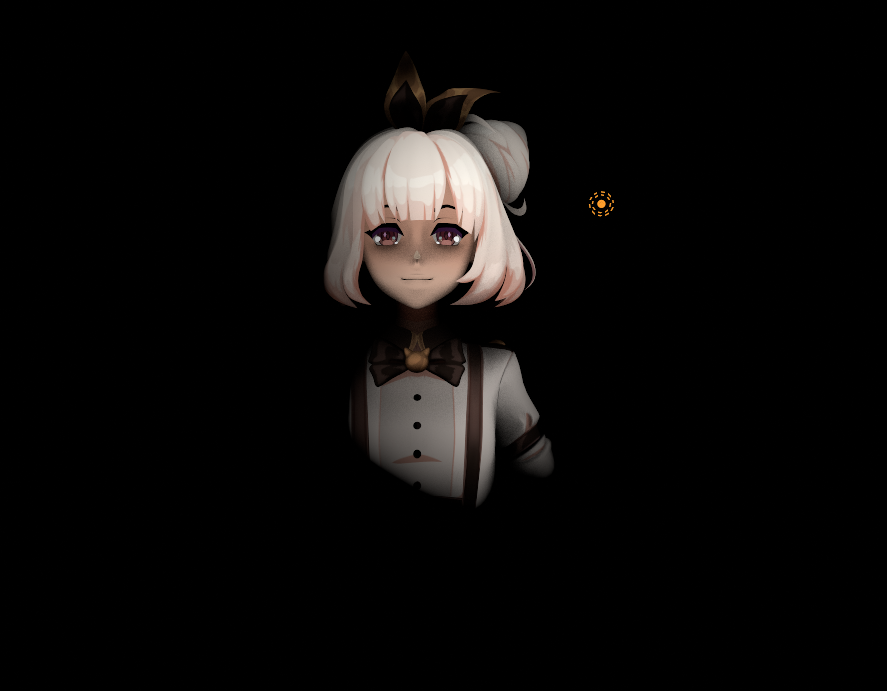
Accidental horror lighting doodle while messing around with custom lights in Malt #b3d. That is a Point Lamp, but there's no Shading or Shadows here. Instead, the "lighting" comes from masking based on Distance. The "Light" is actually color from R to G to B based on distance from the Lamp. This is used to make masks and mix between two layers: Layer 1: Texture Color * Ambient Occlusion * Red channel of "light". Layer 2: Rim Light * AO * Red * Tex Color. Those are mixed together by the mask made from the Blue channel of the "light". So all the light is fake, and we actually have the "lighting" go from lit to dark then back to lit, as you can see when the light is near the wall. PBR Light Pipelines are designed to be realistic, but at the end of the day a Light in 3D is just a way to specify values (color, strength) and their area of influence (determined by shading, shadows). If you want to build lights that mask between shaders, color grade, project textures, or control post process effects you can (if you have a flexible render pipeline.)
aVersionOfReality tweet mediaaVersionOfReality tweet media
English
0
5
20
1.6K