@jauneclaude Completely agree. Until now, no other model has been able to impress me this much. I'd say the Laguna S2.1 came close. Will need to revisit that model again though.
English
Kaustab Pal | LLM Systems
188 posts

@kaustabpal
Local LLMs from first principles. Experiments and deep dives.

Sorry kids, it's true
you asked me to open source the Pi UI from my recent post, but the best thing @pidotdev taught me is that learning to shape your own tools is better than accepting someone elses finished product so i want to share something more useful than a repo: a one shot prompt to build your own "codex-style" app for Pi, accessible from desktop and mobile through tailscale copy and paste this into your clanker: (but read it first) Build a complete local, private, responsive web UI for my existing Pi coding-agent setup. Work autonomously from discovery through verification: inspect the environment, create the project, install dependencies, implement every required flow, run tests, launch the production app, and fix failures. Do not stop at a plan, scaffold, or mockup, and do not ask me aesthetic questions—make sensible choices and finish the app. THE RESULT I should get a working dashboard that runs on the same computer as Pi and lets me: - choose a project; - create or resume a native Pi session; - stream assistant text, thinking, and tool activity; - send, steer, queue a follow-up, and stop; - choose model, thinking level, and read-only/full tools; - use it comfortably from desktop and mobile; - reach it privately through Tailscale Serve. The browser is only a control surface. Pi remains the agent and the source of truth for models, authentication, settings, tools, resources, and sessions. FIRST, VERIFY THE REAL PI ENVIRONMENT Before coding: 1. Inspect the current directory and preserve anything already present. If it contains unrelated files, create a `pi-web-ui/` subdirectory instead of mixing projects; otherwise use it directly. 2. Locate Pi with the platform-appropriate command (`command -v pi` on POSIX; `Get-Command pi` or `where.exe pi` on Windows). Check `pi --version`, `node --version`, `npm --version`, and whether `PI_CODING_AGENT_DIR` or `PI_CODING_AGENT_SESSION_DIR` is set. Report only set/unset for environment overrides; never dump the environment or read/print `auth.json`. 3. Read the current official docs: - pi.dev/docs/latest/sdk - pi.dev/docs/latest/se… - pi.dev/docs/latest/se… - pi.dev/docs/latest/rpc - pi.dev/docs/latest/se… 4. Treat the installed Pi CLI as the compatibility target. Install the exact matching version of `@earendil-works/pi-coding-agent` locally with `--save-exact`, then pin the full dependency tree in `package-lock.json`. Do not upgrade or modify the global Pi installation. If that exact package version cannot be resolved, stop before opening any saved session, explain the mismatch, and ask whether to install a compatible SDK or update Pi; never silently mix versions. 5. Inspect that installed package's `package.json`, `engines`, public exports, bundled docs/examples, and `.d.ts` files before using an API. Pi evolves: adapt to the matched version's real signatures rather than assuming the names in this prompt are exact. 6. Because this is Node, use Pi’s SDK/AgentSession APIs. Use `pi --mode rpc` only if the current SDK has a documented blocker, and explain the fallback. PATH AND STATE RULES - Build in the project directory selected in step 1, never inside `~/.pi/agent`. - Resolve Pi’s config/agent directory and session storage separately through the matched SDK/settings services. Respect `PI_CODING_AGENT_DIR` for config and `PI_CODING_AGENT_SESSION_DIR` plus Pi's `sessionDir` setting/precedence for sessions. Defaults are normally `~/.pi/agent` and its `sessions/` child, but never derive or hard-code the session root when Pi can resolve it. - The chosen project is the canonical `cwd` given to Pi. - Durable chats remain Pi’s native JSONL sessions under Pi’s configured session storage. Do not create another transcript database and never edit session JSONL yourself. - Use Pi’s SessionManager APIs to create, list, open, and traverse sessions. Resume only exact session paths returned by Pi’s own listing APIs. - Give the browser opaque session IDs; resolve those server-side to paths returned by Pi. Never accept an arbitrary session-file path from the browser. - Never copy, rewrite, expose, or return credentials. Reuse the user’s existing Pi auth through the SDK. - Browser local storage may contain only harmless UI preferences, recent successful workspace paths, delivery mode, and unsent drafts. FIXED STACK Use Node.js 24 LTS when available; hard-require at least the version declared by the matched Pi package (current Pi requires Node >=22.19.0). Do not use Node 20. Use npm with a committed lockfile, strict TypeScript and native ESM, Express 5, Zod for runtime validation, React + Vite, native EventSource/Server-Sent Events, `react-markdown` + `remark-gfm`, Vitest, Supertest, and Playwright Chromium. Do not enable raw HTML in Markdown and do not use `dangerouslySetInnerHTML`; without raw HTML there is no HTML string for DOMPurify to sanitize. If the installed renderer forces an HTML-string path, sanitize it with DOMPurify before insertion, but prefer the AST-to-React path above. Apply an explicit URL policy: allow only safe `http:`, `https:`, and `mailto:` links; reject executable/unknown schemes; disable remote images by default. Keep Pi integration behind a small typed adapter that can be replaced by a fake in tests. Keep server, shared browser-safe protocol types, and UI code separate. Provide and verify: - `npm run dev` - `npm run typecheck` - `npm test` - `npm run test:e2e` - `npm run build` - `npm start` Use Vite's development proxy for `/api` so development stays same-origin. `npm start` must run compiled server code, serve the built frontend and API from one production process, and bind to literal host `127.0.0.1` and default TCP port `4783`. `127.0.0.1` is the security boundary; `4783` is merely a memorable unprivileged default. Permit a validated `PORT` override from 1024–65535, print the exact local URL, and fail clearly on `EADDRINUSE`. Do not allow a HOST override that can widen exposure. BUILD ORDER 1. Finish discovery/version matching and write a short implementation checklist. 2. Define shared protocol schemas and the Pi adapter interface, then build a fake adapter. 3. Make one vertical slice work end-to-end with the fake: open workspace, create chat, send, SSE stream, settle, reconnect, resume. 4. Add the real matched Pi adapter and remaining controls; keep all UI/API tests on the fake. 5. Add security, responsive polish, production service, and documentation; run the complete verification suite after every material fix. Do not replace required behavior with TODOs. PI INTEGRATION Prefer one `createAgentSession` + `SessionManager` instance per live web chat. Use `createAgentSessionRuntime` only if the matched SDK requires in-place new/resume/fork replacement inside one chat; if a runtime replaces its session, unsubscribe, dispose/release ownership, rebind extensions, and resubscribe exactly as the SDK documents. Use the matched version's public equivalents of `AgentSession`, `SessionManager`, `ModelRuntime`, `SettingsManager`, `DefaultResourceLoader`, trust APIs, and `getAgentDir` where appropriate. For each live chat: - create a persistent Pi session for the selected canonical `cwd`, or resume one with SessionManager; - restore its own cwd, name, model, thinking, active branch, messages, and compaction state; - show only the active branch/path, not abandoned branches flattened into the transcript; - load the user’s normal global/project settings, AGENTS.md/CLAUDE.md files, skills, prompt templates, extensions, custom models, and tools through Pi’s normal resource loader; - respect existing project-trust decisions and never silently approve one. If protected resources are skipped, keep the chat usable and show a clear notice; - list authenticated/available models from Pi, never from a hard-coded list. If none exists, tell the user to run `pi` and `/login` locally—do not add a browser credential form; - default new browser chats to real read-only tools (`read`, `grep`, `find`, `ls`) and allow Full access while idle. Full means Pi’s normal tool set, including extension tools. Change the actual active tool array through a documented public API; if the matched SDK only applies tool selection at construction, dispose the idle instance and reopen the same session exactly once with the new tool set. Never show a cosmetic toggle. Explain that read-only is a model-tool allowlist, not an OS sandbox, and does not make loaded extensions harmless; - support model/thinking changes while idle, rename, compact, stats, prompt, steer, follow-up, abort, queue clearing when supported, and clean disposal. SESSION OWNERSHIP AND RECONCILIATION Maintain: - `chatId -> live Pi session`; - canonical `sessionFile -> chatId`. Never open the same session file in two live AgentSession instances inside this server process. A second browser should attach to the existing live chat or receive a clear conflict, never become a second writer. Pi does not provide a universal cross-process session lease, so document that the same native session must not be run concurrently from another dashboard process or terminal; do not claim to prevent an unrelated Pi process from doing so. Stored and streaming items need stable IDs. During a live run, the normalized in-memory event stream is authoritative; do not re-read and append the session JSONL after every turn. After resume or server restart, rebuild the snapshot through the matched public API that resolves the active branch context—for Pi 0.80.6, `SessionManager.buildContextEntries()`—rather than flattening all stored entries. If a resnapshot must merge with live state, use Pi entry/message/tool-call IDs when available; never deduplicate by fuzzy text or timestamps alone. Ignore stale events from a disposed or switched session using a per-chat generation/run ID. A server restart may forget live web IDs, but every saved Pi session must still appear and resume. RUN LIFECYCLE Subscribe to and normalize current SDK events for: - message start/update/end and text/thinking deltas; - tool execution start/update/end; - queue changes; - compaction and automatic retry; - extension errors; - the event meaning the whole session-level run is settled. Do not mark a run complete at `message_end` or ordinary `agent_end`. If the SDK exposes a session-level settled event, use it because retries, compaction recovery, or queued continuations may follow `agent_end`. Otherwise treat the tracked `session.prompt()` promise as the primary completion signal—the SDK documents that it resolves only after the full accepted run, including retries—then confirm the agent is idle and both queues are empty. Do not invent an `agent_settled` SDK event if the matched types do not expose one. An idle send uses Pi’s prompt API. While busy, Steer is delivered after the current turn’s tool calls and before the next model call; Follow-up waits until Pi is otherwise finished. Use exactly the matched SDK's `steer`/`followUp` or `prompt(..., { streamingBehavior })` semantics. Stop aborts Pi, clears queued messages when supported, and remains in Stopping state until the run settles. Use Pi’s prompt preflight/acceptance hook if available so the HTTP request can return `202 Accepted` once the prompt starts or queues; stream the result separately instead of holding the request open. EXTENSIONS AND SLASH COMMANDS Bind extensions using the SDK’s documented non-TUI/RPC-style UI context. Bridge `select`, `confirm`, single-line input, multiline editor, notifications, and status to accessible browser dialogs/events. Match replies by request ID; cancel them on session disposal; never auto-confirm security questions. For unsupported TUI-only custom UI, return the documented safe fallback and show a notice instead of hanging. Discover extension commands, prompt templates, and skills through Pi and expose a lightweight `/` autocomplete menu. Send them through Pi’s normal prompt expansion. Do not pretend built-in TUI-only commands work; implement New, Resume, Rename, Compact, model, thinking, and tools as web actions. SERVER AND SSE CONTRACT Implement typed, Zod-validated equivalents of: - `GET /api/health` - `GET /api/bootstrap` — non-secret app/Pi status and recent/known workspace hints - `POST /api/workspaces/open` with `{ path }` — validate once and return an opaque `workspaceId` plus workspace-scoped trust/resource diagnostics, authenticated models, and session summaries - `GET /api/workspaces/:workspaceId/sessions` - `POST /api/chats` with `workspaceId` and `POST /api/chats/resume` with an opaque listed `sessionId` - `GET /api/chats/:id` — full snapshot - `GET /api/chats/:id/events` — SSE - `POST /api/chats/:id/messages` with `normal | steer | followUp` - `POST /api/chats/:id/abort` - `PATCH /api/chats/:id/config` - rename, compact, extension-dialog response, and dispose routes. Apply small explicit request-body limits. Use a consistent JSON error shape and no production stack traces. Normalize Pi events into a browser-safe discriminated union: snapshot, run status, message item, assistant/thinking delta and end, tool start/update/end, queue update, notice, extension UI request, and session metadata. For SSE: - use `text/event-stream`, `no-cache, no-transform`, keep-alive, and `X-Accel-Buffering: no`; - disable compression, flush events, and heartbeat about every 20 seconds; - use monotonically increasing event IDs and a bounded recent-event buffer; - send a complete snapshot on initial connect; replay from `Last-Event-ID` when possible, otherwise resnapshot; - reconcile by stable item IDs so reconnects never duplicate content; - clean up subscriber/heartbeat state on close; - show Connected, Reconnecting, and Disconnected in the UI. Bound tool output. Send a concise argument summary, running/success/error state, truncated preview, and only reasonably sized safe results. Never push multi-megabyte output into the browser. FINISHED UI Desktop: - persistent 260–300 px sidebar with New chat, current workspace, and searchable recent sessions; - main column with compact project/model/thinking/tool controls, conversation, and bottom composer. Mobile, below roughly 820 px: - sidebar becomes an accessible drawer with scrim, labelled menu button, Escape handling, and sane focus; - chat uses full width, controls wrap, touch targets are comfortable, and the composer respects `env(safe-area-inset-bottom)`; - verify down to 320 px and around 390×844. Nothing may depend on hover. Conversation: - user/assistant messages, collapsible thinking, compact collapsible tool activity, queue state, retry/compaction notices, and actionable errors; - batch streaming updates instead of rerendering the whole page per token; - completed assistant messages render as GFM through the no-raw-HTML React renderer and URL policy above; streaming/model/tool/path content is escaped and treated as untrusted; - external links use `noopener noreferrer`; code and tables scroll inside their own containers; - autoscroll only when within about 96 px of the bottom. Otherwise show Jump to latest and never yank the reader down. Composer: - growing multiline input with persisted draft; - desktop Enter sends and Shift+Enter adds a newline; mobile always has an explicit Send button; - Send becomes Stop while active; - while active show Steer/Follow-up and queued count; - disable model/thinking/tool changes while busy. Handle polished states for no workspace, no sessions, no authenticated model, missing/moved project, SDK initialization failure, reconnecting/disconnected SSE, prompt rejection, and run error. Use semantic HTML, visible focus, accessible dialogs/drawer, light/dark system themes, and reduced-motion support. The conversation is the product; do not fill it with decorative dashboard cards. SECURITY - Bind only to `127.0.0.1`, never `0.0.0.0`, a LAN address, or Tailscale IP. - No CORS. Issue a random per-process same-origin CSRF token in bootstrap and require it in a custom header on every mutation. Also reject clearly cross-site `Origin`/`Sec-Fetch-Site` values. Allow only loopback Host values and explicitly configured Tailscale Serve hostnames; reject every other `Host` or forwarded host. Localhost and the allowed Tailscale Serve HTTPS origin must both work: derive the effective origin safely from the request, trusting forwarded host/protocol headers only when the immediate proxy connection comes from loopback, rather than hard-coding a localhost Origin check. Test allowed and rejected hosts plus both valid origins. - Read allowed workspace roots from `WORKSPACE_ROOTS` (platform path-delimited); default to the user's home directory. Canonicalize roots and candidate workspaces with realpath, require existing directories, and perform filesystem-aware descendant checks—not string-prefix checks. Document how to add `/Volumes`, mounted disks, or other roots. Validate opaque session IDs against fresh Pi listing results and configured Pi session roots; block traversal and symlink escapes. - Never return/log API keys, OAuth tokens, authorization headers, auth-file contents, raw environments, private keys, `.env` contents, or arbitrary files. - Do not add direct shell-execution endpoints; coding actions go through Pi tools. - Use production security headers/CSP (Helmet or an explicit equivalent), no CDN assets, and `Referrer-Policy: no-referrer`. Escape every non-Markdown display field and bound every display payload. - Document prominently: Pi has no built-in sandbox and runs with the permissions of its host user. Tailscale controls network access; it does not sandbox Pi. - Optionally support `ALLOWED_TAILSCALE_USERS` and compare it with Tailscale Serve’s `Tailscale-User-Login` header for remote requests. Explain that this header is trustworthy only because the backend stays localhost-only behind Serve. - Never add public hosting, telemetry, analytics, a public-share button, or Tailscale Funnel. TAILSCALE Do not run Tailscale commands automatically. After localhost works, document: tailscale serve --bg http://127.0.0.1:4783 tailscale serve status If `PORT` changed, substitute that value. Explain that Serve provides a private HTTPS tailnet URL, both devices must be in the intended tailnet, ACLs/grants should restrict access to the owner, and Funnel must not be used. Explain that `--bg` persists the Serve configuration across Tailscale restarts/reboots, but it does not start this Node app. OPTIONAL AUTOSTART / ALWAYS-AVAILABLE MODE After the production app works, detect the host operating system and explain that `tailscale serve --bg` keeps the proxy configuration alive, but the dashboard itself also needs to start after login/reboot. Also explain that “always accessible” still requires the host to be powered on, awake, connected to the internet, and connected to Tailscale. Do not install a background service without explicit confirmation. Ask once at the end: “The dashboard currently runs when `npm start` is active. Do you want me to install an OS-native user service so it starts automatically and restarts after a crash?” If the user says yes, use the host’s native service manager rather than adding a global process-manager dependency: - macOS: a user LaunchAgent under `~/Library/LaunchAgents/`, with `RunAtLoad`, restart-on-failure/KeepAlive behavior, the app’s absolute working directory, and absolute executable paths; - Linux: a `systemd --user` service with restart-on-failure, enabled and started for the user. If it must run before login on a headless machine, explain that user lingering is a separate system-level choice and ask before enabling it; - Windows: an appropriate per-user Task Scheduler entry that starts at sign-in and restarts on failure. For any installed service: - keep the server bound to `127.0.0.1`; - execute the absolute Node binary and compiled server entry directly rather than relying on `npm`, a version-manager shell, or an interactive `PATH`; - preserve required non-secret configuration such as `PORT`, workspace roots, and Pi directory overrides, but do not copy or embed API keys, OAuth tokens, or arbitrary shell environment values in the service definition. Before installation, determine without printing values whether Pi authentication depends on shell-only environment variables; if it does, explain that the service will not inherit an interactive shell and ask the user to use Pi's stored `/login` auth or a deliberate OS-native secret mechanism rather than copying secrets automatically; - write logs to a documented app-local or user-state log directory with bounded rotation where practical; - verify the service by restarting it, checking `/api/health`, and confirming that the same non-secret model availability status is present; - provide exact status, stop, restart, disable, and uninstall commands; - leave the manual `npm start` workflow working. If the user declines, make no machine-level changes and simply document the manual start command plus the optional OS-specific setup. OUT OF SCOPE Do not implement profiles, voice/transcription, `/btw`, side agents, browser editing of Pi auth/settings/trust/packages/resources, a remote filesystem browser/editor, direct provider APIs, an alternative database, full session tree/fork UI, public/cloud deployment, or telemetry. TEST WITHOUT SPENDING MODEL TOKENS Create a deterministic fake Pi adapter. Unit/integration tests must cover workspace-root containment including symlinks and path-prefix traps, opaque session validation, single session ownership, active-branch restoration, event normalization, bounded tool previews, streamed/resumed reconciliation without duplicates, stale-event rejection, queue/abort/settled behavior, SSE reconnect/replay/resnapshot, extension dialog round trips, local and Tailscale-proxied CSRF/origin checks, malicious Markdown/link schemes, request limits, and secret redaction. Install only the Playwright Chromium browser needed for the suite. Playwright must cover desktop new/send/stream/tool/stop, resume, mobile drawer/composer/stream, reconnect recovery, and basic keyboard focus. Default tests must never send a paid model request. Add only an opt-in real-Pi smoke checklist/script that never runs by default. DEFINITION OF DONE Do not hand off until: 1. strict typecheck, tests, Playwright, and production build pass; 2. the production app starts on literal host `127.0.0.1` and the validated effective port (`4783` by default), reports that URL, fails clearly when the port is occupied, and `/api/health` works; 3. desktop and mobile layouts are manually checked; 4. native Pi sessions can be listed, created, resumed, and survive server restart; 5. stream, tools, steer, follow-up, stop, retry/compaction, settled state, and extension dialogs work with the fake adapter; 6. reconnect creates no duplicates and this server never creates two live writers for one session file; 7. built assets and sampled API responses contain no credential values or raw environment data; 8. README documents install/dev/test/build/start, architecture, Pi paths/state, trust, no-sandbox risk, troubleshooting, Tailscale Serve, the optional OS-native autostart choice, and intentionally omitted features. At the end, start the app and give me: the local URL, exact restart command, Tailscale Serve command, architecture summary, files created, checks passed, any real limitation caused by the installed Pi SDK version, and the one explicit question about installing OS-native autostart.



I cancelled my @AnthropicAI accounts. Reason, I cannot support an company that's simply evil.
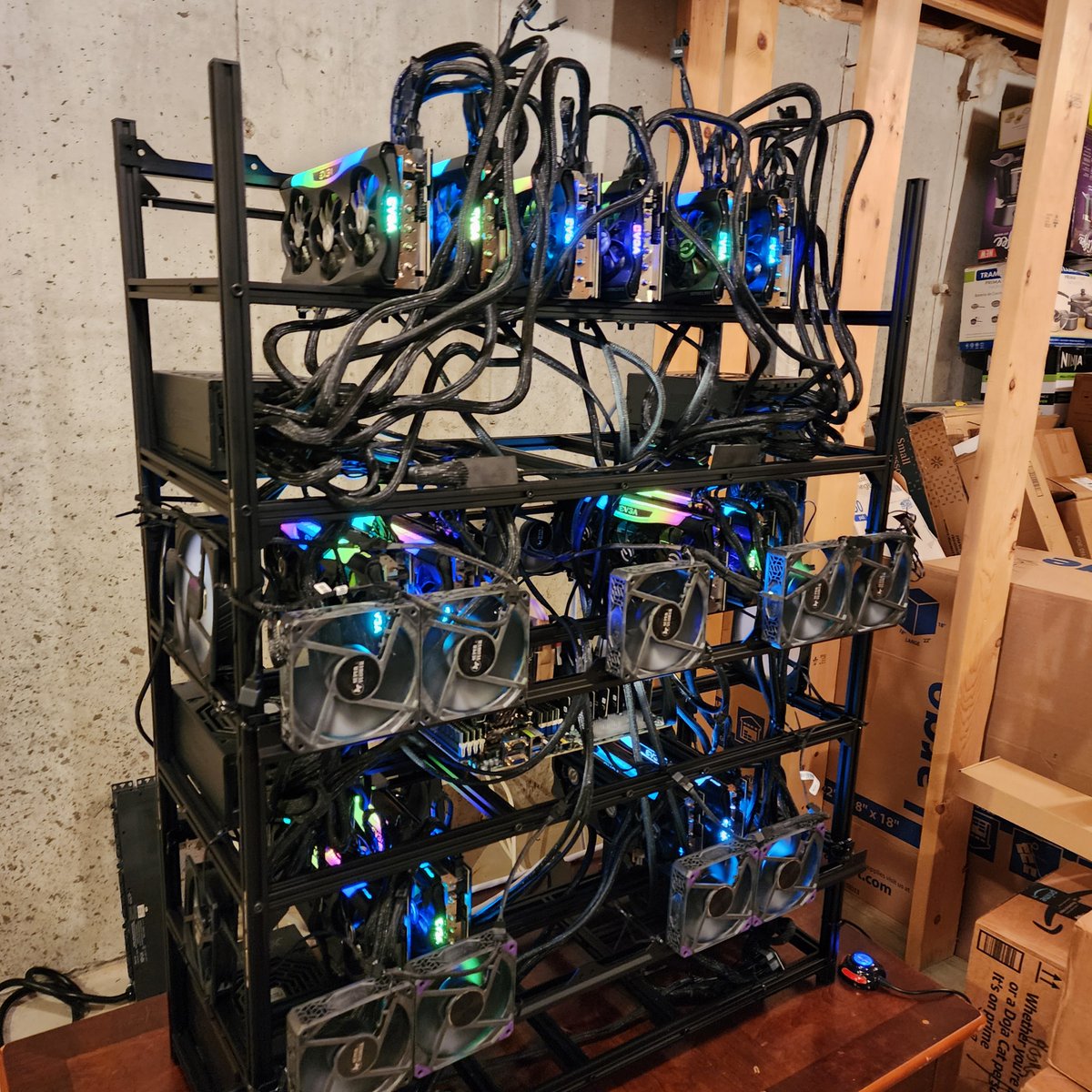
I tried building this with my local Qwen 3.6 27B param model. It took almost 4 hours and wrote the backend properly, but the frontend had many issues Qwen couldn’t fix. I pointed the issues to GPT5.5, which fixed them in one shot. I’m happy a locally served 27B param model did most of the heavy lifting. Though it took a long time, it worked autonomously with no manual interventions for building g the back end and little manual interventions for the front end. This is how local models are meant to be used. You can find the final result below.

The overthinking patterns of @poolsideai’s Laguna S2.1 seem to be consistent. I tested it with this prompt: "Based on everything you know about me, what is the perfect career path for me?" This is a classic synthesis question that reasoning models should excel at. It requires the model to read the relevant wiki pages, connect different pieces of information, and perform its own analysis. The exact answer is not directly stated in the wiki. The LLM needs to reason from the available information and come up with a synthesized recommendation on its own. Laguna successfully read the relevant files, but while synthesizing the final answer it once again got stuck in a long thinking loop. This time it didn’t run out of output tokens, but the response took a very long time to generate and the thinking block was massive.


Even since I have got my spark and started using Qwen-3.6-27B I have hardly ever used any of my subscriptions. I am in fact considering to cancel all my subscriptions and just get X premium+. The 27B model punches above its weight class I am extremely satisfied with it. It runs day and night on my system without ever reaching any usage limits. For the rare situations where it gets stuck I can simply use Grok.

Use my repo if you want to run it yourself exactly how I run it. github.com/MiaAI-Lab/Qwen…




I gave my bf my framework laptop cuz im getting a new one and im watching him set up his first linux install 🥹🥹 “what’s the AUR?” this is the best weekend of my womansplaining life ❤️


using @pidotdev to build a mobile companion for my @pidotdev app going camping now but you are coming with me buddy 😬

you asked me to open source the Pi UI from my recent post, but the best thing @pidotdev taught me is that learning to shape your own tools is better than accepting someone elses finished product so i want to share something more useful than a repo: a one shot prompt to build your own "codex-style" app for Pi, accessible from desktop and mobile through tailscale copy and paste this into your clanker: (but read it first) Build a complete local, private, responsive web UI for my existing Pi coding-agent setup. Work autonomously from discovery through verification: inspect the environment, create the project, install dependencies, implement every required flow, run tests, launch the production app, and fix failures. Do not stop at a plan, scaffold, or mockup, and do not ask me aesthetic questions—make sensible choices and finish the app. THE RESULT I should get a working dashboard that runs on the same computer as Pi and lets me: - choose a project; - create or resume a native Pi session; - stream assistant text, thinking, and tool activity; - send, steer, queue a follow-up, and stop; - choose model, thinking level, and read-only/full tools; - use it comfortably from desktop and mobile; - reach it privately through Tailscale Serve. The browser is only a control surface. Pi remains the agent and the source of truth for models, authentication, settings, tools, resources, and sessions. FIRST, VERIFY THE REAL PI ENVIRONMENT Before coding: 1. Inspect the current directory and preserve anything already present. If it contains unrelated files, create a `pi-web-ui/` subdirectory instead of mixing projects; otherwise use it directly. 2. Locate Pi with the platform-appropriate command (`command -v pi` on POSIX; `Get-Command pi` or `where.exe pi` on Windows). Check `pi --version`, `node --version`, `npm --version`, and whether `PI_CODING_AGENT_DIR` or `PI_CODING_AGENT_SESSION_DIR` is set. Report only set/unset for environment overrides; never dump the environment or read/print `auth.json`. 3. Read the current official docs: - pi.dev/docs/latest/sdk - pi.dev/docs/latest/se… - pi.dev/docs/latest/se… - pi.dev/docs/latest/rpc - pi.dev/docs/latest/se… 4. Treat the installed Pi CLI as the compatibility target. Install the exact matching version of `@earendil-works/pi-coding-agent` locally with `--save-exact`, then pin the full dependency tree in `package-lock.json`. Do not upgrade or modify the global Pi installation. If that exact package version cannot be resolved, stop before opening any saved session, explain the mismatch, and ask whether to install a compatible SDK or update Pi; never silently mix versions. 5. Inspect that installed package's `package.json`, `engines`, public exports, bundled docs/examples, and `.d.ts` files before using an API. Pi evolves: adapt to the matched version's real signatures rather than assuming the names in this prompt are exact. 6. Because this is Node, use Pi’s SDK/AgentSession APIs. Use `pi --mode rpc` only if the current SDK has a documented blocker, and explain the fallback. PATH AND STATE RULES - Build in the project directory selected in step 1, never inside `~/.pi/agent`. - Resolve Pi’s config/agent directory and session storage separately through the matched SDK/settings services. Respect `PI_CODING_AGENT_DIR` for config and `PI_CODING_AGENT_SESSION_DIR` plus Pi's `sessionDir` setting/precedence for sessions. Defaults are normally `~/.pi/agent` and its `sessions/` child, but never derive or hard-code the session root when Pi can resolve it. - The chosen project is the canonical `cwd` given to Pi. - Durable chats remain Pi’s native JSONL sessions under Pi’s configured session storage. Do not create another transcript database and never edit session JSONL yourself. - Use Pi’s SessionManager APIs to create, list, open, and traverse sessions. Resume only exact session paths returned by Pi’s own listing APIs. - Give the browser opaque session IDs; resolve those server-side to paths returned by Pi. Never accept an arbitrary session-file path from the browser. - Never copy, rewrite, expose, or return credentials. Reuse the user’s existing Pi auth through the SDK. - Browser local storage may contain only harmless UI preferences, recent successful workspace paths, delivery mode, and unsent drafts. FIXED STACK Use Node.js 24 LTS when available; hard-require at least the version declared by the matched Pi package (current Pi requires Node >=22.19.0). Do not use Node 20. Use npm with a committed lockfile, strict TypeScript and native ESM, Express 5, Zod for runtime validation, React + Vite, native EventSource/Server-Sent Events, `react-markdown` + `remark-gfm`, Vitest, Supertest, and Playwright Chromium. Do not enable raw HTML in Markdown and do not use `dangerouslySetInnerHTML`; without raw HTML there is no HTML string for DOMPurify to sanitize. If the installed renderer forces an HTML-string path, sanitize it with DOMPurify before insertion, but prefer the AST-to-React path above. Apply an explicit URL policy: allow only safe `http:`, `https:`, and `mailto:` links; reject executable/unknown schemes; disable remote images by default. Keep Pi integration behind a small typed adapter that can be replaced by a fake in tests. Keep server, shared browser-safe protocol types, and UI code separate. Provide and verify: - `npm run dev` - `npm run typecheck` - `npm test` - `npm run test:e2e` - `npm run build` - `npm start` Use Vite's development proxy for `/api` so development stays same-origin. `npm start` must run compiled server code, serve the built frontend and API from one production process, and bind to literal host `127.0.0.1` and default TCP port `4783`. `127.0.0.1` is the security boundary; `4783` is merely a memorable unprivileged default. Permit a validated `PORT` override from 1024–65535, print the exact local URL, and fail clearly on `EADDRINUSE`. Do not allow a HOST override that can widen exposure. BUILD ORDER 1. Finish discovery/version matching and write a short implementation checklist. 2. Define shared protocol schemas and the Pi adapter interface, then build a fake adapter. 3. Make one vertical slice work end-to-end with the fake: open workspace, create chat, send, SSE stream, settle, reconnect, resume. 4. Add the real matched Pi adapter and remaining controls; keep all UI/API tests on the fake. 5. Add security, responsive polish, production service, and documentation; run the complete verification suite after every material fix. Do not replace required behavior with TODOs. PI INTEGRATION Prefer one `createAgentSession` + `SessionManager` instance per live web chat. Use `createAgentSessionRuntime` only if the matched SDK requires in-place new/resume/fork replacement inside one chat; if a runtime replaces its session, unsubscribe, dispose/release ownership, rebind extensions, and resubscribe exactly as the SDK documents. Use the matched version's public equivalents of `AgentSession`, `SessionManager`, `ModelRuntime`, `SettingsManager`, `DefaultResourceLoader`, trust APIs, and `getAgentDir` where appropriate. For each live chat: - create a persistent Pi session for the selected canonical `cwd`, or resume one with SessionManager; - restore its own cwd, name, model, thinking, active branch, messages, and compaction state; - show only the active branch/path, not abandoned branches flattened into the transcript; - load the user’s normal global/project settings, AGENTS.md/CLAUDE.md files, skills, prompt templates, extensions, custom models, and tools through Pi’s normal resource loader; - respect existing project-trust decisions and never silently approve one. If protected resources are skipped, keep the chat usable and show a clear notice; - list authenticated/available models from Pi, never from a hard-coded list. If none exists, tell the user to run `pi` and `/login` locally—do not add a browser credential form; - default new browser chats to real read-only tools (`read`, `grep`, `find`, `ls`) and allow Full access while idle. Full means Pi’s normal tool set, including extension tools. Change the actual active tool array through a documented public API; if the matched SDK only applies tool selection at construction, dispose the idle instance and reopen the same session exactly once with the new tool set. Never show a cosmetic toggle. Explain that read-only is a model-tool allowlist, not an OS sandbox, and does not make loaded extensions harmless; - support model/thinking changes while idle, rename, compact, stats, prompt, steer, follow-up, abort, queue clearing when supported, and clean disposal. SESSION OWNERSHIP AND RECONCILIATION Maintain: - `chatId -> live Pi session`; - canonical `sessionFile -> chatId`. Never open the same session file in two live AgentSession instances inside this server process. A second browser should attach to the existing live chat or receive a clear conflict, never become a second writer. Pi does not provide a universal cross-process session lease, so document that the same native session must not be run concurrently from another dashboard process or terminal; do not claim to prevent an unrelated Pi process from doing so. Stored and streaming items need stable IDs. During a live run, the normalized in-memory event stream is authoritative; do not re-read and append the session JSONL after every turn. After resume or server restart, rebuild the snapshot through the matched public API that resolves the active branch context—for Pi 0.80.6, `SessionManager.buildContextEntries()`—rather than flattening all stored entries. If a resnapshot must merge with live state, use Pi entry/message/tool-call IDs when available; never deduplicate by fuzzy text or timestamps alone. Ignore stale events from a disposed or switched session using a per-chat generation/run ID. A server restart may forget live web IDs, but every saved Pi session must still appear and resume. RUN LIFECYCLE Subscribe to and normalize current SDK events for: - message start/update/end and text/thinking deltas; - tool execution start/update/end; - queue changes; - compaction and automatic retry; - extension errors; - the event meaning the whole session-level run is settled. Do not mark a run complete at `message_end` or ordinary `agent_end`. If the SDK exposes a session-level settled event, use it because retries, compaction recovery, or queued continuations may follow `agent_end`. Otherwise treat the tracked `session.prompt()` promise as the primary completion signal—the SDK documents that it resolves only after the full accepted run, including retries—then confirm the agent is idle and both queues are empty. Do not invent an `agent_settled` SDK event if the matched types do not expose one. An idle send uses Pi’s prompt API. While busy, Steer is delivered after the current turn’s tool calls and before the next model call; Follow-up waits until Pi is otherwise finished. Use exactly the matched SDK's `steer`/`followUp` or `prompt(..., { streamingBehavior })` semantics. Stop aborts Pi, clears queued messages when supported, and remains in Stopping state until the run settles. Use Pi’s prompt preflight/acceptance hook if available so the HTTP request can return `202 Accepted` once the prompt starts or queues; stream the result separately instead of holding the request open. EXTENSIONS AND SLASH COMMANDS Bind extensions using the SDK’s documented non-TUI/RPC-style UI context. Bridge `select`, `confirm`, single-line input, multiline editor, notifications, and status to accessible browser dialogs/events. Match replies by request ID; cancel them on session disposal; never auto-confirm security questions. For unsupported TUI-only custom UI, return the documented safe fallback and show a notice instead of hanging. Discover extension commands, prompt templates, and skills through Pi and expose a lightweight `/` autocomplete menu. Send them through Pi’s normal prompt expansion. Do not pretend built-in TUI-only commands work; implement New, Resume, Rename, Compact, model, thinking, and tools as web actions. SERVER AND SSE CONTRACT Implement typed, Zod-validated equivalents of: - `GET /api/health` - `GET /api/bootstrap` — non-secret app/Pi status and recent/known workspace hints - `POST /api/workspaces/open` with `{ path }` — validate once and return an opaque `workspaceId` plus workspace-scoped trust/resource diagnostics, authenticated models, and session summaries - `GET /api/workspaces/:workspaceId/sessions` - `POST /api/chats` with `workspaceId` and `POST /api/chats/resume` with an opaque listed `sessionId` - `GET /api/chats/:id` — full snapshot - `GET /api/chats/:id/events` — SSE - `POST /api/chats/:id/messages` with `normal | steer | followUp` - `POST /api/chats/:id/abort` - `PATCH /api/chats/:id/config` - rename, compact, extension-dialog response, and dispose routes. Apply small explicit request-body limits. Use a consistent JSON error shape and no production stack traces. Normalize Pi events into a browser-safe discriminated union: snapshot, run status, message item, assistant/thinking delta and end, tool start/update/end, queue update, notice, extension UI request, and session metadata. For SSE: - use `text/event-stream`, `no-cache, no-transform`, keep-alive, and `X-Accel-Buffering: no`; - disable compression, flush events, and heartbeat about every 20 seconds; - use monotonically increasing event IDs and a bounded recent-event buffer; - send a complete snapshot on initial connect; replay from `Last-Event-ID` when possible, otherwise resnapshot; - reconcile by stable item IDs so reconnects never duplicate content; - clean up subscriber/heartbeat state on close; - show Connected, Reconnecting, and Disconnected in the UI. Bound tool output. Send a concise argument summary, running/success/error state, truncated preview, and only reasonably sized safe results. Never push multi-megabyte output into the browser. FINISHED UI Desktop: - persistent 260–300 px sidebar with New chat, current workspace, and searchable recent sessions; - main column with compact project/model/thinking/tool controls, conversation, and bottom composer. Mobile, below roughly 820 px: - sidebar becomes an accessible drawer with scrim, labelled menu button, Escape handling, and sane focus; - chat uses full width, controls wrap, touch targets are comfortable, and the composer respects `env(safe-area-inset-bottom)`; - verify down to 320 px and around 390×844. Nothing may depend on hover. Conversation: - user/assistant messages, collapsible thinking, compact collapsible tool activity, queue state, retry/compaction notices, and actionable errors; - batch streaming updates instead of rerendering the whole page per token; - completed assistant messages render as GFM through the no-raw-HTML React renderer and URL policy above; streaming/model/tool/path content is escaped and treated as untrusted; - external links use `noopener noreferrer`; code and tables scroll inside their own containers; - autoscroll only when within about 96 px of the bottom. Otherwise show Jump to latest and never yank the reader down. Composer: - growing multiline input with persisted draft; - desktop Enter sends and Shift+Enter adds a newline; mobile always has an explicit Send button; - Send becomes Stop while active; - while active show Steer/Follow-up and queued count; - disable model/thinking/tool changes while busy. Handle polished states for no workspace, no sessions, no authenticated model, missing/moved project, SDK initialization failure, reconnecting/disconnected SSE, prompt rejection, and run error. Use semantic HTML, visible focus, accessible dialogs/drawer, light/dark system themes, and reduced-motion support. The conversation is the product; do not fill it with decorative dashboard cards. SECURITY - Bind only to `127.0.0.1`, never `0.0.0.0`, a LAN address, or Tailscale IP. - No CORS. Issue a random per-process same-origin CSRF token in bootstrap and require it in a custom header on every mutation. Also reject clearly cross-site `Origin`/`Sec-Fetch-Site` values. Allow only loopback Host values and explicitly configured Tailscale Serve hostnames; reject every other `Host` or forwarded host. Localhost and the allowed Tailscale Serve HTTPS origin must both work: derive the effective origin safely from the request, trusting forwarded host/protocol headers only when the immediate proxy connection comes from loopback, rather than hard-coding a localhost Origin check. Test allowed and rejected hosts plus both valid origins. - Read allowed workspace roots from `WORKSPACE_ROOTS` (platform path-delimited); default to the user's home directory. Canonicalize roots and candidate workspaces with realpath, require existing directories, and perform filesystem-aware descendant checks—not string-prefix checks. Document how to add `/Volumes`, mounted disks, or other roots. Validate opaque session IDs against fresh Pi listing results and configured Pi session roots; block traversal and symlink escapes. - Never return/log API keys, OAuth tokens, authorization headers, auth-file contents, raw environments, private keys, `.env` contents, or arbitrary files. - Do not add direct shell-execution endpoints; coding actions go through Pi tools. - Use production security headers/CSP (Helmet or an explicit equivalent), no CDN assets, and `Referrer-Policy: no-referrer`. Escape every non-Markdown display field and bound every display payload. - Document prominently: Pi has no built-in sandbox and runs with the permissions of its host user. Tailscale controls network access; it does not sandbox Pi. - Optionally support `ALLOWED_TAILSCALE_USERS` and compare it with Tailscale Serve’s `Tailscale-User-Login` header for remote requests. Explain that this header is trustworthy only because the backend stays localhost-only behind Serve. - Never add public hosting, telemetry, analytics, a public-share button, or Tailscale Funnel. TAILSCALE Do not run Tailscale commands automatically. After localhost works, document: tailscale serve --bg http://127.0.0.1:4783 tailscale serve status If `PORT` changed, substitute that value. Explain that Serve provides a private HTTPS tailnet URL, both devices must be in the intended tailnet, ACLs/grants should restrict access to the owner, and Funnel must not be used. Explain that `--bg` persists the Serve configuration across Tailscale restarts/reboots, but it does not start this Node app. OPTIONAL AUTOSTART / ALWAYS-AVAILABLE MODE After the production app works, detect the host operating system and explain that `tailscale serve --bg` keeps the proxy configuration alive, but the dashboard itself also needs to start after login/reboot. Also explain that “always accessible” still requires the host to be powered on, awake, connected to the internet, and connected to Tailscale. Do not install a background service without explicit confirmation. Ask once at the end: “The dashboard currently runs when `npm start` is active. Do you want me to install an OS-native user service so it starts automatically and restarts after a crash?” If the user says yes, use the host’s native service manager rather than adding a global process-manager dependency: - macOS: a user LaunchAgent under `~/Library/LaunchAgents/`, with `RunAtLoad`, restart-on-failure/KeepAlive behavior, the app’s absolute working directory, and absolute executable paths; - Linux: a `systemd --user` service with restart-on-failure, enabled and started for the user. If it must run before login on a headless machine, explain that user lingering is a separate system-level choice and ask before enabling it; - Windows: an appropriate per-user Task Scheduler entry that starts at sign-in and restarts on failure. For any installed service: - keep the server bound to `127.0.0.1`; - execute the absolute Node binary and compiled server entry directly rather than relying on `npm`, a version-manager shell, or an interactive `PATH`; - preserve required non-secret configuration such as `PORT`, workspace roots, and Pi directory overrides, but do not copy or embed API keys, OAuth tokens, or arbitrary shell environment values in the service definition. Before installation, determine without printing values whether Pi authentication depends on shell-only environment variables; if it does, explain that the service will not inherit an interactive shell and ask the user to use Pi's stored `/login` auth or a deliberate OS-native secret mechanism rather than copying secrets automatically; - write logs to a documented app-local or user-state log directory with bounded rotation where practical; - verify the service by restarting it, checking `/api/health`, and confirming that the same non-secret model availability status is present; - provide exact status, stop, restart, disable, and uninstall commands; - leave the manual `npm start` workflow working. If the user declines, make no machine-level changes and simply document the manual start command plus the optional OS-specific setup. OUT OF SCOPE Do not implement profiles, voice/transcription, `/btw`, side agents, browser editing of Pi auth/settings/trust/packages/resources, a remote filesystem browser/editor, direct provider APIs, an alternative database, full session tree/fork UI, public/cloud deployment, or telemetry. TEST WITHOUT SPENDING MODEL TOKENS Create a deterministic fake Pi adapter. Unit/integration tests must cover workspace-root containment including symlinks and path-prefix traps, opaque session validation, single session ownership, active-branch restoration, event normalization, bounded tool previews, streamed/resumed reconciliation without duplicates, stale-event rejection, queue/abort/settled behavior, SSE reconnect/replay/resnapshot, extension dialog round trips, local and Tailscale-proxied CSRF/origin checks, malicious Markdown/link schemes, request limits, and secret redaction. Install only the Playwright Chromium browser needed for the suite. Playwright must cover desktop new/send/stream/tool/stop, resume, mobile drawer/composer/stream, reconnect recovery, and basic keyboard focus. Default tests must never send a paid model request. Add only an opt-in real-Pi smoke checklist/script that never runs by default. DEFINITION OF DONE Do not hand off until: 1. strict typecheck, tests, Playwright, and production build pass; 2. the production app starts on literal host `127.0.0.1` and the validated effective port (`4783` by default), reports that URL, fails clearly when the port is occupied, and `/api/health` works; 3. desktop and mobile layouts are manually checked; 4. native Pi sessions can be listed, created, resumed, and survive server restart; 5. stream, tools, steer, follow-up, stop, retry/compaction, settled state, and extension dialogs work with the fake adapter; 6. reconnect creates no duplicates and this server never creates two live writers for one session file; 7. built assets and sampled API responses contain no credential values or raw environment data; 8. README documents install/dev/test/build/start, architecture, Pi paths/state, trust, no-sandbox risk, troubleshooting, Tailscale Serve, the optional OS-native autostart choice, and intentionally omitted features. At the end, start the app and give me: the local URL, exact restart command, Tailscale Serve command, architecture summary, files created, checks passed, any real limitation caused by the installed Pi SDK version, and the one explicit question about installing OS-native autostart.