@acinderah Ah damn, the US is too big. If I'm actually looking at the right one now there's an Aldi though. At least at Aldi there's also no chance of your husband walking out with savings on salad but $200 worth of Parkside tools 😂
@prickarz ah if you’re talking about duluth georgia, wrong duluth. im up in Minnesota. unfortunately that doesn’t seem like an option here. even the full lettuce is somewhat pricy, but having a bulk “box” of lettuce mixture / spring mix / spinach et. was relatively cheaper when elsewhere
why are salad greens so expensive in duluth...we've been to 3 different grocery stores and they all offer only small tubs of organic salad greens...in vegas we could get a giant tub for like $3-4 and here in duluth its like...$5-6?
I would actually slightly disagree with this. I think learning VEX early on gives you the option to always fall back to writing a small code snippet if you don't know how to do something otherwise.
Does lead to a lot of "oh crap I didn't know there was a node for this" down the line though.
@yamanetty Start without vex , using the nodes and learning how Houdini works , the different context, how attributes works, create things with nodes first
@prickarz@sidefx Killer work. I got it building and I'll be sending a few Pull Requests your way :) This is really cool stuff. I like the API first approach as well. Lot more flexibility.
A proper announcement with detailed videos, instructions etc. will follow, but I just released the first big update to #Houdini Engine in #GodotEngine
The main focus of this update was usability, so you can get HDAs to work without writing any code.
github.com/peterprickarz/…
For some basic documentation, check the wiki for HEGoNode3D github.com/peterprickarz/…
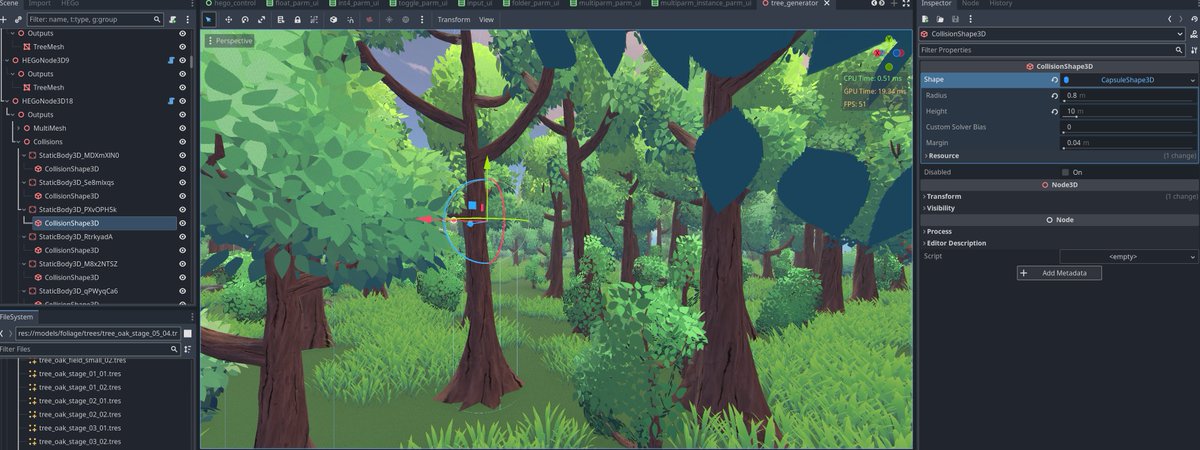
Finally got this working! Houdini point clouds can now spawn any node class by name, parent them, and set any property(even custom ones) based on a dictionary attribute. You can even create objects(like the CapsuleShape3D) and set their properties - recursively.
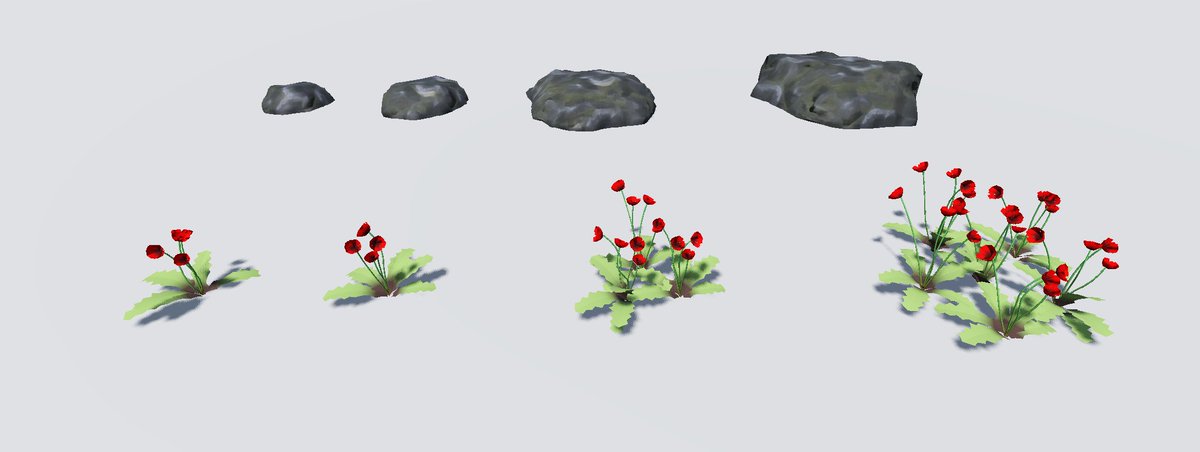
Not the most sensible thing to do, but to keep testing #Houdini Engine in #GodotEngine, I made two more generators - poppies and rocks. Also significantly improved the tree shader. I feel like it's gonna come together to be a pretty neat biome generator example.
On a side note, I'm actually starting to quite enjoy the process of working with this Houdini Engine integration from a user POV. Making an HDA and getting it to work in Godot is pretty straightforward at this point, and I'm noticing that I'm spending more and more time playing with it just for the fun and creativity of it.
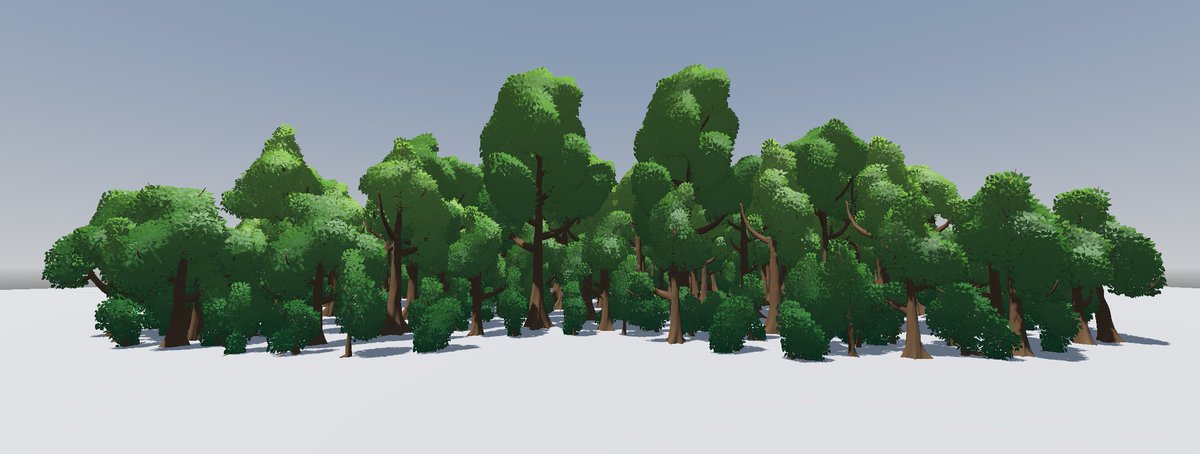
Needed some tree models to build an instancing example for #Houdini Engine in #GodotEngine. The natural solution: A tree generator :D
Now off to actually work on the instancing example...
Another progress update on the UI for #Houdini Engine in #GodotEngine
Basic generated input UI, as well as multiparm support. Tooltips are now also shown.
As always, everything is exposed to GDScript, so you can build your own UI using the same functions.
Working on the first big update to Houdini Engine in Godot, finally bringing auto generated parameter interfaces, as well as auto cook functionality. I also improved error/log prints, which now include any cooking messages coming from the Houdini node graph.
To go into a bit more detail, this UI just relies on a couple of methods and a stash property(to store parameter values) existing on the Godot node implementing the HDA, so it'll work both with a default node I'll provide, but you can also use it in conjunction with any custom node that handles outputs in any way you want.
Additionally, this entire UI is generated via GDScript, so if you wanted to make your own custom UI based on the data provided by the GDExtension, you absolutely could.
It doesn't support all types of parameters yet, and most importantly doesn't handle multiparms at this point, but that's right on my list after I add generated UI for inputs.
Hopefully I'll manage to release the update this month.
@TeotiGraphix By Houdini, it's treated like any other custom Houdini Engine implementation(mostly proprietary AAA engines). I'll reach out to @sidefx to see if there would be a way to make it work with Indie.
Exciting news, I just released a first version of the #Houdini Engine integration for #GodotEngine
The github has some basic documentation in the wiki, and I also made a YT-Video
I'd really appreciate any feedback, suggestions etc.
youtu.be/5iYb76kwDjUgithub.com/peterprickarz/…
It's a C++ GDExtension which adds a couple of classes that can be used in GDScript/C# within Godot.
Basically there's a class for spline and mesh inputs, one to merge inputs, and one to instantiate an HDA on Houdini side. Essentially giving control of what happens under the hood in Houdini Engine for Unreal as well.
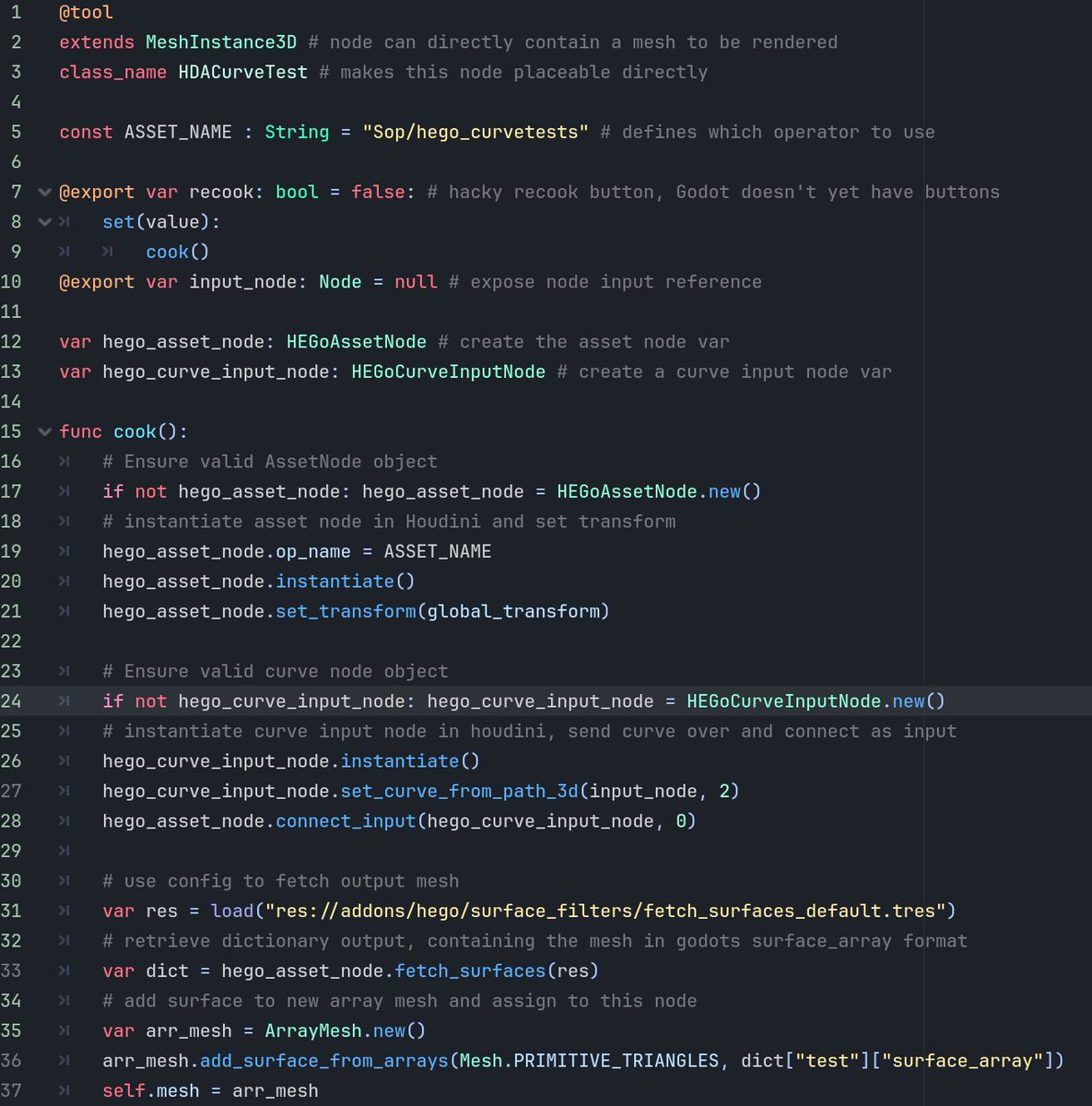
E.g. if you wanted to generate a fence on a spline, you'd create a HEGoCurveInputNode, and call a function feeding a Godot Path3D node as reference. You'd then create your HEGoAssetNode, set it's op_name to your HDA definition name, instantiate it, set its transform, connect the HEGoCurveInputNode, cook it and retrieve the output as a surface_array(can be used on a Godot ArrayMesh type to spawn in the level/save to resources).
On the Houdini side, basically any sop HDA can be instantiated and its output retrieved. Which attributes are read and meshes split by can even be configured with a config file.