Kamal Bhatia

2.4K posts

Kamal Bhatia banner
Kamal Bhatia

Kamal Bhatia

@spIashdaddy

ig: @splashdaddy

Houston, TX Katılım Eylül 2018
229 Takip Edilen152 Takipçiler
Kamal Bhatia
Kamal Bhatia@spIashdaddy·
@theryanjamesmil @SawyerMerritt Mine tries to leave the circle to come back to me lol. Was at Kroger a few days ago and it went the whole opposite way, had to walk even farther and looked like an idiot 🫠. Has happened 4 times, I stopped using it. 2 way lanes in lots too
English
0
0
2
100
Ryan James Miller
Ryan James Miller@theryanjamesmil·
@SawyerMerritt When will smart summon work beyond 100 yards. By the time I summon the car, I could have just walked to it.
English
3
0
16
1.4K
Sawyer Merritt
Sawyer Merritt@SawyerMerritt·
Tesla FSD V14.3.3 just started rolling out, and it comes with the Spring Update! Actually Smart Summon’s top speed has also been increased to 8 mph (from 6 mph)! Downloading it on my Model Y right now. Software version 2026.14.6.6.
Sawyer Merritt tweet mediaSawyer Merritt tweet media
English
141
124
1.8K
787.2K
Joshua Gould
Joshua Gould@voicearchivist·
Name a male character voiced by a woman.
English
9.1K
451
21.4K
5.1M
FearBuck
FearBuck@FearedBuck·
The District Attorney reportedly plans to block ChudTheBuilder from using his fundraiser money toward his bond. (Via: @therobbieharvey)
FearBuck tweet mediaFearBuck tweet media
English
1.5K
3.1K
58.1K
2.4M
Pop Base
Pop Base@PopBase·
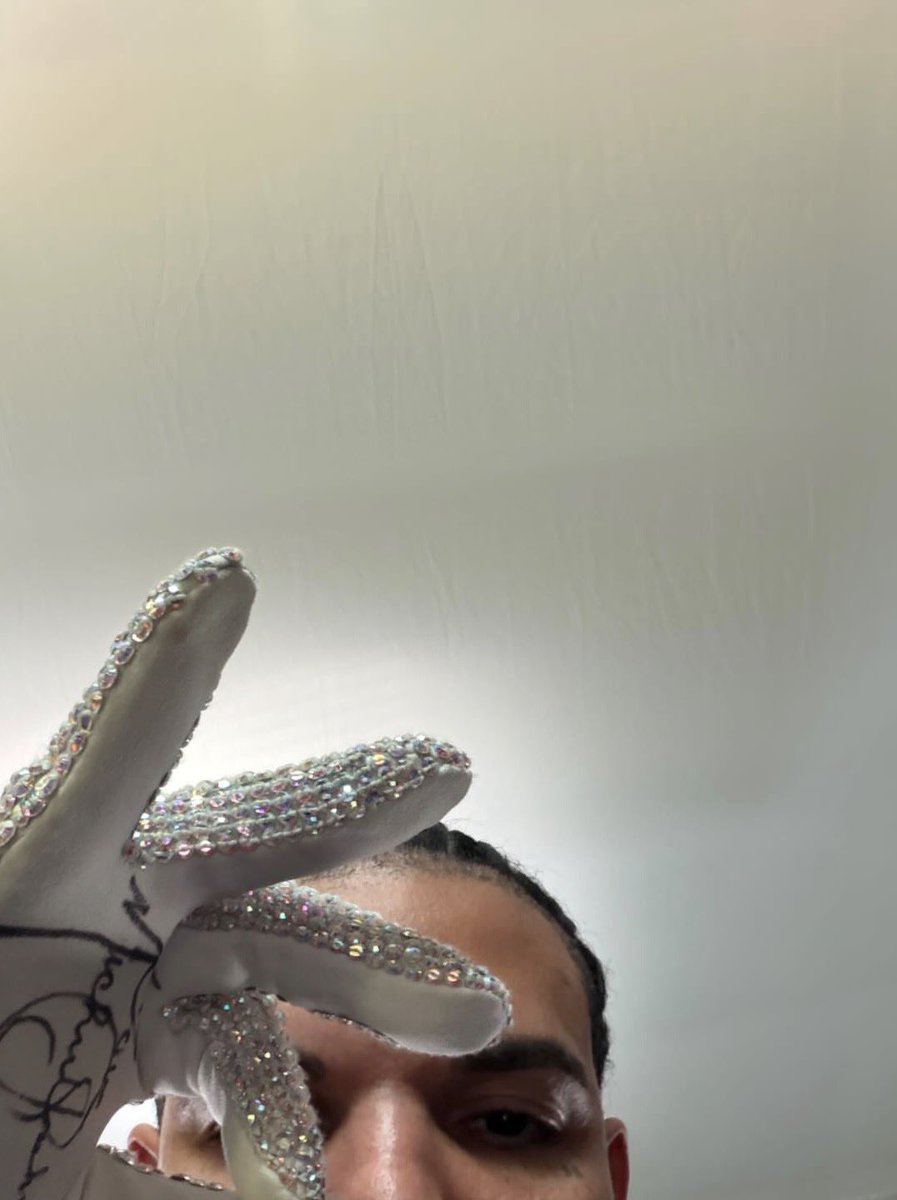
Drake shows off autographed Michael Jackson glove in new Instagram story.
Pop Base tweet media
English
847
1.9K
39.9K
5.8M
Kamal Bhatia
Kamal Bhatia@spIashdaddy·
@wholemars @komocode Some insurances say no 😞 However, only thing I wish my m3lr has would be the front bumper cam. (25’). Had a 22 originally, then 24, then 25. I wish I waited longer but was scared the tax credit would go away. But aye, at least I have my turn signals on the wheel, way better
English
0
0
0
91
Whole Mars Catalog
Whole Mars Catalog@wholemars·
@komocode Your insurance company would reimburse you the cost of acquiring an equivalent car
English
3
0
3
506
Kamal Bhatia
Kamal Bhatia@spIashdaddy·
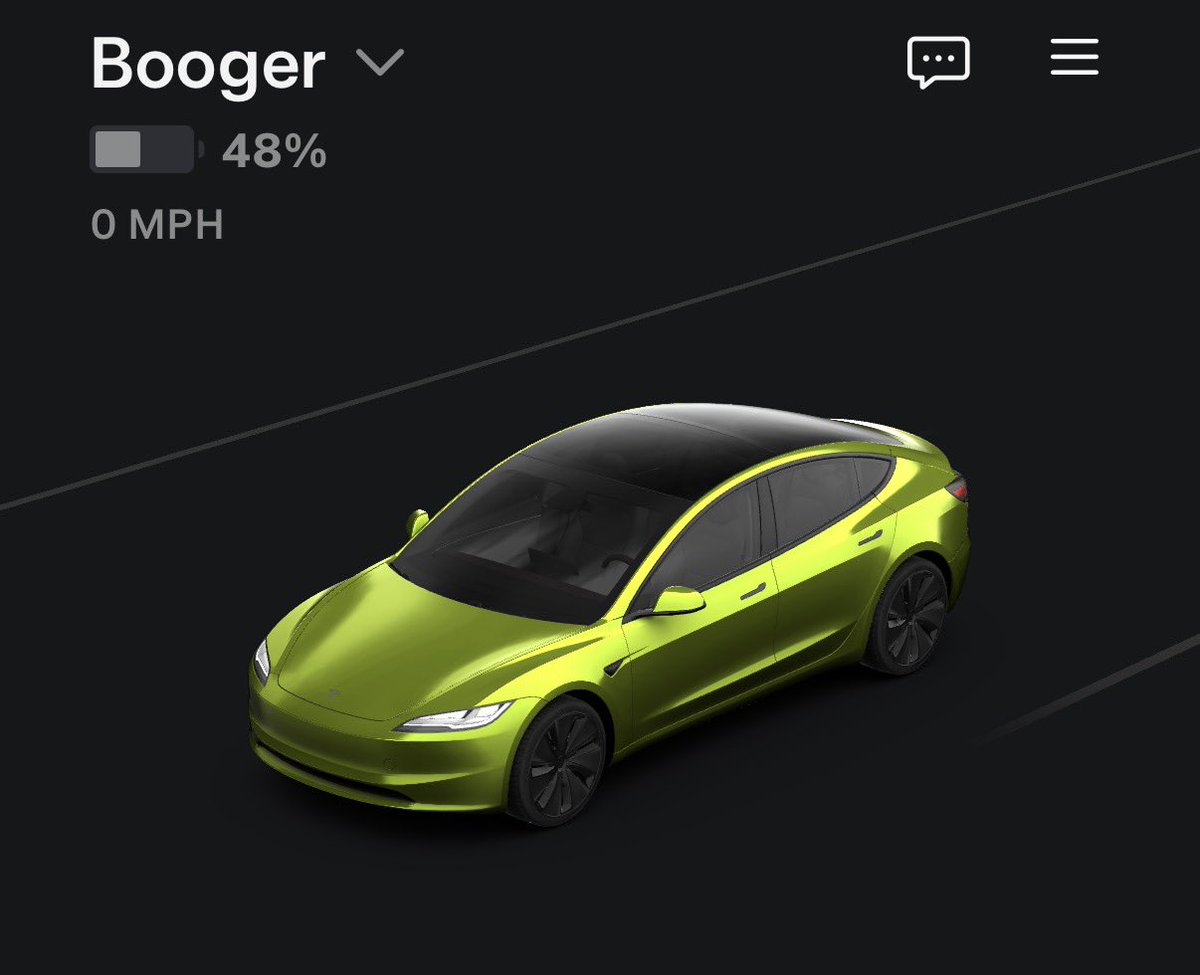
@TSLAshareholder I’m so glad stealth gray was free cuz that’s the one I wanted anyways lol. No regrets
Kamal Bhatia tweet mediaKamal Bhatia tweet mediaKamal Bhatia tweet media
English
1
0
2
31
Hodler
Hodler@TSLAshareholder·
does anyone else regret the color tesla they got? the white model 3 looks so damn good.
English
52
0
41
4.2K
Kamal Bhatia
Kamal Bhatia@spIashdaddy·
@NotATeslaApp Where can I go to get y’all’s lock sounds? I went to y’all’s website but didn’t see it at first glance. (Also working right now so didn’t do my due diligence to dig in lol)
English
1
0
1
711
Not a Tesla App
Not a Tesla App@NotATeslaApp·
Hate to see stuff like this. This guy created a site and blatantly ripped off all of our lock sounds. Every single one. While we don't own the rights to most of them (we do some), we spent hours and hours curating, manually reducing background noise, cutting and editing each one. Now he copied them in just seconds.
Caleb@askcalebleigh

Hey @NotATeslaApp 👋 We built teslalocksound.com — a free library of 200+ Tesla-compatible lock sounds (WAV, 44.1kHz, LockChime.wav ready). Every sound previews in-browser before download. Would love to be a resource alongside your custom lock sounds guide! teslalocksound.com

English
26
9
232
45.3K
Kamal Bhatia
Kamal Bhatia@spIashdaddy·
@SDembraski I don’t even care anymore lol. Getting tired of searching it up every dang day
English
0
0
3
37
Scott Dembraski
Scott Dembraski@SDembraski·
I must be honest.. I am a bit surprised we haven't seen FSD 14 merge with the spring update yet.
English
18
1
62
4K
Lina
Lina@Its_burkes·
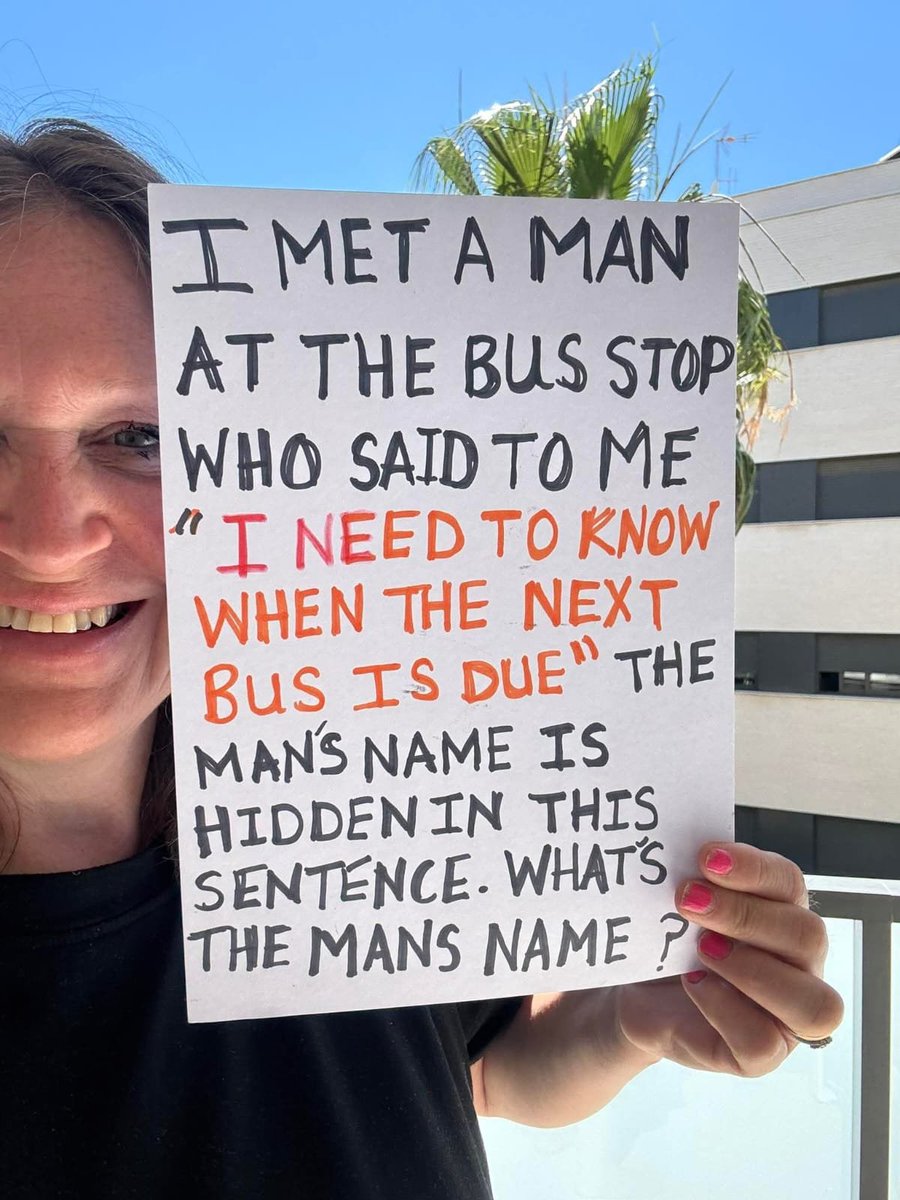
What’s the man’s name?
Lina tweet media
English
28
56
58
13.2K
The Tesla Newswire
The Tesla Newswire@TeslaNewswire·
🔥🚀 Tesla Spring Update 2026.14.6 is now rolling out to the 4th batch of vehicles (reaching ~35% of the fleet)! Changes: ✅ Security improvements 2026.14.3 changes ✅ Bug fixes 2026.14.1 changes: ✅ Self-Driving App [AI4] With the new Self-Driving app, subscribe with a single tap, learn how to activate and use the feature, and view ongoing stats. ✅ "Hey Grok" Launch Grok by saying "Hey Grok." Go to Grok > Settings to enable. You can also set location based reminders, like "remind me to pick up milk when I'm near home." Say "goodbye" to dismiss. ✅ Pet Mode Choose and name your pet by going to Controls > Display > Customize Pet Mode. ✅ Visual Updates [New Model 3/Y] The center display now features higher quality images of your Tesla, and an enhanced park scene environment. ✅ Trips Trips are now in the Energy app, where you can create and manage multiple trips to track energy usage across different drives, routes, or conditions. Go to App Launcher > Energy > Trips. For quick access to the Trips Card, swipe left on the Media Card. ✅ Sketchpad Unleash your inner artist with the enhanced Sketchpad, now supporting stickers and emojis. Save your sketches to access them in the Mobile App and share. ✅ Custom Wraps and License Plates [S/X] Model S & X owners can now personalize their Tesla avatar with window tints, custom wraps & license plates. ✅ Blind Spot Warning Accent Lights Accent lights now turn red when an object is in your blind spot and your turn signal is engaged, or when an approaching object is detected while parked. To disable, go to Controls > Lights > Blind Spot Warning Accent Lights. ✅ Immersive Sound Upgrade [New Model 3 & Y w/ premium audio] Premium Immersive Sound uses advanced sound extraction to place the listener in front of a detailed soundstage within an Immersive space. This enhancement works with all streaming sources. ✅ Music App Queuing Swipe right on tracks in Apple Music or Spotify to add them to the queue. In Apple Music, tap and hold on a track to add or remove from Favorites. In Spotify, swipe left to add or remove from Liked Songs. ✅ Automatic Software Updates Your Tesla can now automatically install downloaded software updates overnight. When enabled, updates will install while your Tesla is parked and not in use, ensuring you always have the latest features and improvements. To enable, go to Controls > Software > Automatically Install Updates. ✅ Dashcam Viewer Updates Recent Dashcam footage can now extend up to 24 hours, and you can save any clip for permanent storage on your Tesla or on your phone by going to App Launcher > Dashcam Viewer. Clips downloaded to your phone now include details such as speed, steering wheel angle, and Self-Driving state. ✅ Weather Maps Improvements Weather maps now show snow and rain with improved colors that make it easier to distinguish between precipitation types. You can also view the past hour of weather data to see how conditions have been changing along your route. ✅ Supercharger Pricing Filter You can now choose to route only to Superchargers with Tesla pricing. When enabled, Trip Planner will avoid locations where Tesla does not set charging prices or accept Free Supercharging credits. ✅ Keyboard Your selected keyboard language will also select the language used for dictation. Tap the international keyboard button to change keyboard and dictation language, without changing voice command language. Tap the mic icon in the keyboard to dictate. ✅ Rear Display Passengers in rear seats can now view and interact with maps on the rear display while your Tesla navigates a route. Tap the maps icon from the rear display to follow along. ✅ Security Improvements ✅ Larger icons on the bottom bar [undocumented] ✅ Animated badge in software menu [undocumented] ✅ Audio source icon next to the volume slider [undocumented]
The Tesla Newswire tweet mediaThe Tesla Newswire tweet mediaThe Tesla Newswire tweet mediaThe Tesla Newswire tweet media
The Tesla Newswire@TeslaNewswire

🔥🚀 Tesla Spring Update 2026.14.6 has been detected and is now rolling out to the 1st batch of vehicles (reaching ~8% of the fleet)! Changes: ✅ Security improvements 2026.14.3 changes ✅ Bug fixes 2026.14.1 changes: ✅ Self-Driving App [AI4] With the new Self-Driving app, subscribe with a single tap, learn how to activate and use the feature, and view ongoing stats. ✅ "Hey Grok" Launch Grok by saying "Hey Grok." Go to Grok > Settings to enable. You can also set location based reminders, like "remind me to pick up milk when I'm near home." Say "goodbye" to dismiss. ✅ Pet Mode Choose and name your pet by going to Controls > Display > Customize Pet Mode. ✅ Visual Updates [New Model 3/Y] The center display now features higher quality images of your Tesla, and an enhanced park scene environment. ✅ Trips Trips are now in the Energy app, where you can create and manage multiple trips to track energy usage across different drives, routes, or conditions. Go to App Launcher > Energy > Trips. For quick access to the Trips Card, swipe left on the Media Card. ✅ Sketchpad Unleash your inner artist with the enhanced Sketchpad, now supporting stickers and emojis. Save your sketches to access them in the Mobile App and share. ✅ Custom Wraps and License Plates [S/X] Model S & X owners can now personalize their Tesla avatar with window tints, custom wraps & license plates. ✅ Blind Spot Warning Accent Lights Accent lights now turn red when an object is in your blind spot and your turn signal is engaged, or when an approaching object is detected while parked. To disable, go to Controls > Lights > Blind Spot Warning Accent Lights. ✅ Immersive Sound Upgrade [New Model 3 & Y w/ premium audio] Premium Immersive Sound uses advanced sound extraction to place the listener in front of a detailed soundstage within an Immersive space. This enhancement works with all streaming sources. ✅ Music App Queuing Swipe right on tracks in Apple Music or Spotify to add them to the queue. In Apple Music, tap and hold on a track to add or remove from Favorites. In Spotify, swipe left to add or remove from Liked Songs. ✅ Automatic Software Updates Your Tesla can now automatically install downloaded software updates overnight. When enabled, updates will install while your Tesla is parked and not in use, ensuring you always have the latest features and improvements. To enable, go to Controls > Software > Automatically Install Updates. ✅ Dashcam Viewer Updates Recent Dashcam footage can now extend up to 24 hours, and you can save any clip for permanent storage on your Tesla or on your phone by going to App Launcher > Dashcam Viewer. Clips downloaded to your phone now include details such as speed, steering wheel angle, and Self-Driving state. ✅ Weather Maps Improvements Weather maps now show snow and rain with improved colors that make it easier to distinguish between precipitation types. You can also view the past hour of weather data to see how conditions have been changing along your route. ✅ Supercharger Pricing Filter You can now choose to route only to Superchargers with Tesla pricing. When enabled, Trip Planner will avoid locations where Tesla does not set charging prices or accept Free Supercharging credits. ✅ Keyboard Your selected keyboard language will also select the language used for dictation. Tap the international keyboard button to change keyboard and dictation language, without changing voice command language. Tap the mic icon in the keyboard to dictate. ✅ Rear Display Passengers in rear seats can now view and interact with maps on the rear display while your Tesla navigates a route. Tap the maps icon from the rear display to follow along. ✅ Security Improvements ✅ Larger icons on the bottom bar [undocumented] ✅ Animated badge in software menu [undocumented] ✅ Audio source icon next to the volume slider [undocumented]

English
4
6
76
10.2K
Ivy Vtuber | The Storm Princess⚡
You receive $22,000 a week for life but you can never drink coffee/redbull again. Would you take the deal??
English
4.9K
1.5K
39.8K
1.5M
Kamal Bhatia
Kamal Bhatia@spIashdaddy·
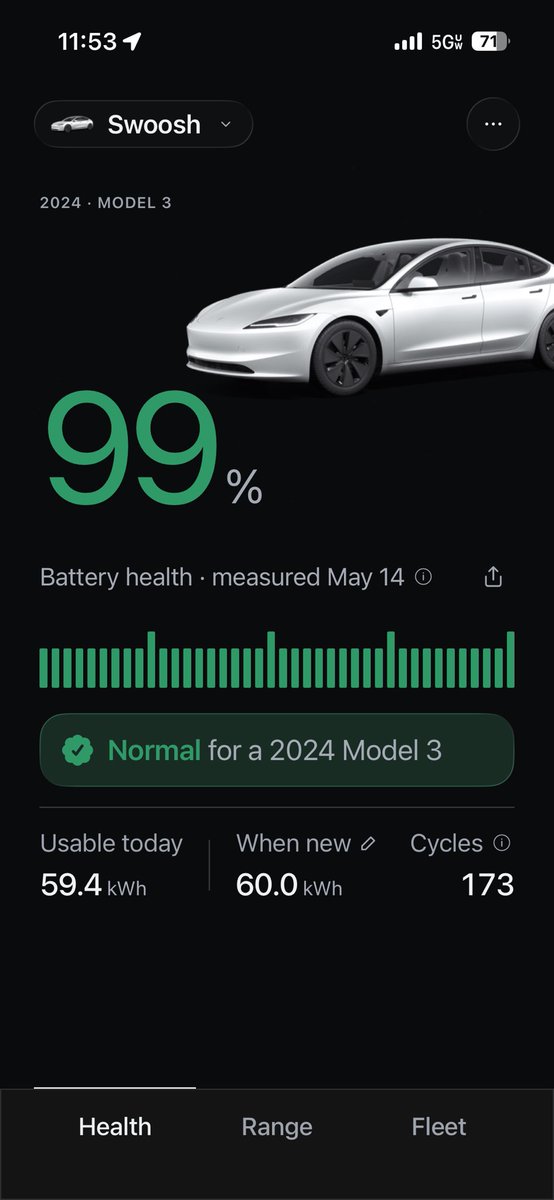
@RatsTesla I thought mine would be higher. 17,303 miles, 2025 m3lr awd. Always charge to 80%. I’ve probably charged it to 100% maybe 3 times in the last 1.5 years
Kamal Bhatia tweet media
English
1
0
1
79
Lior
Lior@liorsela·
What’s the name of the Tesla you’re driving right now? I’ll start…
Lior tweet media
English
167
0
100
8.2K
SleeperRockets
SleeperRockets@SleeperRockets·
LeBron James "would likely sign at the $15 million non-tax midlevel or veteran’s minimum" with any other team if he left the Lakers, per @BobbyMarks42 Why not dream big?
SleeperRockets tweet media
English
49
13
350
45.5K
cinesthetic.
cinesthetic.@TheCinesthetic·
An actor who played a character so perfectly that nobody else could ever top it. GIFS ONLY.
English
12.9K
546
18.2K
3.7M
Kamal Bhatia
Kamal Bhatia@spIashdaddy·
@BobaF3ta @Teslarati Yup, I totally agree. It’s so annoying because my girl was in the passenger seat drinking water and it stomped on the break so hard and released; the water spilt all over her lol. She thought I had done it, and I was like “it was FSD” 😅😂
English
0
0
2
59
James K
James K@BobaF3ta·
@spIashdaddy @Teslarati 💯 I'm experiencing similar issues. I think Tesla needs to figure out a better way to incorporate "quicker reactions" without making FSD feel like an indecisive spazz.
English
1
0
2
30
solé
solé@layxsnv·
Okay, where are the English scholars, which one?
solé tweet media
English
12.3K
516
40.4K
15.2M