
Zach
52 posts


Zach
@zeejers
Founder @ QuickFlo. Bootstrapping a workflow automation platform. Build once, package, resell. Writing about the consulting-to-SaaS path.
Katılım Nisan 2026
76 Takip Edilen34 Takipçiler


you built your SaaS.
no audience. no newsletter. no connections in the space.
you have 30 days to get 50 real users without running ads.
walk me through your exact distribution plan.
where do you start on day 1? what channels? what's your actual message?
specific moves only. no "just post on social media."
English
1. Figure out my avatar. Get specific. Verticalize. The more specific niche the easier to get engaged leads.
2. Find that avatar using Apollo.
3. Warm outreach, every day. Specifically craft each message for that person's company and their exact pain points. No ai slop emails, no generic copy paste template. Maybe even send them a loom of a working demo of their problem solved in my platform.
4. Get them on a call.
English
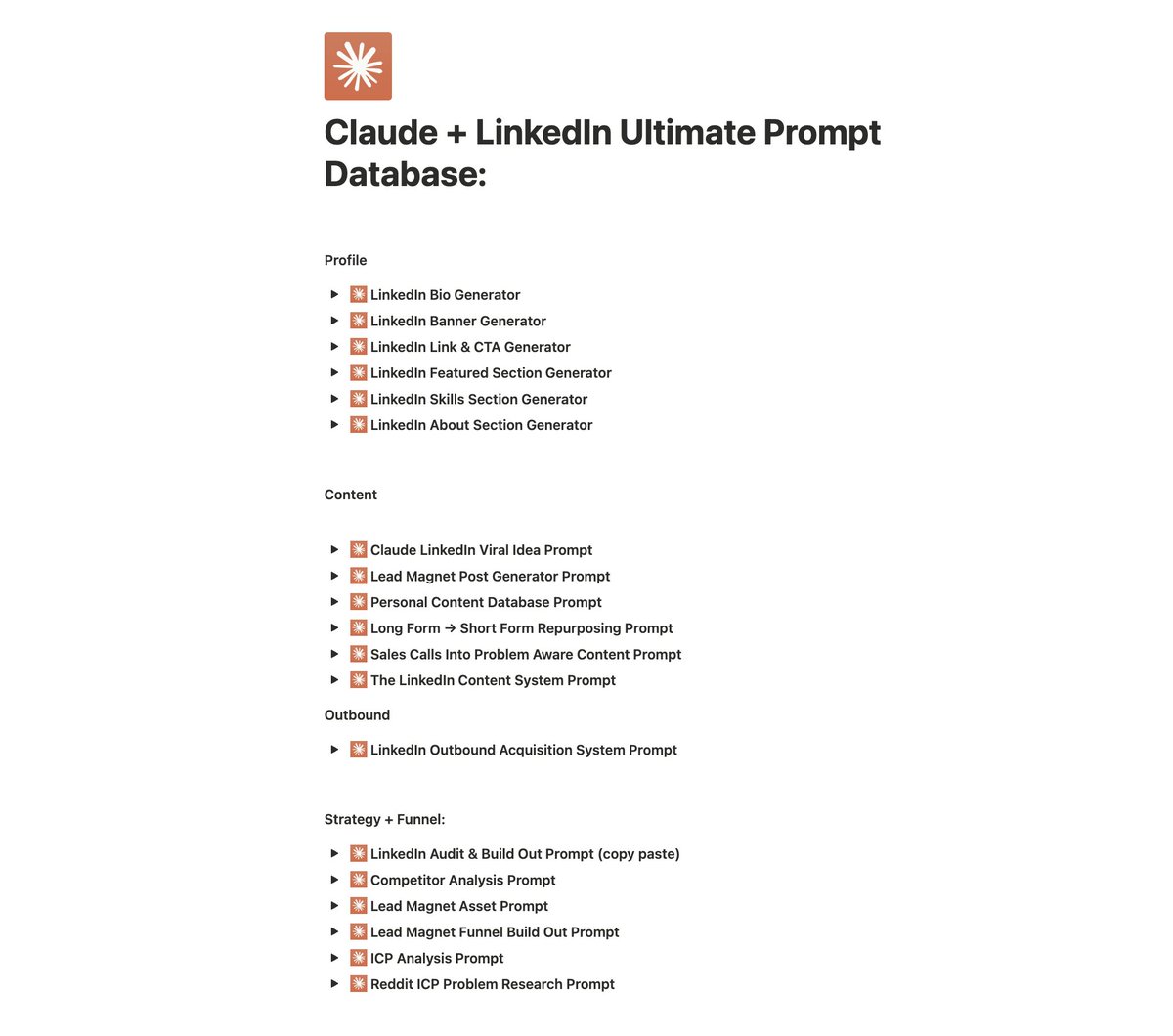
@saxxhii_ 3rd time I've seen this gated for likes/comments. Reverse engineered it. Free, ungated: shore-shadow-090.notion.site/claude-linkedi…
English

I built a database with every Claude + LinkedIn prompt you'll ever need.
For free.
Most people treat prompts like recipes. Copy, paste, hope it works.
That's why 90% of AI-generated LinkedIn content sounds identical.
The difference between generic AI content and content that books calls isn't the tool. It's the prompt architecture behind it.
I've spent 6 months building, testing, and refining prompts specifically for LinkedIn growth in the AI/SaaS space.
This database includes prompts for:
→ Profile optimization (bio, banner, headline, featured section, skills)
→ Viral content generation (hooks, lead magnets, repurposing, sales call mining)
→ Outbound systems (DM sequences, Sales Nav targeting, reply handling)
→ Strategy and funnels (competitor analysis, ICP research, lead magnet campaigns)
These aren't generic ChatGPT prompts. They're built for one thing: turning LinkedIn into a revenue channel.
These prompts work because they're specific to the LinkedIn algorithm, B2B buyer psychology, and actual conversion mechanics.
Want the full prompt database?
1. Follow me
2. Comment "PROMPTS"
I'll send it directly.
English

I built a database with every Claude + LinkedIn prompt you'll ever need.
For free.
Most people treat prompts like recipes. Copy, paste, hope it works.
That's why 90% of AI-generated LinkedIn content sounds identical.
The difference between generic AI content and content that books calls isn't the tool. It's the prompt architecture behind it.
I've spent 6 months building, testing, and refining prompts specifically for LinkedIn growth in the AI/SaaS space.
This database includes prompts for:
→ Profile optimization (bio, banner, headline, featured section, skills)
→ Viral content generation (hooks, lead magnets, repurposing, sales call mining)
→ Outbound systems (DM sequences, Sales Nav targeting, reply handling)
→ Strategy and funnels (competitor analysis, ICP research, lead magnet campaigns)
These aren't generic ChatGPT prompts. They're built for one thing: turning LinkedIn into a revenue channel.
These prompts work because they're specific to the LinkedIn algorithm, B2B buyer psychology, and actual conversion mechanics.
Want the full prompt database?
1. Follow me
2. Comment "PROMPTS"
I'll send it directly.

English
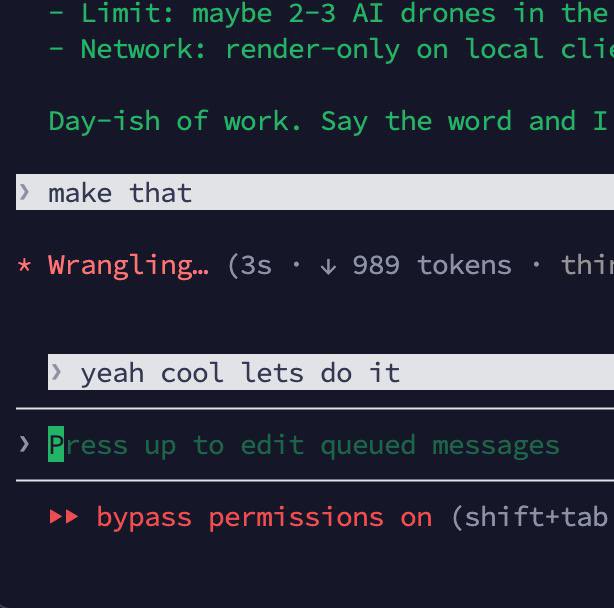
@Im_IrushiK Writing my next prompt, and then managing 4 other running agents in other tabs.
English





@S_N_SH_E_ Ideas are fine, but execution is the whole game.
Share ideas, publicize them. Know why yours is better, because that's where the value is.
English

@LoganTGott Reverse-engineered the structure from your screenshot and built out my own version. Sharing it here, no follow/comment gate:
shore-shadow-090.notion.site/Claude-LinkedI…
The intent behind a prompt is mostly captured in the name + category anyway — the wording is the easy part.
English


@DanielSmidstrup I see. You might be looking at an old copy of the site on your screen.
Good feedback on the confusion between "for platforms" versus "integrates with platforms." I will definitely incorporate that.
English

@zeejers Nope, I just looked at it wiht my own two eyes :D
English
What are you working on
Right now? 👇
I'll reply my first impression of your page.
English
@DanielSmidstrup Wild that you flagged a sentence that isn't on the page anymore. Either you've got prophetic SEO instincts or whatever tool you fed my URL into is working off yesterday's snapshot. My money's on option B.
English
Mainly because it feels like it’s mixing a few different ideas and tones without clearly connecting them.
Also, the line “Built for Five9, Genesys, Cisco, Webex, and Zoom” reads a bit oddly to me. “Built for” makes me pause. I am not sure if that means it integrates with them, replaces them, or is only intended for teams already using those platforms.
It also subtly signals enterprise only because those are all large, well-known vendors. That might be intentional, but if not, it could narrow how people perceive the product.
English


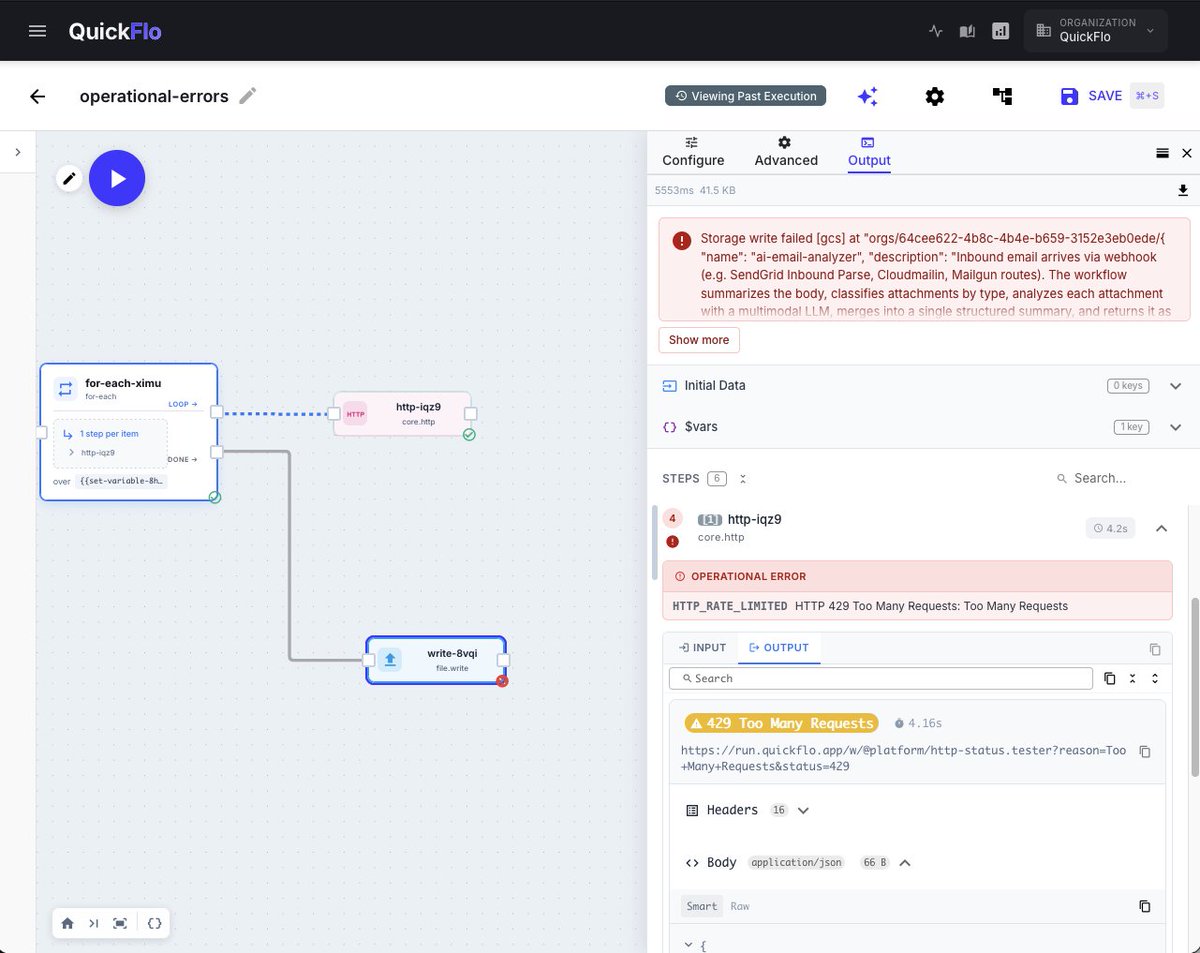
@MotivationalMan This whole list is the case for treating the response body as part of the step contract, not just the status. Typed HTTP errors catch the loud half (real 4xx, 5xx, 429s).
A classify step on the body catches the quiet half (200s that lied). Audit becomes 30 seconds, not a Friday.

English

Your n8n workflow didn't break. The API lied to you.
Before you touch a single node, audit this:
☑ Field names mismatched between source and destination?
☑ Did the upstream API silently drop or rename a key?
☑ Null values detonating your downstream expressions?
☑ Pagination stopping early and cutting your dataset?
☑ Auth token expired mid-run without an error thrown?
☑ Date format shifted between API versions?
☑ Rate limit hit but response still returned 200?
English
@WorkflowWhisper Owner 4 is the one most workflows lose first. "Review failures monthly" dies the day failure triage takes 3 hours.
Classified error taxonomies + searchable execution traces are what keep it a 30-min job - without those the role exists on paper but nothing happens.
English

Automation gets expensive after launch.
The invoice says “build: 6 hours.”
The real work starts when Stripe sends a weird payload, HubSpot drops a required field, Zapier retries the same event twice, or the client asks why Friday’s onboarding emails never went out.
That is the part most builders forget to price.
A client-safe workflow needs 4 owners:
1. The system owner: who gets the alert when it fails
2. The business owner: who decides what happens when data is missing
3. The fallback owner: who handles the manual path
4. The improvement owner: who reviews the failures every month
If those names are blank, the workflow is not finished. It is a demo with a timer on it.
Charge for the build if you want.
Build the business around ownership.
English
@JulianGoldieSEO Prompts aren't why your agents are flaky. That screenshot is.
Output parsing as a separate node, error handling glued onto every branch, 4 save-to-sheet steps. you can write the perfect prompt and still ship a fragile pipeline. the tool is the bottleneck, not the words.

English

⚠️ STOP WATCHING AI AGENT TUTORIALS (THEY’RE BROKEN)
99% of them won’t help you build anything real.
After building 50+ agents with n8n + Claude… I figured out what actually works.
These 3 prompts simplify everything
and turn chaos into clean, working agents:
This is what people should be teaching.
Bonus: Like + comment “AGENT” and I’ll reply with the full AI agent system prompt + complete guide ↓

English

X is cool.
But it's 100x better when you connect with people who code.
If you're into tech, Al, or programming, drop "Hi" ❤️
English
@DanielSmidstrup Appreciate it. Which section specifically? The hero leads with the outcome and timeline so curious what tripped you up.
English
@DanielSmidstrup QuickFlo. I built it so I could sell the same integration to 10 customers without rebuilding it 10 times. Now you can too. [quickflo.app](quickflo.app)
English