
Steve. If that really is your name. retweetledi

‼️🚨 Microsoft calls this "intended behaviour," so here we go.
How to dump the credentials of every user stored in Microsoft Edge:
1. Open Edge. Don't browse anywhere, just open it.
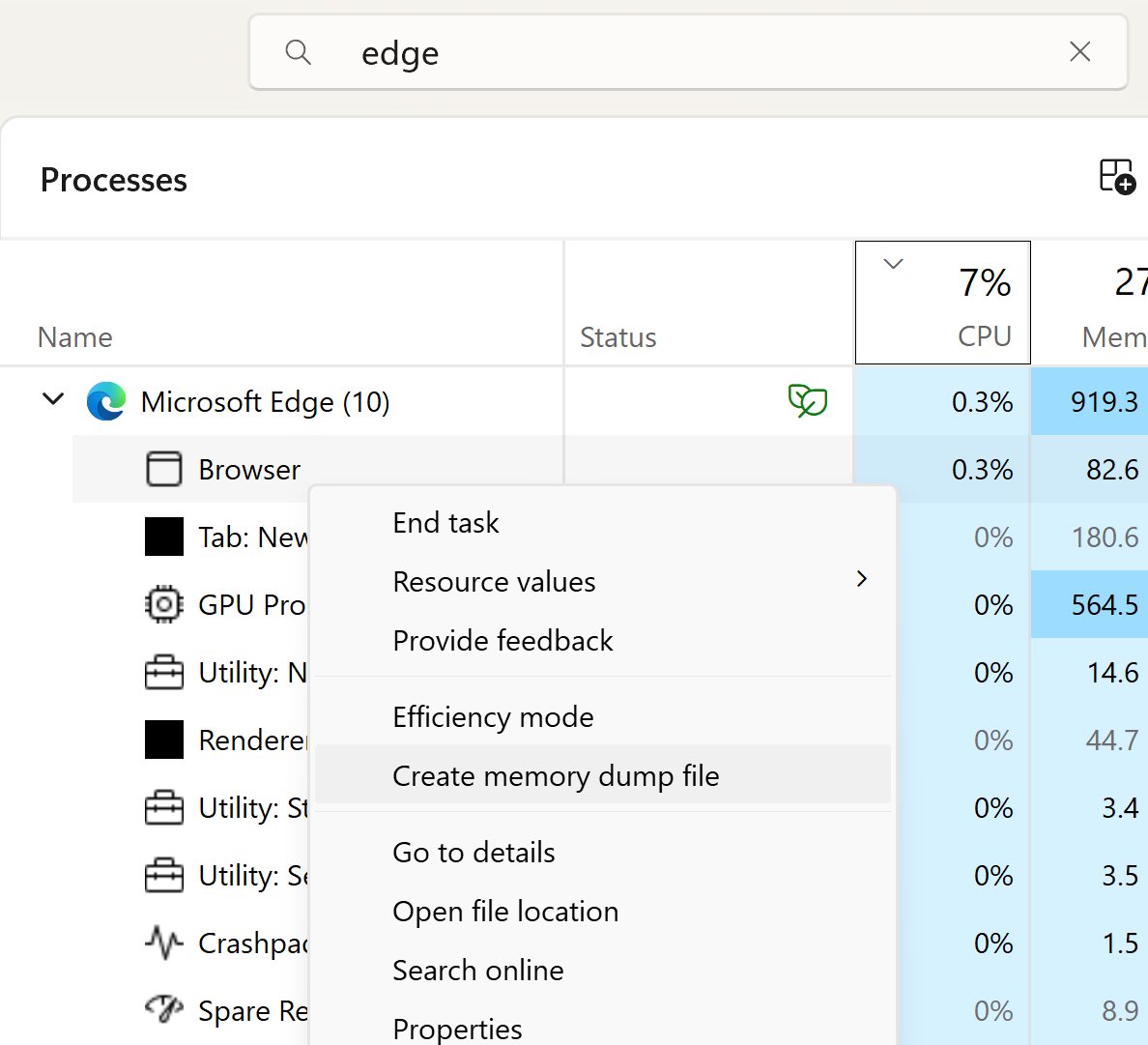
2. Flip to Task Manager, find Edge, expand the task.
3. Highlight the "browser" sub-task, right-click, and choose "Create Memory Dump."
4. Open the dump file and look for credentials.
The logged-in Windows user can dump every stored Edge credential with no additional rights. Which means any malware that user executes has those credentials for the asking.
Thanks to Rob VandenBrink at SANS: isc.sans.edu/diary/32954

English