

Procedural Minds
193 posts

Procedural Minds
@ProceduralMinds
3D Generalist, Game Developer, and YouTuber of Unreal Tutorials
Canada Katılım Kasım 2024
32 Takip Edilen340 Takipçiler

@ProceduralMinds I hope that you get it. I wish you good luck friend. 😃
English
Well, I have officially applied for the Epic Mega Grant today. Do I think I have any chance of winning it? Not really.
But hey, I lose nothing trying except some time. And even that isn't wasted cause I learned some stuff about making a trailer.
And if the image looks a bit odd to you, it's cause for whatever reason I screenshotted the thank you text but not it in context. So I just combined it with the application one to be about what I actually had on submission. 😅

English
I found some people struggle to figure out how to incorporate PCG into their environment.
So I made a video where I go over how I decide what size of a graph I should use, how to break down an environment and figure out what parts can be helped out with PCG, as well as showing off how I'm using PCG in my own game.
So hopefully this helps people getting started with PCG, or just feel unsure of where they can benefit from it in their own projects.
#UnrealEngine #UE5 #PCG
youtu.be/u1Qimmy0v_A
YouTube
English
@michaelshaders We'll know how much that matters in about 4 months. Announcements are around the start of December.
English

@ProceduralMinds hope you get you have put in alot of work
English
@LimasseFive You should! Absolutely nothing to lose. You can even apply again if you don't get it.
English

@ProceduralMinds Good luck !
I probably should give a try too.
English

@ProceduralMinds Good luck!🤞 I tried to apply years ago for one of my game projects, but I was not lucky at that time. Now I’m trying again, this time with my Unreal Engine/Fab products. Like you said, nothing to lose by trying.
English
I don't typically make just forest tutorials since they're the simplest ones that everyone has done. But if you want to just spawn on meshes, all you need to do is project your points down using a line trace to whatever trace channel you want.
My recent mob spawner video shows how to do that if you need. Main difference is you'd just be using a static mesh spawner instead of my spawn actor node. :)
I've also done a custom biome video, and many more. 😉
English

@ProceduralMinds I meant most other channels focus on landscape system, so it would be great if you could cover things like pcg foliage systems but for meshes where you tend to focus. Perhaps I should watch some of your older vids, but things change so rapidly.
English
This Sunday's video will be a little bit different to the normal tutorials. I just want to talk to you guys about how I personally use #UnrealEngine PCG in practice.
Talking about my thought process, how I decide how simple or complex a graph needs to be for it to get to the result I want, and things of that sort.
Obviously the way I use PCG, or my experience in general, isn't going to be the same for everyone. But I think it could help some of you guys, especially those of you that are intimidated by the large and complex PCG graphs you see online.
Hopefully you guys like it, and if you do I'd appreciate the feedback. And if you don't end up liking that kind of video, I also would appreciate the feedback. :P
Video as always will end up on the channel. 😉
@Procedural_Minds" target="_blank" rel="nofollow noopener">youtube.com/@Procedural_Mi…
English
The vast majority of my tutorials don't involve landscapes and use static meshes. You should check out my tutorials. 😅
A racetrack is just a spline mesh, and masking is just a difference node. There's tons of tutorials that I have those use those. Just not a video that focuses on those specific nodes cause they're so common everywhere else.
English
@ProceduralMinds I enjoy your YT vids on PCG a lot and have learned much , thanks!🙏. It would be great to see a UE 5.8 tut of doing PCG work on static meshes like racetrack terrain from Blender (PCG grass, area masking, etc). Most tuts are UE Landscape system which doesn't work on Static Meshes.
English
@grujicbr Oh I have no hope either of seeing a 5.9. But some people are convinced there will be, so this is a primarily an FYI for them if they're going to use the experimental feature.
English
@ProceduralMinds I can’t imagine we will see 5.9 at all, ue6-main is thousands and thousands and thousands of commits ahead, the era of UE5 is over
English
I know many people have been excited for Mesh Terrain in #UnrealEngine 5.8, but I've kept saying that it's experimental so either it's not performant, lacking features, buggy, or any combination of the 3.
Now it seems like even if a 5.9 was to release, you might not even be able to use the 5.8 setup in it. And almost definitely not once it's production ready in the UE6 preview that's coming at end of 2027, or around then.
As they said in a recent Unreal Fest Chicago 2026 video that came out today:
"...we know that mesh terrain is the future for Epic and for Unreal for terrain authoring but right now it's experimental. So please don't message [the speaker] in 6 months that maybe in the 5.9 release your 5.8 experimental mesh terrain stuff isn't working anymore."
So just keep that in mind. I'm not saying don't use it, but I want everyone to make the conscious decision for what it could mean for their project if you do going forward.

English
My #UnrealEngine 5 game uses a dynamic navmesh because I'm procedurally generating a randomized dungeon every time. This requires waiting for the navmesh to finish building, which takes a lot of time just to do pack spawning in a guaranteed navigateable area. And with everything I've tried, there's currently no way to consistently tell when the navmesh is even finished building after the dungeon finishes generating.
So I decided to create a simple mob spawner thanks to PCG! Technically you can use it with any actors at all. Specify the actors you want, how many, and spawn them where you want without worrying about overlaps.
The tutorial is out now on the channel! youtu.be/1THWvpEqGTU

YouTube
English
@delaigrodela The main limiter is no shadows for moveable objects, and less accuracy. But bake settings can change how dense the "grid" is. But yeah, baked lighting is awesome. I really wish I could do baked lighting for mine. Mine is procedurally generated at runtime so it's impossible. :(
English

@ProceduralMinds Epic needs to write a phrase in capital letters: you are baking space and dynamic objects will react to this even if the source is turned off. If I had known that, I wouldn't have looked for other options that you've probably seen, material for post-processing to create fakelight
English
WAT! Is this real?! I didn't know this, this is a revelation for me. If a dynamic object enters a zone of baked light where the source is currently off, does it react to this and light up? WOW, it can't be, it's like a zone with Reflection Capture #UnrealEngine #UE5 #gamedev
English
@delaigrodela @ayoROJO For this particular problem you need to make sure that there's a UV seam at each hard edge. And if that doesn't do it still, I'd say go really old school and try to line up the UVs on the pixel grid of whatever resolution you're using.
English
@ayoROJO @ProceduralMinds I can't believe that one person is the engine technology, which is one of the most important for games. I thought only in Unity such salty jokes that make you want to cry
English
Finally I got to the topic light CPU baking. I tried dozens of variations with dozens of different settings all day and I can't remove this artifact. The environment is modular, the floor or wall is a set of objects. I hope this is cured in Unreal Engine 5.8
English
@ayoROJO @delaigrodela GPU lightmaps have bugs recently. I haven't heard of them being fixed in 5.8 since the person who was working on GPU lightbaking left around 5.5. Since then you can run into unfixable bugs randomly. Like square mosaics instead of proper lightmaps after baking.
English

Any reason you're using CPU Lightmass instead of GPU Lightmass?
This implementation of GPU Lightmass is fantastic. github.com/AlanIWBFT/Unre…
Also, your lightmaps are super important. Unreal's automatic generation is pretty bad. I'm waiting on Kronok's expected excelent implementation of XAtlas in his level editing plugin, Scythe.
He talks more about it here:
patreon.com/Kronok/posts/s…
English
Time for another use case of PCG in #UnrealEngine 5 - Spawners!
In my game I've been using a get nearest navigateable location node for pack spawning, but that needs to wait for the navigation to be ready. The issue with that is the dungeon is procedurally built new each time so it takes too much time.
With this you can just specify the general area you want your characters / enemies to spawn, and not need to worry about them spawning somewhere you don't want.
Just specify what class, how many, and of course since it's PCG, assign any other variables you need to if you want.
Tutorial coming this Sunday as always to the channel: @Procedural_Minds" target="_blank" rel="nofollow noopener">youtube.com/@Procedural_Mi…
Stay tuned!

English
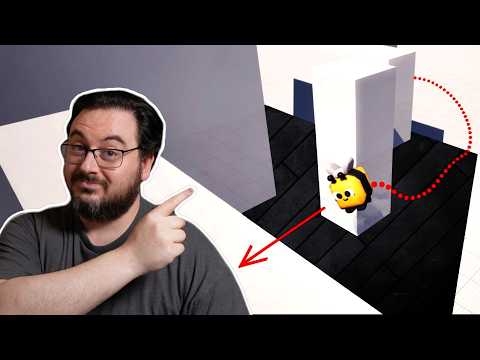
Have you ever wanted to do point to point 3D navigation in #UnrealEngine 5? Well thanks to PCG and #PCGEx, you can!
Cause remember, you can just use PCG for the data. You don't have to always use PCG to spawn things in the world.
Video out now!
youtu.be/yuAp8wWklI8
YouTube
English
@DrNovaDesign I should have clarified, the volume / cluster did the tracing to figure out what to avoid. The path then just uses that. The path that it's taking isn't doing the traces.
English
@DrNovaDesign Basically it's just doing traces to check what to avoid. So you can specify the trace channel. So you generate the "zone" and then you can pick a point and effectively create a spline that avoids obstacles and follow it to the destination.
English
Don't mind me guys. Just making 3D pathfinding thanks to #UnrealEngine 5 PCG, and the #PCGEx plugin.
And it's not on the actor itself, which means that if you had a homing follow setup, or a full character setup in general, you can use it all together anyways.
Video coming Sunday to the channel! @Procedural_Minds" target="_blank" rel="nofollow noopener">youtube.com/@Procedural_Mi…
English