

Mo Ben-Zacharia
65 posts

Mo Ben-Zacharia
@moben_z
Most recently Staff Software Engineer @Meta, building and shipping gesture, haptics, and AR input experiences for Meta's Wearables devices.
Brooklyn, NY Katılım Nisan 2019
68 Takip Edilen21 Takipçiler

@bcherny seems like it scans all projects (not just the current directory), but then adds the overrides to the project-local .claude/settings . Seems like a mistake..?
English

2/ The new /fewer-permission-prompts skill
We've also released a new /fewer-permission-prompts skill. It scans through your session history to find common bash and MCP commands that are safe but caused repeated permission prompts.
It then recommends a list of commands to add to your permissions allowlist.
Use this to tune up your permissions and avoid unnecessary permission prompts, especially if you don't use auto mode.
code.claude.com/docs/en/permis…
English
Dogfooding Opus 4.7 the last few weeks, I've been feeling incredibly productive. Sharing a few tips to get more out of 4.7 🧵
English

LeetCode isn’t meant to resemble your job any more than a bench press resembles daily life.
English


@claudeai I don't see either of these changes live in v2.1.110
English
@trq212 Good read! Although it's a bit strange to be warned about high subagent usage when that's just Claude spinning up its own Explore agents :)
English

English

someone on Github found out you can get it back by adding:
"showThinkingSummaries": true
to ~/.claude/settings.json
Mo Ben-Zacharia@moben_z
whatever happened to being able to show thinking in Claude Code? (with ctrl-o) I feel like this used to work and was super useful...
English

Today is a big day! We're launching a ~ new ~ version of Claude Code in the desktop app. It's been redesigned from the ground up for parallel work and is a lot faster.
It's been my main way to use Claude Code for the last few weeks.
English
@EthanLipnik sometimes its actually thinking for long periods of time, sometimes its stuck.
it used to be easier to tell the difference because you could ctrl-o to see the thinking output, but that seems to no longer be available for some reason...
English

Claude Code has become unusable for me. Does anyone know how to fix the state where it just infinitely thinks with no new tokens?
English
@milindlabs @FarzaTV @Microsoft I don't get it, Farza's implementation asks Claude to embed the location in the response, so it's just one call which you need to make anyways to get the ai response. How does this save any time?
English

I took Clicky and I made it 5x Faster
So I saw that @FarzaTV was using uses Claude's vision to find UI elements on screen, send a screenshot, wait for coordinates back. It works, but it's slow.
I replaced that with OmniParser V2 by @Microsoft which is a local Object detection model trained specifically on UI elements.
It runs on-device, detects every button, menu, and icon in 400ms, and gives me pixel-precise coordinates. No API call, no latency, no cost.
The green highlights you see around the UI elements is the detection overlay and you can see as I am switching the screen it takes no time to detect and highlight which is pretty neat!
With Local models improving by the day, Its the right direction for applications like these.
Next up: video-synced tutorials where a YouTube tutorial pauses and waits for you to perform each action in the real app. I am not stopping!
English
whatever happened to being able to show thinking in Claude Code? (with ctrl-o) I feel like this used to work and was super useful...
English

Why companies feel the need to redesign their UIs every now and then? Who benefits?
- company loses resources on design, implementation and rollout
- users get annoyed, need to re-learn how to do things they knew
is there a study that a refreshed look helps you acquire users or something?
English
@stuartray @woke8yearold I don't think starting companies or raising seeds has ever been about the ability to build the apps / write the code.
English

@woke8yearold Build a bunch of apps and raise a ton of seed rounds as best engineer of all time
English

@AliGrids @PixelJanitor twitter image compression not really doing you any favors here
English

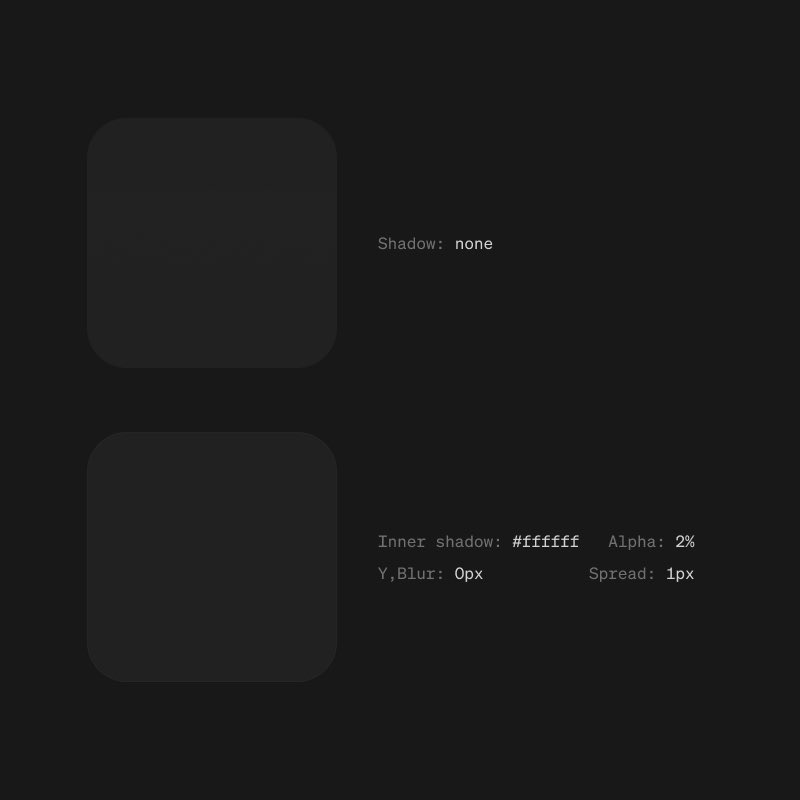
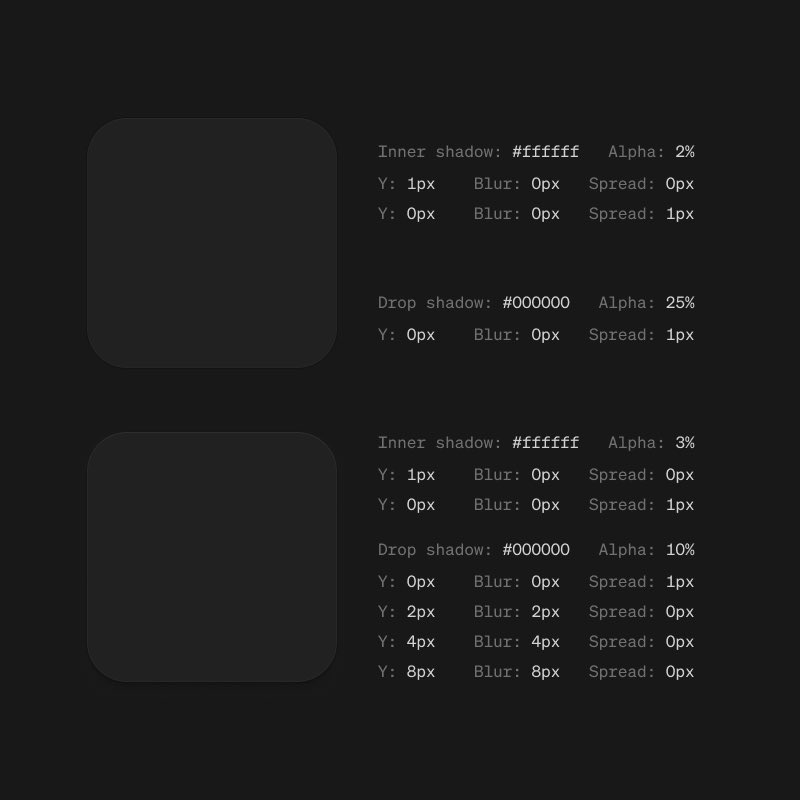
The difference between good dark UI and great dark UI?
1px inner shadow at 2% opacity. 1px drop shadow at 25%.
Details matter.
credit to @PixelJanitor
English
@NielsRogge because billions of people use their social apps every day and they can link those people to the app store
English

Can anyone explain to me why Meta AI is suddenly at the top of the App Store?
It’s not like the general public is like “yeah they just became on par with GPT-5.4 and Opus 4.6, I gotta use Meta now”
English
English
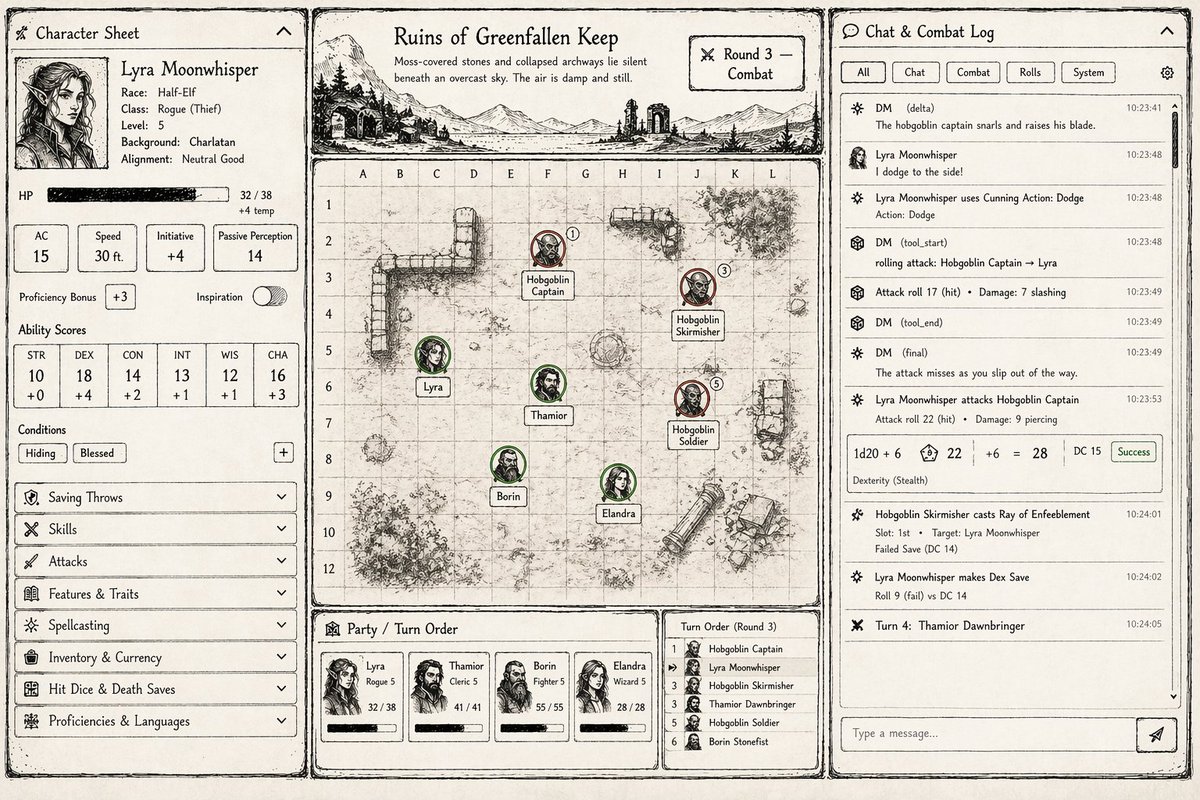
Playing around with a hand-drawn ink dice roll effect in @threejs for a D&D game I'm working on, finally got it looking good
English
@toolfolio @paper seems like similar use case to Figma? I'm guessing main advantage is that its cheaper?
English

FYI this is made with @paper
I am still shocked to see a lot of you guys don't know what Paper is
So here's a thread:
haris@haris_chc
human optimism has risen again
English