Chris Wandstrom

286 posts

Chris Wandstrom banner
Chris Wandstrom

Chris Wandstrom

@wandstromfilter

Early adopter with more TestFlights than tweets. Occasional thoughts on apps & workflows

🇩🇪⇄🇺🇸 Katılım Temmuz 2010
140 Takip Edilen29 Takipçiler
Sabitlenmiş Tweet
Chris Wandstrom
Chris Wandstrom@wandstromfilter·
iOS Dictation Using Shortcuts and the OpenAI API: Due to iOS limitations, dictation apps usually require switching keyboards and opening the app every single time you want to dictate something. I think this just takes too long. The shortcut below gets around this. It makes use of the OpenAI API for dictation and cleanup and usually has the transcribed text in your clipboard within 3–7 seconds (for dictation lengths of ~2 minutes). Recognition is very good, better than the other models I tested (ElevenLabs, Soniox, Parakeet locally, etc.), especially for niche terms. Costs are ~0.10$ per ~20 minutes and ~2000 words of dictated text. You can easily trigger the shortcut with the Action Button (Settings > Action Button), Back Tap (Settings > Accessibility > Touch > Back Tap), or a widget (lock screen, home screen, Control Center). It also appears in the Share Sheet, so you can transcribe audio files as well. ⬇️

Chris Wandstrom tweet media
English
2
0
5
2.9K
Chris Wandstrom
Chris Wandstrom@wandstromfilter·
@morqon @reliabytes The combination of Instant and intelligence makes no sense, really. Just like Pro, Instant becomes meaningless when Medium and High are part of the list. "Thinking" would still work with the options None, Some, More, and Most, though.
English
1
0
1
33
morgan —
morgan —@morqon·
@reliabytes very amusing near miss: imagine following through and calling instant, your most-used model, “low” intelligence
English
1
0
0
41
Chris Wandstrom
Chris Wandstrom@wandstromfilter·
@JamesZmSun Any chance this will come to Safari, or would this be covered by computer use (but slower)? Atlas is dead, I assume?
English
1
0
0
679
James Sun
James Sun@JamesZmSun·
Today, we are excited to introduce Codex for Chrome! Now, Codex can drive its own Chrome tabs in the background to automate tasks while you use the browser simultaneously. It does this by opening up tab groups for each task, cleaning up at the end, and handing back tabs for review only as needed. Try it for deep research inside logged-in websites, large scale data transfer into any systems of record like CRMs/CMSs, and automating repetitive workflows inside admin consoles & internal tools. Codex will still prefer dedicated plugins if you have them installed, but the Chrome plugin is the universal connector that glues end to end workflows where programmatic coverage is often incomplete. We are making this available on both Windows and Mac today! Let us know what you think.
OpenAI@OpenAI

Codex now works directly in Chrome on macOS and Windows. It’s even better at working with apps and sites in Chrome, and now works in parallel across tabs in the background without taking over your browser. To get started, install the Chrome plugin in the Codex app.

English
52
46
609
210.1K
Chris Wandstrom
Chris Wandstrom@wandstromfilter·
Oh, so you couldn't just add a transcription action without having to build a keyboard? That's messed up; I didn't know. I actually made the API shortcut to get around the mess of switching apps/keyboards, since it works OS-wide and can be triggered through action button or back tap in the background.
English
0
0
0
34
Venkatesh Thallam
Venkatesh Thallam@vthallam·
@wandstromfilter Apple makes it harder to do this, like most apps have to build a keyboard with a dictation action that deep links into their app to do this, not a super clean UX.
English
1
0
1
102
Chris Wandstrom
Chris Wandstrom@wandstromfilter·
@morqon @adele__li alright, probably still some rollout glitches then. For the few images I have tested so far, the button was showing up after reopening as well
English
0
0
0
33
Adele Li
Adele Li@adele__li·
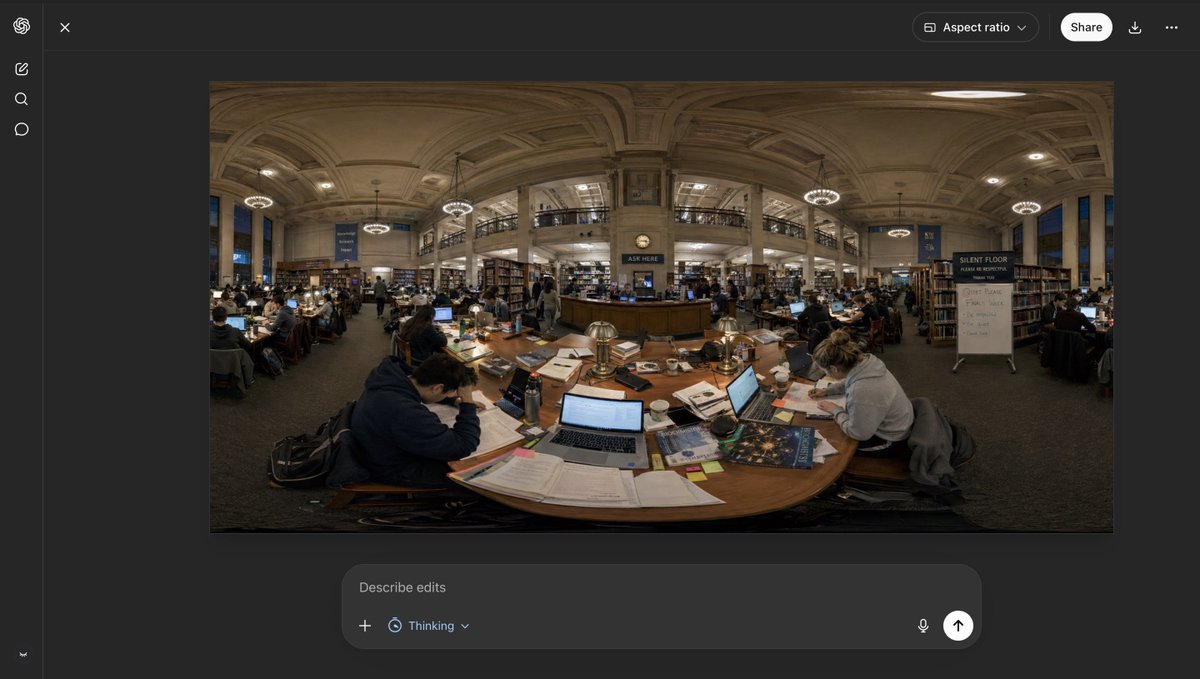
You can now discover 360 worlds within ChatGPT Images on web! Just ask for a "360 image" and click "enter 360 world." Excited to see what worlds you create!
English
47
79
977
107.7K
Chris Wandstrom
Chris Wandstrom@wandstromfilter·
@morqon @adele__li Hmm, that sounds like a bug. After reloading, "Enter 360 world" is still shown for me after clicking into the viewer.
English
1
0
0
29
Chris Wandstrom
Chris Wandstrom@wandstromfilter·
@morqon @adele__li I didn't have it yesterday, but it's there now. Multiple other differences, though. Maybe internal version vs. public, maybe slow rollouts; who knows
Chris Wandstrom tweet media
English
1
0
2
93
morgan —
morgan —@morqon·
@adele__li still rolling out? (also, no select button in edit mode)
morgan — tweet media
English
1
1
5
623
Chris Wandstrom
Chris Wandstrom@wandstromfilter·
That's an option, yeah, thanks for sharing. I just want to clarify that there's a significant quality difference between Apple's transcription model and the OpenAI cloud model used in the API-based shortcut; that's why I don't use this. It's also limited to one language and doesn't recognize many niche terms. I'm also not a fan of the integrated "Use Model" action with the Chat extension option; Apple seems to have forgotten about updating it with newer models. I used the API instead of Apple's action because the model there didn't work well in many of my tests and comes with its own system prompt that can't be changed. If you wanna avoid API costs (in my case, less than $3 per month), I can recommend Parakeet locally through Spokenly app as an alternative; it comes with its own Shortcuts action.
English
0
0
1
107
Scotty
Scotty@scootfleabag·
@wandstromfilter Seems like it’d be simpler to just do this: - Record audio - Save recorded audio to a folder called dictation and call it transcription, overwrite if exists - transcribe audio to text - use model (ChatGPT) with your prompt then transcribed text - copy icloud.com/shortcuts/4029…
English
1
0
1
393
Chris Wandstrom
Chris Wandstrom@wandstromfilter·
iOS Dictation Using Shortcuts and the OpenAI API: Due to iOS limitations, dictation apps usually require switching keyboards and opening the app every single time you want to dictate something. I think this just takes too long. The shortcut below gets around this. It makes use of the OpenAI API for dictation and cleanup and usually has the transcribed text in your clipboard within 3–7 seconds (for dictation lengths of ~2 minutes). Recognition is very good, better than the other models I tested (ElevenLabs, Soniox, Parakeet locally, etc.), especially for niche terms. Costs are ~0.10$ per ~20 minutes and ~2000 words of dictated text. You can easily trigger the shortcut with the Action Button (Settings > Action Button), Back Tap (Settings > Accessibility > Touch > Back Tap), or a widget (lock screen, home screen, Control Center). It also appears in the Share Sheet, so you can transcribe audio files as well. ⬇️
Chris Wandstrom tweet media
English
2
0
5
2.9K
Chris Wandstrom
Chris Wandstrom@wandstromfilter·
@Gangadhar_P @guinnesschen gpt-4o-(mini)-transcribe just has great recognition of niche terms; my favorite speech to text model. It also filters out speech disfluencies very well.
English
0
0
3
162
Gangadhar Payyavula
Gangadhar Payyavula@Gangadhar_P·
@guinnesschen How was it so accurate when I say tech buzzwords and it gets it, did you do anything special to tune it on latest tech buzzwords?
English
1
0
0
2.4K
Guinness Chen
Guinness Chen@guinnesschen·
You can now use your ChatGPT subscription to dictate anywhere on your desktop now! Have fun!
English
120
84
1.8K
335.9K
Chris Wandstrom
Chris Wandstrom@wandstromfilter·
@gabrielste1n @guinnesschen yeah, looks nice. I currently use Spokenly, but the point here is more that gpt-4o-(mini)-transcribe is better than local models, and Codex uses the cloud model without additional API costs through the subscription.
English
1
0
2
110
Chris Wandstrom
Chris Wandstrom@wandstromfilter·
@ericmitchellai - Table of contents in (long) chats, such as in Deep Research, for easier orientation
English
0
0
0
58
Eric
Eric@ericmitchellai·
why isn't chatgpt the perfect personal AGI? what is most disappointing about it? what feature, model improvement, or bugfix would do the most to make it more useful in your daily life? what is most frustrates you that chatty can't do, or can't do well enough?
English
314
17
315
58.4K
Chris Wandstrom
Chris Wandstrom@wandstromfilter·
Low-hanging feature-fruits: - Saved prompts (like in Atlas) - Pinned chats not limited to 3 (makes it pointless) - Increase character limit in custom instructions, or consolidate the character count with "More about you", which is hardly used - Ability to manually mark a chat as unread (blue dot), making it easier to return to when needed - Advanced Voice Mode needs to get rid of the low-IQ model
Chris Wandstrom tweet media
English
0
0
1
100
Ben Goodger
Ben Goodger@bengoodger·
Personal update: I've joined @GoogleLabs. Excited to build new ways to learn & get stuff done!
English
43
12
617
89.4K
Tibo
Tibo@thsottiaux·
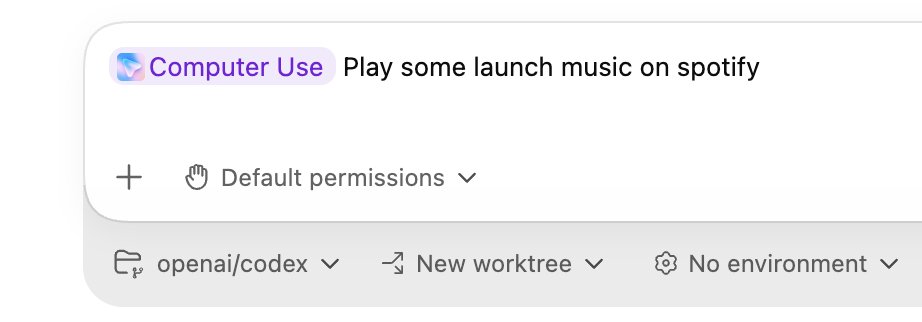
Codex just got a lot more powerful. Computer use, in-app browser, image generation and editing, 90+ new plugins to connect to everything, multi-terminal, SSH into devboxes, thread automations, rich document editing. Learns from experience and proactively suggestions work. And a ton more.
Tibo tweet media
English
425
373
5.2K
438.8K